

If you’ve ever spotted the small pointed mark ^ on your keyboard and wondered what it actually does, you’re not alone. The caret symbol shows up everywhere from math equations and Excel formulas to text messages, coding, and even proofreading marks. Yet most people only ever use one version of it and have no idea the caret family includes upward carets, downward carets, double carets, and even inverted ones.
This guide covers everything in one place: what the caret symbol means, where it comes from, how to type it on Windows, Mac, and mobile, and a ready-to-use list of 25+ caret symbols you can copy and paste right now.
What Is A Caret Symbol?
The caret is a small, pointed mark that looks like an upward-facing arrowhead: ^. It sits above the number 6 key on most QWERTY keyboards and is officially known as the circumflex accent (Unicode U+005E).
The word “caret” comes from the Latin word career, meaning “to lack” or “to be missing.” That origin makes sense once you know its original job proofreaders used it to mark a spot in a sentence where something was missing and needed to be inserted.
Today, the caret does a lot more than mark missing words. It’s used in:
- Mathematics and exponents
- Computer programming and regular expressions
- Microsoft Excel formulas
- Command line syntax
- Text messaging and internet slang
- Music notation
- Linguistics and phonetics
Read Also This Blog: Powerful Biohazard Symbols
Caret Symbol Meaning
At its core, the caret symbol represents insertion, elevation, or exponentiation, depending on the context. Here’s a quick breakdown of what it typically means across different fields:
| Context | What The Caret Means |
|---|---|
| Proofreading | Insert a missing word, letter, or punctuation mark |
| Mathematics | Exponent or “raised to the power of” |
| Programming | Start-of-line anchor, XOR operator, or control character |
| Excel | Exponentiation operator |
| Texting | Emphasis, sarcasm, or “referring to the message above” |
| Linguistics | Rising-falling tone or pitch accent |
| Logic | Conjunction (“AND”) |
Caret Symbol In English
In everyday written English, the caret is mostly a proofreading tool. When editing a handwritten or printed draft, writers place a caret below the line to show exactly where a missing word or phrase should go. For example:
“She could ^ have done a better job.”
The caret tells the reader (and the writer) that the word “have” needs to be inserted at that exact point. This is still taught in editing and grammar courses today, even though most editing now happens digitally with tracked changes instead of handwritten marks.
Caret Symbol In Math
In mathematics, the caret is one of the most useful shorthand symbols around. It represents exponentiation raising a number to a power.
For example:
- 2^3 means 2 raised to the power of 3, or 2 × 2 × 2 = 8
- x^2 means x squared
- 10^6 means 10 raised to the power of 6 (one million)
This notation became popular because early computer keyboards and calculators couldn’t display superscript numbers, so the caret became a practical stand-in for exponents in plain text.
The caret is also used in symbolic logic, where it represents the logical “AND” operator (also called conjunction), and in vector notation, where a caret over a letter (like û) indicates a unit vector.
Caret Symbol In Excel
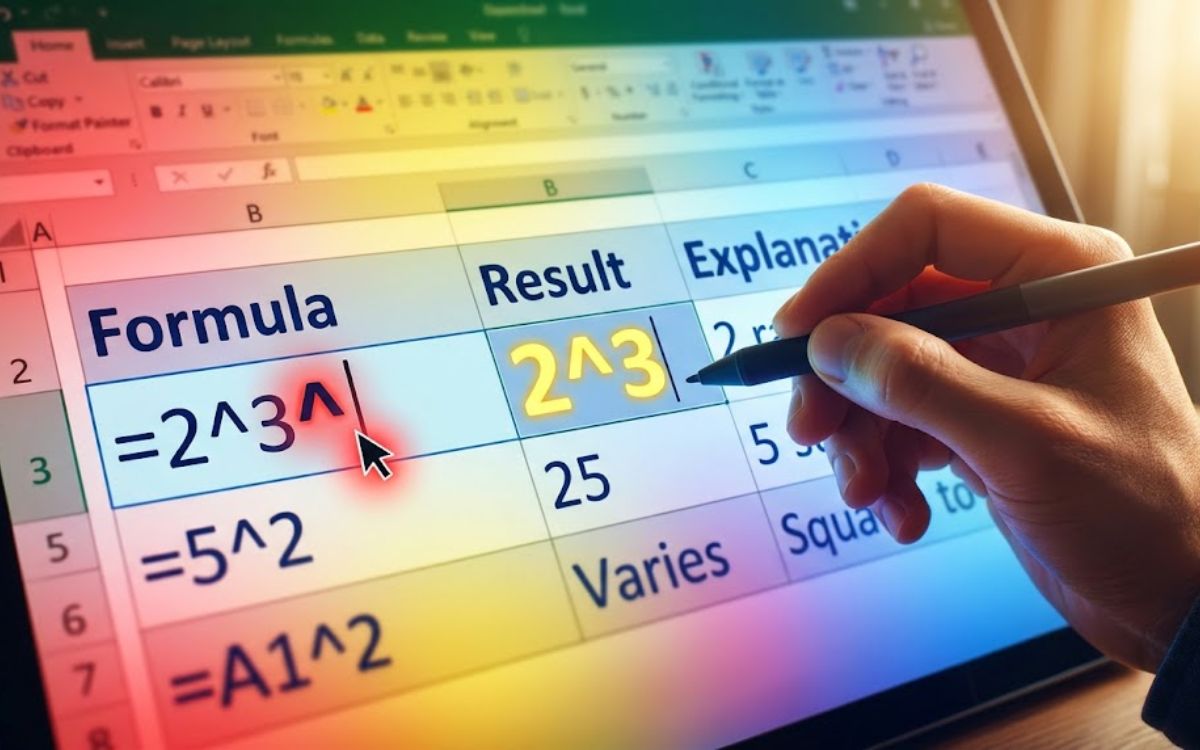
Microsoft Excel uses the caret as its exponentiation operator. Instead of writing “2 to the power of 3,” you type it directly into a formula using the caret symbol.
Example Excel formulas:
| Formula | Result | Explanation |
|---|---|---|
| =2^3 | 8 | 2 raised to the power of 3 |
| =5^2 | 25 | 5 squared |
| =A1^2 | Varies | Squares the value in cell A1 |
| =4^0.5 | 2 | Square root of 4 |
To type the caret in Excel, simply press Shift + 6 on a standard keyboard no special formatting is needed since it’s a regular character on the keyboard.
Caret Symbol Mac
Mac keyboards don’t always make the caret obvious, especially on international layouts, but it’s easy to find once you know where to look.
On US and UK Apple keyboards:
- Press Shift + 6 to type the caret symbol directly.
On Spanish or international layouts:
- The caret is located near the P key. Press Shift + ^ to type it.
Using the Character Viewer:
- Press Control + Command + Spacebar to open the Character Viewer, then search “caret” and double click the symbol to insert it.
Caret Symbol Music
In music theory, the caret is sometimes placed above a number to indicate scale degree in Roman numeral analysis: a caret over “1,” for instance, marks the tonic note of a scale. It’s a notation favored by music theorists and students, not something you’d see printed on standard sheet music.
Caret Symbol Pronunciation
The caret symbol is pronounced “KARE-it” (rhymes with “carrot”). Because it sounds identical to the vegetable and similar to the word “carat” (used for gemstones and gold purity), it’s often confused in casual conversation. All three words: (caret, carrot, and carat ) are pronounced the same way in English but mean completely different things.
Caret Symbol Text
In texting and casual online writing, the caret has picked up a few informal meanings:
- Referring upward: Typing a caret (or several: ^^^) under a message means “I agree with the comment above” or “see what they said.”
- Emphasis or sarcasm: Some users place a caret before a word to indicate emphasis, similar to using italics.
- Exponent shorthand: In casual math or gaming chats, people still use “10^3” instead of writing out “10 to the power of 3.”
Caret Symbol On Keyboard

The caret symbol is a standard key on virtually every keyboard layout, though its exact position can shift slightly depending on your language settings.
On a US English keyboard, it sits directly above the number 6, and you access it by holding Shift.
How To Type Caret Symbol On Keyboard?
Here are all the ways to type a caret symbol, whether you’re on Windows, Mac, or mobile.
- Windows and Mac (standard method): Press Shift + 6 together. This works in almost every app, browser, and document editor.
- Windows Alt Code: Hold Alt and type 94 on the numeric keypad, then release Alt. Requires Num Lock to be on and a keyboard with a numeric keypad.
- Windows Character Map: Open Character Map from the Start menu, search for “circumflex,” and copy the symbol into your document.
- Mac Character Viewer: Press Control + Command + Spacebar, search “caret,” and double-click to insert.
- Mobile keyboards (iOS/Android): Tap the numbers key (123), then the symbols key (#+= or sym), and select the caret from the symbol menu.
- Copy and paste: Simply copy the caret symbol from a page like this one and paste it wherever you need it.
Caret Symbol PNG
Need the caret as an image instead of plain text? Free online symbol tools let you download it as a transparent PNG, JPG, SVG, or PDF in the size and color you need handy for logos, buttons, and UI elements like dropdown arrows.
25+ Caret Symbols To Copy And Paste
Below is a curated collection of caret and caret-related symbols. Click, copy, and paste any of these directly into your document, chat, or design tool.
| Symbol | Name |
|---|---|
| ^ | Standard Caret / Circumflex Accent |
| ˆ | Modifier Letter Circumflex Accent |
| ‸ | Proofreader’s Caret |
| ⁁ | Caret Insertion Point |
| ⎀ | Insertion Symbol |
| ∧ | Logical AND / Wedge |
| ˅ | Down Caret (Caron-style) |
| ˄ | Up Arrowhead |
| ⌃ | Up Arrowhead (Control Symbol) |
| ⌄ | Down Arrowhead |
| ∨ | Logical OR / Vee |
| ⩚ | Double Wedge (Logical AND, doubled) |
| ⩛ | Double Vee (Logical OR, doubled) |
| ʌ | Turned V |
| Λ | Greek Capital Letter Lambda |
| λ | Greek Small Letter Lambda |
| ǂ | Double-Barred Caret (linguistics) |
| ˇ | Caron / Inverted Caret |
| ✓^ | Caret With Checkmark (stylized text use) |
| ⌢ | Frown / Downward Curve (arc symbol) |
| ⌣ | Smile / Upward Curve (arc symbol) |
| ˰ | Modifier Letter Low Up Arrowhead |
| ˱ | Modifier Letter Raised Up Arrowhead |
| ⍋ | APL Functional Symbol Up Caret |
| ⍒ | APL Functional Symbol Up Caret Tilde |
| ⍍ | APL Functional Symbol Down Caret Tilde |
| ⍌ | APL Functional Symbol Quad Down Caret |
Different Types Of Caret Symbols Explained
Up Caret Symbol
The up caret (^ or ˄) is the most recognizable version, pointing upward like a small triangle roof. It’s the default caret used in math, Excel, and programming.
Down Caret Symbol
The down caret (˅ or ⌄) points downward and is commonly used in web and app design to indicate dropdown menus or expandable sections.
Upside Down Caret Symbol
The “upside down” caret is essentially the down caret rotated 180 degrees from the standard version , it’s frequently used interchangeably with the down caret in UI design.
Downward Caret Symbol
Similar to the down caret, this version is often used to represent a “collapse” or “close” action in interfaces, sitting opposite to its upward counterpart.
Double Caret Symbol
Symbols like ⩚ and ⩛ show two carets stacked or joined together, often used in advanced logic and set theory to represent compound operations.
Inverted Caret Symbol
The inverted caret (ˇ), also called a caron or háček, points downward like a “v” shape and is used as a diacritical mark in several Slavic languages.
Left Caret Symbol
While not a traditional caret, symbols like < or ‹ are sometimes referred to informally as “left carets” in UI and coding contexts, representing “back” or “previous” navigation.
Right Caret Symbol
Likewise, > or › is often called a “right caret” in design systems, typically used to indicate “next,” “forward,” or “expand” actions.
Caret Typographical Symbol
In typography, the caret refers specifically to the proofreading mark (‸) used to indicate insertions, distinguishing it from the circumflex accent (^) used in computing and math, even though both share the same name.
Frequently Asked Questions
What does the caret symbol (^) mean?
The caret symbol generally represents insertion, exponentiation, or elevation, depending on context from marking missing text to indicating “raised to the power of” in math.
How do I type a caret symbol on a keyboard?
Press Shift + 6 on both Windows and Mac keyboards to type the standard caret symbol instantly.
What is the caret symbol called in math?
In math, it’s usually just called the caret or the exponent symbol, since it denotes a number raised to a power.
How is the caret symbol pronounced?
It’s pronounced “KARE-it,” which sounds exactly like the word “carrot.”
What is the caret symbol used for in Excel?
In Excel, the caret is the exponentiation operator, used in formulas like =2^3 to calculate powers.
Is the caret the same as a circumflex?
Yes, the caret symbol (^) and the circumflex accent are the same Unicode character, though “circumflex” is the more formal name.
Where is the caret key on a Mac keyboard?
On US and UK Apple keyboards, it’s found by pressing Shift + 6, the same as on Windows.
What does a caret mean in a text message?
In texting, a caret often means “I agree with the message above” or is used for emphasis on a word.
Conclusion
The caret symbol looks simple, but it carries a surprising amount of history and function packed into one small mark. From its roots as a proofreader’s insertion mark to its modern role in math, Excel formulas, programming logic, and even texting slang, the caret has quietly become one of the most versatile symbols on your keyboard.
Whether you need the standard ^ for a quick exponent, a stylized double caret for logic notation, or a downward caret for a dropdown menu design, you now have a full list to copy, paste, and use right away plus every method you’ll need to type one yourself on Windows, Mac, or mobile.
