

You’ve seen it on doors, roads, apps, and phone screens. A red circle with a horizontal white bar. It’s one of the most recognized icons on the planet, yet most people can’t tell you where it came from or how to type it. This guide breaks down everything about the no entry symbol: its meaning, its ISO and Unicode background, and exactly how to copy, paste, or type it on any device.
What Is the No Entry Symbol?
The no entry symbol is a circular red sign with a white horizontal bar across the middle, used worldwide to show that access, movement, or an action is not permitted. It belongs to a broader family of icons called “no symbols” or prohibition signs, all built around the same red-circle-and-bar design language.
You’ll spot it in three main contexts:
- Traffic and roads; Marking a street or lane closed to vehicles.
- Buildings and workplaces: Restricted zones, staff-only doors, and safety areas.
- Digital interfaces: Phones, laptops, and apps showing a blocked or disabled action.
Because the symbol relies on shape and color rather than words, it communicates instantly across languages which is exactly why it was designed the way it was.
Read Also This Blog: Baseball Symbol
No Entry Symbol Meaning
At its core, the symbol means “stop — do not proceed.” The red color signals danger or prohibition, the circular shape draws the eye, and the horizontal bar visually blocks the space, mimicking a barrier across a path.
| Element | What It Represents |
|---|---|
| Red circle | Warning, restriction, prohibition |
| White background | Contrast for visibility |
| Horizontal bar | A physical block or barrier |
| Overall shape | Universal “stop / not allowed” cue |
This is different from the general “no” or “prohibited” symbol, which uses a diagonal line through an image (like a cigarette for no smoking). The no entry symbol uses a plain horizontal bar with no picture inside, meaning the restriction applies to entry or passage itself not a specific object or activity.
No Entry Symbol History
The no entry sign has roots in international road-safety standardization. As motor traffic grew in the early 20th century, countries needed a shared visual language so drivers wouldn’t need to read local text to understand a warning.
- The design was formalized under agreements tied to the Vienna Convention on Road Signs and Signals, which standardized traffic symbols across participating countries.
- Beyond traffic, the same red-circle design later expanded into general prohibition signage used for no smoking, no littering, and no swimming, among other restrictions.
- In digital and safety signage, the pictogram was later registered under ISO 7010, the international standard for safety signs, where prohibition signs use a red circle with a diagonal or horizontal bar over a black pictogram on a white background.
- The digital “no entry” character entered text and messaging platforms once emoji standards were introduced, giving the symbol a second life on screens.
ISO 7010 P002 No Entry Symbol PNG
A common point of confusion is the exact ISO 7010 reference number. Officially, the “no thoroughfare” prohibition pictogram — the closest match to what most people call the no entry symbol is registered as P004 under ISO 7010:2019, not P002. P002 in the current standard actually refers to “No smoking.” Sign suppliers and stock-image sites sometimes label similar red-and-white prohibition graphics loosely as “P002,” so always check the reference code before ordering compliant signage. If you need a transparent PNG of the official pictogram, look for files explicitly labeled ISO 7010 P004 on standards or safety-sign vendor websites.
No Entry Symbol Text, Emoji, and Unicode
There are two commonly used digital versions of this symbol, and they aren’t identical.
| Symbol | Name | Unicode | Common Use |
|---|---|---|---|
| ⛔ | No Entry | U+26D4 | Traffic/road-style no entry, warning contexts |
| 🚫 | No Entry Sign (Prohibited) | U+1F6AB | General “not allowed” or blocked action |
| ⃠ | Combining Enclosing Circle Backslash | U+20E0 | Combines with another character to show it’s prohibited |
The “No Entry” character was added to Unicode in version 5.2 (2009) as part of a traffic-signs subblock, and it was later approved as an emoji in Unicode’s Emoji 1.0 release in 2015. The related 🚫 “No Entry Sign” character was added in Unicode 6.0 in 2010 and is officially classified as an “Other Symbol.”
Unicode No Entry Symbol
The two main Unicode code points to remember are U+26D4 (⛔) and U+1F6AB (🚫). Both render as full-color emoji on most modern devices and operating systems.
No Entry Symbol Copy and Paste
The fastest way to use the symbol anywhere social media, documents, chats, or code is to copy it directly. Here are ready-to-use versions:
- ⛔ — No Entry (road/warning style)
- 🚫 — No Entry Sign (general prohibited)
- 🅾️⃠ or similar combining forms for custom “crossed out” effects
How to copy and paste:
- Highlight the symbol above with your cursor or finger.
- Copy it (Ctrl+C on Windows, Cmd+C on Mac, or long-press → Copy on mobile).
- Paste it (Ctrl+V, Cmd+V, or long-press → Paste) into your document, chat, or post.
No app or font installation is required since these are standard Unicode characters supported by virtually every modern platform.
No Entry Symbol on Different Devices
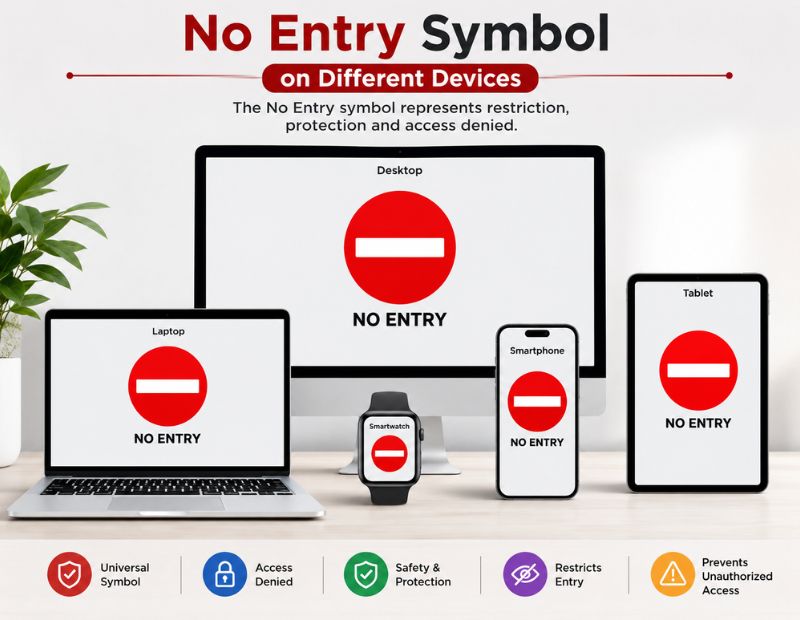
Samsung No Entry Symbol
On Samsung Galaxy devices, typing “no entry” or “prohibited” in the Samsung Keyboard’s emoji search bar brings up both ⛔ and 🚫 instantly, styled in Samsung’s One UI emoji design.
Android No Entry Symbol
Most Android keyboards (Gboard, Samsung Keyboard, SwiftKey) let you tap the emoji icon, search “no entry,” and insert the symbol directly into any text field.
No Entry Symbol on Phone (iPhone)
On iPhone, open the emoji keyboard, search “no entry” or “prohibited” in the search bar, and tap the symbol to insert it. It will display in Apple’s native emoji style.
MacBook No Entry Symbol
On a MacBook, press Control + Command + Space to open the emoji picker, then search “no entry” or “prohibited” and double-click to insert it.
iMac No Entry Symbol
The iMac uses the same macOS system as MacBook, so the same shortcut; Control + Command + Space — opens the emoji picker for quick insertion.
No Entry Symbol in Word and Documents
To insert the symbol in Microsoft Word:
- Place your cursor where you want the symbol.
- Type the Unicode value: 26D4 or 1F6AB.
- Press Alt + X immediately after typing the code. Word converts it into the symbol.
Alternatively, go to Insert → Symbol → More Symbols, search for “no entry” in the font list, and insert it from there.
No Entry Symbol Colors and Design Variants
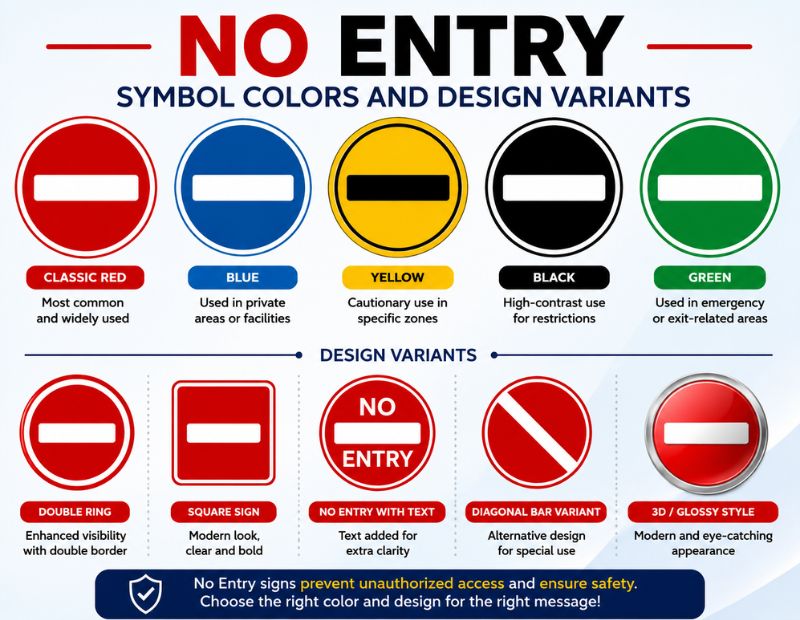
| Style | Description | Typical Use |
|---|---|---|
| Red, black, and white | Classic pictogram style with black bar/icon inside a red ring | Road signs, ISO-compliant safety signage |
| Solid red circle, white bar | Simplified digital/emoji version | Apps, messaging, social media |
| Transparent background | PNG/SVG with no background fill | Design work, overlays, presentations |
| Printable black-and-white | Line-art version for printing | DIY signs, worksheets, templates |
No Entry Symbol Transparent
Transparent PNG or SVG versions are widely used in graphic design, presentations, and websites because they blend cleanly onto any background color without a visible box around the icon.
No Entry Symbol Printable
Printable versions are typically simplified black and white or red and white graphics sized for A4 or letter paper, ideal for temporary signage, classroom use, or quick DIY notices.
No Entry Symbol Floor Graphic
Floor-graphic versions are large format, slip-resistant vinyl decals showing the no entry pictogram, commonly used in warehouses, hospitals, and retail spaces to mark restricted walking paths.
Common No Entry Sign Messages
The base symbol is often paired with text for clarity in real world settings:
- No Entry Without Permission: Restricts access unless explicitly authorized.
- Unauthorized No Entry: Used for staff-only or security-controlled areas.
- No Mask, No Entry: A health-policy variant requiring face coverings for access.
- No Entry in Traffic; Road-specific version restricting vehicle movement.
- No Entry, Red Circle Slash; Informal name for the diagonal-line prohibition variant, distinct from the horizontal-bar version.
Quick Comparison: No Entry Symbol vs Related Prohibition Symbols
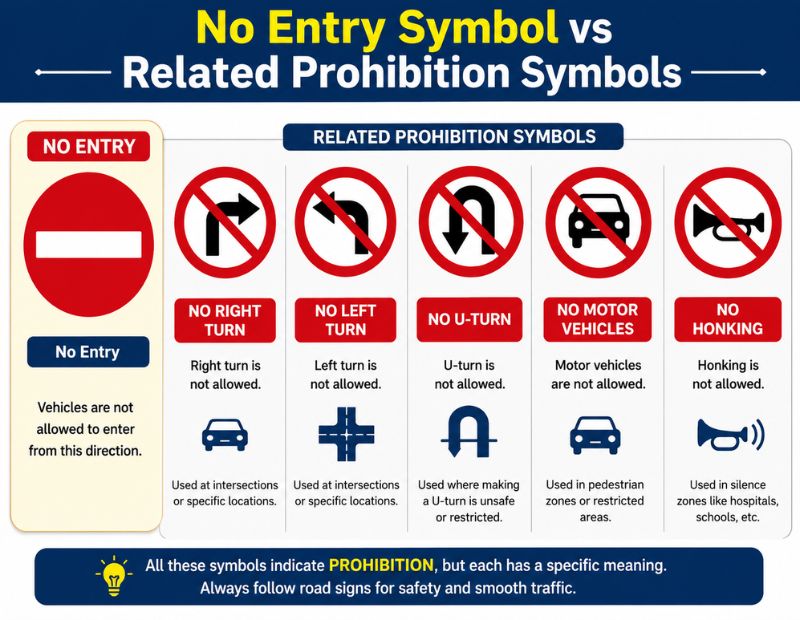
| Symbol | Meaning | Bar Direction |
|---|---|---|
| ⛔ No Entry | Blocks passage/entry entirely | Horizontal |
| 🚫 Prohibited | Blocks a general action | Horizontal |
| 🚭 No Smoking | Blocks a specific activity (with diagonal line through icon) | Diagonal |
| Ⓢ⃠-style icons | Custom “no [X]” combinations | Diagonal (via combining character) |
Conclusion
The no entry symbol is far more than a red circle. It’s a globally standardized safety and communication tool with a documented history in traffic law, ISO safety standards, and Unicode. Whether you need it for a Word document, a phone message, a printed sign, or a website graphic, you now have every method covered: copy-paste characters, keyboard shortcuts, Unicode codes, and design variants. Bookmark this guide any time you need the right no entry symbol, fast.
FAQs
What does the no entry symbol mean?
It means access, movement, or an action is not permitted commonly used on roads, buildings, and digital interfaces.
What is the Unicode for the no entry symbol?
The two main code points are U+26D4 (⛔) and U+1F6AB (🚫).
How do I copy and paste the no entry symbol?
Highlight the symbol on any reference page, copy it, then paste it into your document, chat, or post.
How do I type the no entry symbol in Word?
Type 26D4 or 1F6AB, then press Alt + X to convert the code into the symbol.
Is the no entry symbol the same as the ISO 7010 P002 sign?
No, P002 officially refers to “No smoking” under ISO 7010:2019; the no-thoroughfare/no-entry pictogram is registered as P004.
Can I use the no entry symbol on Android and iPhone?
Yes, both platforms let you search “no entry” in the emoji keyboard and insert it directly.
What’s the difference between ⛔ and 🚫?
⛔ is styled for traffic/warning contexts, while 🚫 is used more generally for any prohibited or blocked action.
