

You see the percent sign symbol everywhere. It shows up on price tags, exam papers, weather apps, spreadsheets, and news headlines. Yet most people never stop to ask where this small symbol came from or how many ways it can actually be typed.
This guide breaks down everything about the percent sign symbol 🎯 What it means, its history, how to type it on any device, how to copy and paste it, and how it behaves inside tools like Word and Excel. Whether you are a student, a writer, a developer, or someone who just needs to paste a quick % into a chat, this article has you covered.
By the end, you will know every practical way to use, type, and understand the % symbol, along with its lesser known variations like the per mille sign and the basis point sign.
What Is Percent Sign Symbol?
The percent sign symbol % is a mathematical and typographic character used to show that a number represents a part out of one hundred. It is one of the most recognized symbols in the world, appearing in finance, science, statistics, cooking measurements, and daily conversation.
In technical terms, the percent sign carries the Unicode code point U+0025 and belongs to the Basic Latin block, inside the ASCII punctuation and symbols group. It was formally approved as part of Unicode version 1.1 back in 1993, though the symbol itself is far older than modern computing.
The word “percent” comes from the Latin phrase per centum, meaning “by the hundred” or “out of a hundred.” So when you read 45%, it simply means 45 out of every 100 units.
Read Also This Blog: Social Media Symbols
Quick Facts Table
| Attribute | Detail |
|---|---|
| Symbol | % |
| Unicode | U+0025 |
| HTML Entity | % or % |
| Unicode Block | Basic Latin |
| Approved | Unicode version 1.1, 1993 |
| Meaning | Per hundred / out of 100 |
| Category | Mathematical and punctuation symbol |
Why the Percent Sign Matters 📊?
- Used in mathematics to express ratios and proportions instantly 🧮
- Essential in finance for interest rates, discounts, and stock changes 💰
- Common in programming languages as the modulo operator 💻
- Appears in everyday writing for statistics, surveys, and reports 📈
- Recognized instantly across almost every language and culture 🌍
Percent Sign Symbol History
The story behind the percent sign symbol is more interesting than most people expect. It did not appear overnight as a neat little symbol. It evolved slowly through centuries of shorthand writing.
During the Medieval and Renaissance periods, scribes across Italy wrote the Latin term per cento, meaning “for a hundred,” so often that they began abbreviating it. Early manuscripts show the phrase shortened to “p cento,” then further reduced to “pc” with a small loop or circle attached to the end, similar to how ordinal numbers like “1st” or “2nd” used a small raised letter.
Historians point to an Italian arithmetic manuscript from around 1425 as one of the earliest examples of this abbreviation trend, where the phrase was compressed so tightly that it began resembling a ligature close to the modern %.
Over the following centuries, the abbreviation kept simplifying:
- The word “per cento” was shortened to “p cento” in handwritten arithmetic texts 📜
- Scribes then reduced it further to “pc” with a small circle standing in for the ending 🔤
- By the 17th century, printers dropped the letter p entirely, leaving a symbol resembling two zeros divided by a slash ➗
- In the 18th century, the diagonal slash design was refined into the modern % we recognize today ✅
This gradual transformation is a textbook example of how written shorthand can evolve into a standalone symbol that outlives the words it once represented.
Related Symbols Born From the Same Family
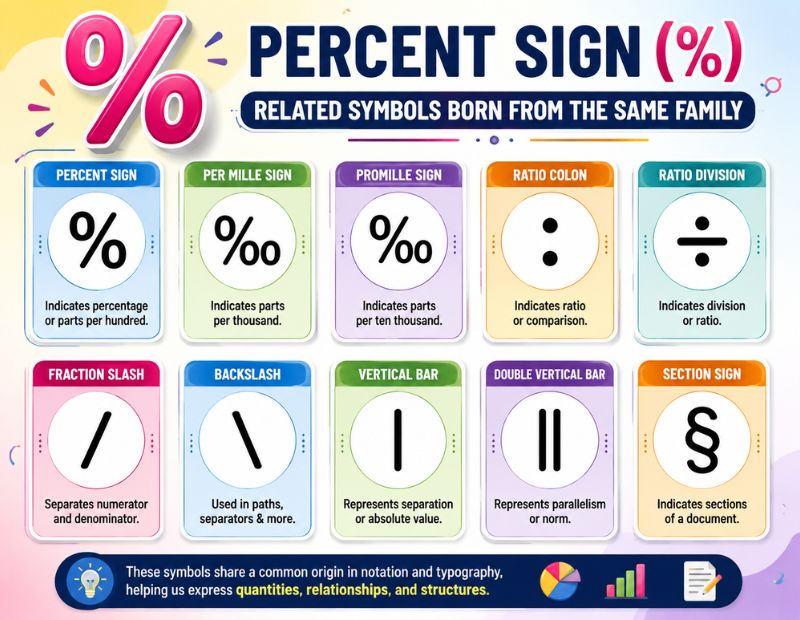
The percent sign is not alone. A few closely related symbols share its design logic:
| Percent Sign Symbol | Name | Meaning |
|---|---|---|
| % | Percent sign | Per hundred |
| ‰ | Per mille sign | Per thousand |
| ‱ | Per ten thousand sign (basis point) | Per ten thousand |
| ⁒ | Commercial minus sign | Rarely used, visually similar |
Percent Sign Symbol Text
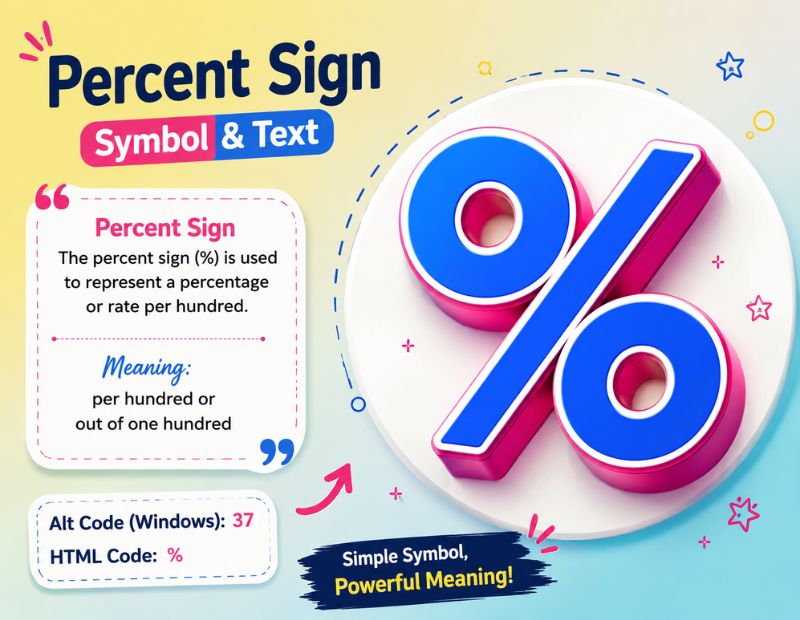
Sometimes you need the percent sign in a plain text format, especially when working with code, markup languages, or systems that do not support direct symbol input. Below are the common text based representations.
Common Text Codes for the Percent Sign Symbol
| Format | Code | Result |
|---|---|---|
| HTML Entity (named) | % | % |
| HTML Entity (numeric) | % | % |
| Hexadecimal | % | % |
| CSS Unicode | \0025 | % |
| Unicode | U+0025 | % |
| URL Encoding | %25 | % |
Where Text Codes Are Useful 🔤?
- Writing HTML or XML documents where raw symbols may break formatting 🖥️
- Encoding URLs, since a raw % in a link can cause errors online 🔗
- Working inside CSS stylesheets for custom content or icons 🎨
- Programming environments where escape characters are required ⚙️
- Ensuring symbols render correctly across different browsers and devices 🌐
Percent Sign Symbol In Word
Microsoft Word makes it simple to insert the percent sign, and there is more than one way to do it depending on your habits and keyboard setup.
Method 1: Direct Typing
The fastest way is pressing Shift plus the number 5 key on a standard keyboard. This works instantly inside any open Word document without extra steps.
Method 2: Insert Symbol Menu
- Click on the Insert tab in the Word ribbon 🖱️
- Select Symbol, then choose More Symbols 🔍
- Search for U+0025 or scroll to find the percent sign 📄
- Click Insert, then close the dialog box ✅
Method 3: Alt Code Shortcut
On a Windows PC with a numeric keypad, hold the Alt key and type 037, then release Alt. The percent sign will appear at the cursor position.
Method 4: AutoCorrect and Formula Fields
Word also recognizes % when typed inside formula fields or table calculations, automatically formatting numeric outputs as percentages when appropriate.
Percent Sign Symbol Copy And Paste
If typing feels slower than a quick copy, you can simply grab the symbol below and paste it wherever you need it, no formatting or special software required.
Copy Percent Sign Symbol
%
More Percentage Related Symbols to Copy
| Percent Sign Symbol | Name |
|---|---|
| % | Percent sign |
| ‰ | Per mille sign |
| ‱ | Per ten thousand sign |
| ٪ | Arabic percent sign |
| ⁒ | Commercial minus sign |
| ÷ | Division sign |
Where Copy And Paste Works Best 📋?
- Social media captions and comments where keyboard shortcuts vary by device 📱
- Chat apps and messaging platforms across different operating systems 💬
- Design tools like Canva or Figma that do not always support Alt codes 🎨
- Quick edits inside spreadsheets, slides, or shared documents 📝
- Mobile devices where symbol keyboards can be hard to navigate ⌨️
Percent Sign Symbol Emoji
A common question people ask is whether there is an actual emoji version of the percent sign. Technically, % is not classified as an emoji on its own, but it does have an emoji style variation used in certain platforms.
Percent Related Emoji Options
| Percent Sign Symbol Emoji Style | Description |
|---|---|
| % | Standard text style percent sign |
| %️⃣ | Percent sign with combining enclosing keycap (used rarely, mostly decorative) |
| 💯 | Hundred points symbol, often used to represent “100 percent” informally |
| 📊 | Bar chart emoji, commonly paired with percentage data |
| 📈 | Chart increasing emoji, used for rising percentages or growth |
| 📉 | Chart decreasing emoji, used for falling percentages or decline |
How People Use Percent Emojis Today 😊?
- Adding 💯 to signal full agreement or complete certainty online 💯
- Pairing 📈 or 📉 with statistics in social media posts about trends 📊
- Using keycap style symbols in playful or stylized captions 🎉
- Combining percent text with emojis for marketing and sale posts 🛍️
- Making numeric content feel more visual and engaging on mobile screens 📱
Percent Sign Symbol On Keyboard
Typing the percent sign changes slightly depending on your device and operating system. Here is a breakdown for the most common platforms.
Keyboard Shortcuts by Device
| Device or OS | Shortcut |
|---|---|
| Windows (standard) | Shift + 5 |
| Windows (Alt code) | Alt + 037 |
| Mac | Shift + 5 |
| iPhone or iPad | Tap 123, then tap the percent key or use the symbol row |
| Android | Tap ?123, then tap the symbol key to find % |
| Linux | Shift + 5, same as most standard layouts |
Tips for Faster Typing ⌨️
- Most keyboards place % directly above the number 5 key, so Shift plus 5 works nearly everywhere 🔑
- On mobile, switch to the numbers and symbols keyboard before searching for the sign 📲
- Save the symbol in your phone’s text replacement settings if you type it often ⏱️
- Use Alt codes only on devices with a full numeric keypad, since laptops may not support them 💻
- Bookmark a copy and paste page as backup for devices with unusual keyboard layouts 🔖
Percent Sign Symbol In Excel
Excel treats the percent sign differently than a plain text editor because it directly affects how numbers are calculated and displayed.
How Excel Interprets the Percent Format?
When you type a number followed by % directly into a cell, Excel automatically applies percentage formatting and converts the value into its decimal equivalent behind the scenes. For example, typing 20% into a cell stores it internally as 0.20, even though the cell displays 20%.
Ways to Apply Percentage Formatting
- Type the number followed directly by the % symbol and press enter ⌨️
- Use the keyboard shortcut Ctrl + Shift + % to format selected cells instantly ⚡
- Go to the Home tab, open the Number group, and choose Percentage from the dropdown 🖱️
- Right click the selected cells, choose Format Cells, then select Percentage and set decimal places 🎛️
Common Excel Percentage Mistakes to Avoid ⚠️
- Applying percentage format to a cell that already contains a raw number like 20, which turns it into 2000% instead of 20% 🚫
- Adding a manual space between the number and percent sign, which can break formulas 🚫
- Forgetting that percentages are stored as decimals internally, which affects calculations in other formulas 🚫
- Mixing percentage formatted cells with plain number cells in the same calculation without checking results 🚫
Quick Reference Table for Excel
| Task | Shortcut or Method |
|---|---|
| Apply percentage format | Ctrl + Shift + % |
| Open Format Cells dialog | Ctrl + 1 |
| Access via ribbon | Alt, H, N, P |
| Add custom percent format | Format Cells then Custom, type 0.00% |
| Remove percent sign visually only | Custom format 0″%” |
Practical Everyday Uses of the Percent Sign Symbol
Beyond typing and pasting, understanding where the percent sign symbol shows up daily helps put the symbol into context.
- Retail discounts and seasonal sale advertisements 🛒
- Interest rates on loans, savings accounts, and credit cards 🏦
- Exam scores, grading systems, and academic reports 🎓
- Weather forecasts showing chance of rain or humidity levels 🌦️
- Nutrition labels showing daily value percentages 🥗
- Programming languages using % as the modulo operator for remainders 💻
Conclusion
The percent sign symbol might look like a tiny, simple symbol, but it carries centuries of history, multiple technical formats, and countless daily uses. From its roots in Italian shorthand writing to its modern role inside Excel formulas and social media captions, the % symbol has earned its place as one of the most practical characters in written language.
Now that you know its meaning, history, keyboard shortcuts, copy and paste options, emoji variations, and behavior inside Word and Excel, you should never struggle to find or use this symbol again. Bookmark this guide so the next time you need a quick %, you already know exactly where to look. ✅
FAQs
What does the percent sign symbol mean?
The percent sign means “per hundred,” showing a number as a fraction or proportion out of 100.
How do you type the percent sign on a keyboard?
Press Shift and the number 5 key together on most Windows, Mac, and Linux keyboards.
What is the Unicode code for the percent sign?
The percent sign uses Unicode code point U+0025, found in the Basic Latin block.
Can I copy and paste the percent sign instead of typing it?
Yes, simply copy the % symbol from this page and paste it into any document, app, or website.
What is the difference between percent and per mille?
Percent means per hundred, while per mille, shown as ‰, means per thousand, used for smaller proportions.
How does Excel calculate percentages internally?
Excel stores percentages as decimals, so 25% is saved internally as 0.25, even though the cell displays 25%.
Is there an actual percent sign emoji?
No true standalone emoji exists, but related symbols like 💯 and 📊 are commonly used alongside percentages.
What is the Alt code for the percent sign?
On Windows, hold Alt and type 037 on a numeric keypad to insert the percent sign.
