

The fax machine symbol is a small icon with a big job. You see it on printers, in phone directories, in email signatures and in emoji keyboards. Yet most people never stop to ask what it means or how to type it.
This guide covers everything in one place. You will learn what the symbol stands for, where it appears, how to copy and paste it, and how to insert it in Word. You will also learn what the face up and face down icons on a fax machine mean, and how the Wingdings fax symbol works.
Quick answer: the fax machine symbol is 📠 (Unicode U+1F4E0). Copy it, paste it, and use it anywhere you want to point to a fax number or a fax feature.
What Is a Fax Machine Symbol?
A fax machine symbol is a picture or character that represents faxing. Fax is short for facsimile, which means an exact copy. A fax machine scans a printed page, turns it into a signal, sends it over a phone line and prints a copy at the other end.
The symbol itself usually shows a small desktop machine with a paper tray, a handset or a sheet of paper coming out. Designers keep it simple so people can recognise it at a glance, even at a tiny size.
There is not just one fax symbol. Several versions exist, and each has its own use:
- 📠 The fax machine emoji (U+1F4E0), added in Unicode 6.0 in 2010.
- 🖷 The fax icon (U+1F5B7), added in Unicode 7.0 in 2014.
- ℻ The facsimile sign (U+213B), a single character that spells FAX.
- The printer panel icon, a drawing of a document and an arrow printed on real hardware.
- The Wingdings 2 fax glyph, found by typing the number 7 in that font.
All of these point to the same idea, but they work in different places. Knowing which one to pick saves you from missing characters and broken boxes on screen.
Read Also This Blog: Forest Symbol
Purpose of the Fax Machine Symbol
The main purpose is fast recognition. A symbol tells readers what something is without a single word. In a crowded phone list, a small icon beside a number tells people that this line is for faxes, not calls.
Here are the most common purposes:
- Labelling a fax number on a letterhead, business card or website footer.
- Marking the fax function on a multifunction printer or copier.
- Showing a fax option inside a software menu or app.
- Adding a visual cue to a message, post or caption.
- Guiding users on how to load a page into the document feeder.
- Representing digital faxing, such as sending a fax through email or an online portal.
Even though email has replaced faxing in many offices, fax is still alive in healthcare, law, banking, government and real estate. These fields value signed paper documents and a clear delivery record. So the symbol is still very much in use.
15+ Powerful Meanings and Uses of the Fax Machine Symbol
The icon can carry more than one message depending on where you see it. Here are 15 meanings and uses worth knowing.
- Fax number label: it marks the line that receives faxes.
- Document transfer: it signals that a page is being sent or received.
- Office equipment: it points to a fax or an all in one printer.
- Retro technology: it adds a nostalgic, 1980s and 1990s office feel.
- Business communication: it suggests formal, paper based correspondence.
- Secure delivery: many people link faxing with private records, so the icon can hint at confidentiality.
- Healthcare paperwork: clinics use it for referrals, prescriptions and lab results.
- Legal filing: law offices use it for signed forms and contracts.
- Online fax service: it identifies web based fax tools and apps.
- Menu shortcut: it opens the fax function on a printer screen.
- Contact directory icon: it separates fax lines from phone, mobile and email entries.
- Email signature marker: it replaces the word Fax before a number.
- Emoji for old school humour: people use it to joke about outdated tech.
- Urgent paperwork: it can suggest that a document needs to go out right now.
- Document orientation guide: a variant on the feeder shows which way to place your page.
- Design and infographic element: it works as a clean pictogram in guides, slides and posters.
Notice that meaning depends on context. On a printer, it is a button. In a signature, it is a label. In a chat, it can be a joke.
Characteristics of a Fax Machine Symbol
Good fax symbols share a few traits. If you design one or choose one, look for these:
- Simple outline: a few clean shapes, easy to read at small sizes.
- Familiar parts: a paper tray, a phone handset, a keypad or a sheet of paper.
- Single colour friendly: it should work in black and white, since many fax forms are printed in mono.
- Scalable: it stays sharp from a tiny button to a large poster.
- Universal meaning: people should understand it without reading a caption.
- Consistent style: it should match the rest of your icon set.
The emoji version is colourful and differs by platform. Apple, Google, Samsung and Windows each draw their own version of 📠, so the look can change from one phone to another.
Quick Comparison of Common Fax Symbols
| Symbol | Name | Unicode | Decimal | Best Use |
|---|---|---|---|---|
| 📠 | Fax machine emoji | U+1F4E0 | 128224 | Chats, social media, email, web pages |
| 🖷 | Fax icon | U+1F5B7 | 128439 | Documents and designs where font support exists |
| ℻ | Facsimile sign | U+213B | 8507 | Letterheads and footers before a number |
| ℡ | Telephone sign | U+2121 | 8481 | Pairing with a phone number |
| ☎ | Black telephone | U+260E | 9742 | Phone numbers in print and web |
Fax Machine Symbol Text
Sometimes you need the symbol as plain text, not as a picture. In that case you have three simple options.
Option 1: the single character ℻. This is the facsimile sign. It is a text character, so it takes on the colour and size of the surrounding words. It is perfect for headers like ℻ 555 0123.
Option 2: the word abbreviation. Write Fax or F before the number. This is the safest choice when you are unsure about font support.
Option 3: an ASCII style label. Some people type [FAX] or (Fax) to stand out in a plain text message.
Here are the codes you can use on a web page:
| Symbol | HTML Decimal | HTML Hex |
|---|---|---|
| 📠 | 📠 | 📠 |
| 🖷 | 🖷 | 🖷 |
| ℻ | ℻ | ℻ |
If you need the emoji to look flat and single colour, you can follow it with the text variation selector. Support varies by device, so test it before publishing.
Fax Machine Symbol on Printer
On real hardware, the fax symbol is usually printed on a button, a tray label or a touch screen tile. It tells you that this key sends a fax or opens the fax menu.
You will normally find these icons on a multifunction printer:
- Fax key or tile: opens the fax screen so you can type a number.
- Document feeder icon: shows how to place pages in the automatic document feeder, often called the ADF.
- Glass icon: shows how to place a page on the scanner glass.
- Redial, pause and resolution icons: small helper symbols near the keypad.
The feeder icons cause the most confusion, so the next two sections explain them in detail.
Face Up on Fax Machine Symbol
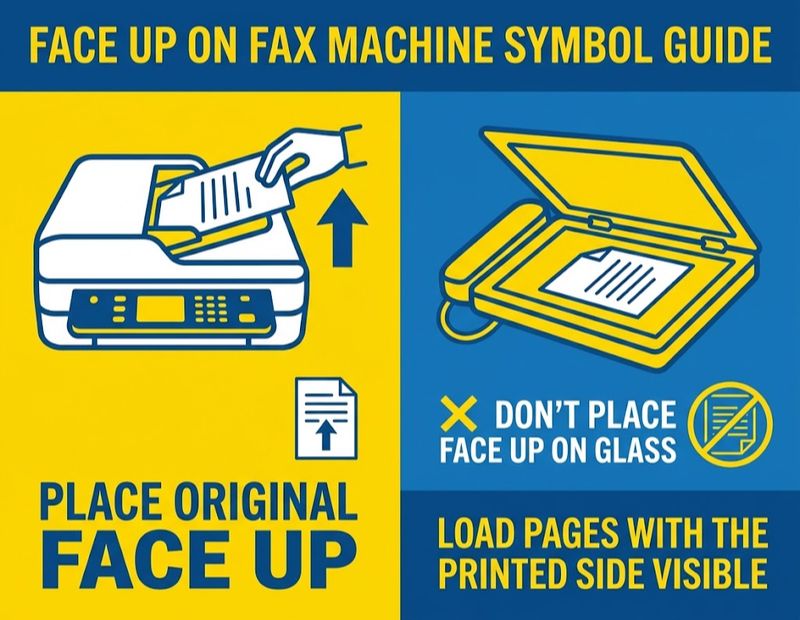
The face up symbol shows a sheet with its printed side visible to you. It means you should place your page with the text facing up.
This is the common setting for the automatic document feeder on many machines. For example, one Lexmark guide tells users to load the original face up, short edge first, into the ADF. A Sharp manual says the same thing: with the automatic feeder, place the original face up.
A quick way to remember it: if the symbol shows a page with lines on the side you can see, put the page in with the lines showing.
Face Down on Fax Machine Symbol
The face down symbol shows the printed side turned away from you. It means you should place the page with the text facing down.
This is the usual rule for the scanner glass, also called the platen glass. The Sharp manual says that when you use the document glass, the original must be placed face down. Canon also lists face down placement for the platen glass.
Some feeders also need pages face down. That is why you must always check the icon on your own machine instead of guessing.
Face Up vs Face Down at a Glance
| Position | Icon Shows | Common Location | Result If Wrong |
|---|---|---|---|
| Face up | Printed side visible | Many automatic document feeders | Blank page may be sent |
| Face down | Printed side hidden | Scanner glass and some feeders | Blank page may be sent |
There is no industry standard for this direction. Even machines from the same brand can differ across product lines. If you load the page the wrong way, the machine scans the blank back of the sheet and sends an empty fax.
Tips to Avoid Sending a Blank Fax
- Look for the small icon near the feeder or on the lid before you load anything.
- Check the cover page on your printed confirmation report after sending.
- Remove staples and clips, since they can jam the feeder.
- If you send a blank page by mistake, reload the page the correct way and send it again.
- For double sided feeders, still follow the direction icon so the pages stay in order.
Fax Machine Symbol Emoji
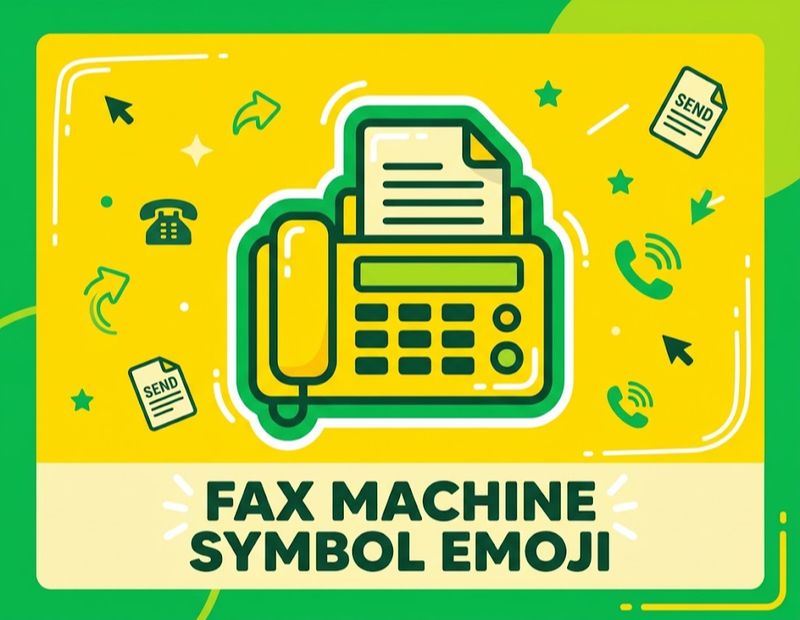
The fax machine emoji is 📠. It was added to Unicode in 2010 as part of version 6.0, and its official name is Fax Machine. The Unicode name is shown in screen readers, which helps visually impaired users.
Where to use it: chats, social posts, captions, newsletters and web copy.
What it means in chat: it can mean an actual fax, a joke about old technology, or a nod to office life.
How it looks: the design is not the same everywhere. Apple, Google, Samsung, Microsoft, Meta platforms and others each draw it differently, so it may look a little different on your friend’s phone.
Tip: do not rely on the emoji alone in important messages. Add the word Fax so nobody is confused.
Fax Machine Symbol Copy and Paste
The fastest way to use the symbol is to copy it from this page. Select any symbol below, copy it and paste it where you need it.
Fax symbols:
📠 🖷 ℻
Related phone and contact symbols:
☎ ☏ ✆ ℡ ✉ 📞 📧 🖨
Ready to use examples:
- 📠 Fax: +1 555 0123
- ℻ 555 0123
- ☎ Phone: 555 0100 | 📠 Fax: 555 0123
How to Copy and Paste the Symbol?
- Highlight the symbol with your mouse or finger.
- Press Ctrl + C on Windows or Command + C on Mac. On a phone, tap Copy.
- Click where you want it and press Ctrl + V or Command + V. On a phone, tap Paste.
Typing the Emoji Without Copying
- Windows 10 and 11: press the Windows key and the period key, then search for fax.
- Mac: press Control, Command and Space, then search for fax.
- iPhone and Android: open the emoji keyboard and type fax in the search bar.
Fax Machine Symbol in Word
Microsoft Word gives you more than one way to insert the symbol. According to Office Watch, the ℻ sign does not have a built in shortcut in Word, but you can still add it easily.
Method 1: Alt + X Shortcut
- Type 213B in your document.
- Press Alt + X right after it.
- Word turns the code into the ℻ sign.
For the emoji, type 1F4E0 and press Alt + X.
Method 2: Insert Symbol Menu
- Go to the Insert tab.
- Click Symbol, then More Symbols.
- Search or scroll to find the fax sign.
- Click Insert.
Method 3: Windows Emoji Panel
Press the Windows key and the period key, search for fax and click 📠.
Method 4: Mac Character Viewer
Open the Character Viewer and search for facsimile. Double click the symbol to insert it.
Method 5: AutoCorrect Shortcut
After you insert the symbol once, you can add it to AutoCorrect. Then a short code such as (fax) will turn into the symbol every time you type it. This saves time if you write the symbol often.
Fax Machine Symbol for Email Signature
A fax machine symbol helps people find your fax number quickly. However, email apps handle symbols differently, so keep it simple.
Here is a clean example:
Jane Carter Operations Manager ☎ 555 0100 📠 555 0123 ✉ jane@example.com
Best Practices
- Use the word Fax if your audience uses older email software.
- Test your signature in Outlook, Gmail and on a phone before you roll it out.
- Keep the symbol the same size as your text.
- Do not use more than two or three icons in one signature.
- Remember that the ℻ sign may not display in every font. The emoji is more widely supported on modern devices.
- If your signature uses an image icon instead of a character, add alt text so screen readers can read it.
Signature tip for SEO and clarity: include the area code and country code so international readers can dial correctly.
Windings Fax Machine Symbol
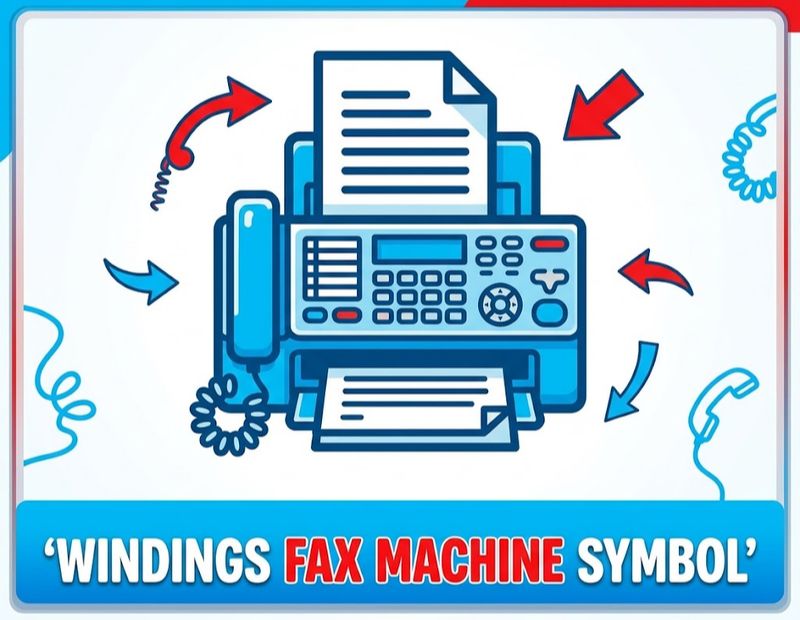
Many people search this phrase with the spelling Windings, but the correct font name is Wingdings. It is a set of icon fonts designed by Kris Holmes and Charles Bigelow in 1990 and 1991, and Microsoft released them in 1992. The family includes icons for printers, fax machines, folders, mail and more.
The fax icon lives in Wingdings 2. According to Alan Wood’s reference, the glyph sits at hex 0x37, which is decimal 55. In practice, that means:
- Type the number 7 in your document.
- Highlight it.
- Change the font to Wingdings 2.
- The number turns into a fax icon.
This glyph maps to the Unicode character 🖷 (U+1F5B7, Fax Icon).
The regular Wingdings font also has telephone icons. Typing an opening bracket gives a black telephone, and a closing bracket gives a handset icon, as shown in a Giga guide.
Wingdings Warning
Wingdings fonts work well in Word, but they are not reliable on web pages, in emails read in a browser, or on some Android and Mac devices. If the reader does not have the font, they may see a plain number or an empty box. For anything you share online, use the Unicode symbols instead.
Fax Machine Symbol: Fun Facts and History
A few facts help explain why this symbol is still around.
- Fax technology scans a page, turns it into a bitmap and sends it as audio tones over a phone line. The receiving machine rebuilds the image and prints it.
- Fax machines became common in offices in the 1980s and 1990s.
- The Unicode fax machine emoji came in 2010, and the separate fax icon arrived in 2014.
- Unicode lists the emoji as a symbol meant for display as a colour emoji on supporting platforms.
- The facsimile sign ℻ was made to prefix a telephone number in letter headings and footers.
- Wingdings was named after its original Lucida Icons project and was designed to give computer users a set of ready made pictograms.
How to Choose the Right Fax Machine Symbol?
Use this simple guide to pick the right one:
| Where You Are Using It | Best Choice | Why |
|---|---|---|
| Social media or chat | 📠 | Widely supported emoji |
| Word document or letterhead | ℻ or 📠 | Works with Alt + X and the Symbol menu |
| Website footer | 📠 or a text label | Good for browsers and screen readers |
| Email signature | 📠 plus the word Fax | Works on most modern devices |
| Printed form | ℻ or the word Fax | Prints cleanly in black and white |
| Design in Wingdings 2 | 7 in Wingdings 2 | Only if the font is installed |
Conclusion
The fax machine symbol may look like a relic, but it is still useful. It labels fax numbers, marks printer functions and even tells you which way to load a page. You now know the main versions: 📠, 🖷, ℻ and the Wingdings 2 glyph.
For most people, the best move is simple. Copy 📠, paste it beside your fax number and add the word Fax for clarity. If you work in Word, use 213B and Alt + X. And when you stand in front of a real machine, check the face up or face down icon before you press send.
Frequently Asked Questions
What is the fax machine symbol?
The fax machine symbol is the emoji 📠, Unicode U+1F4E0. It represents faxing and fax numbers.
What does the fax machine emoji mean?
It stands for a fax machine or for sending documents by fax. People also use it to joke about old office technology.
How do I copy and paste the fax machine symbol?
Highlight 📠, press Ctrl + C or Command + C, then paste with Ctrl + V or Command + V where you need it.
How do I type the fax machine symbol in Word?
Type 213B and press Alt + X for ℻, or type 1F4E0 and press Alt + X for 📠. You can also use Insert, then Symbol.
What is the Unicode for the fax machine symbol?
The emoji is U+1F4E0, the fax icon is U+1F5B7 and the facsimile sign is U+213B.
What does face up on a fax machine symbol mean?
It means you should load your page with the printed side facing up. This is common on automatic document feeders.
What does face down on a fax machine symbol mean?
It means the printed side should face down. This is common when you use the scanner glass.
What happens if I load a fax the wrong way?
The machine scans the blank side, so the receiver gets an empty page. Reload the page correctly and send again.
What is the Wingdings fax machine symbol?
It is the fax glyph in Wingdings 2. Type the number 7 and switch the font to Wingdings 2.
Can I use a fax machine symbol in an email signature?
Yes. Use 📠 or ℻ next to your number and add the word Fax for older email apps.
Is the fax machine symbol the same on every phone?
No. Apple, Google, Samsung and others draw their own version of 📠, so the design varies.
Why is the fax machine symbol still used today?
Faxing is still common in healthcare, law and government, so the icon remains a clear label.
