

A calendar symbol is one of the most used icons in modern life. It sits in your phone, your email, your resume, your calendar app and almost every booking form you fill in.
But “calendar symbol” can mean many things. For some people, it is the 📅 emoji. For others, it is a Word symbol, an HTML code, a logo or even an ancient Mayan glyph.
This guide covers all of those in simple language. You will get meanings, codes, tables, step by step instructions and quick answers at the end.
What Is the Calendar Symbol?
The calendar symbol is an icon or character that represents a calendar, a system for organizing days, weeks and months. It usually looks like a small page or grid with a header strip, binder rings and a date.
Quick Answer (Featured Snippet Style)
The calendar symbol is most often the 📅 emoji, a small tear off calendar with a date on it. It stands for dates, schedules, appointments and deadlines. Its Unicode code point is U+1F4C5, added in Unicode 6.0 in 2010.
Read Also This Blog: Magic Wand Symbol
Core Meanings of the Calendar Symbol
| Meaning | Where You See It |
|---|---|
| Date or day | Forms, receipts, timestamps |
| Appointment | Doctor, salon and meeting bookings |
| Deadline | Task apps and project tools |
| Event | Invitations, concerts, webinars |
| Schedule | Work plans, timetables, rosters |
| Planning | Travel, content and goal setting |
Calendar Symbol Text
Sometimes you need a calendar in plain text, such as in a bio, a spreadsheet note or a caption. You have a few simple options.
- Use the emoji 📅, 📆 or 🗓️
- Write “Date:” or “Cal:” as a short label
- Use boxes like [ 12 ] or ▢ to hint at a date cell
- Combine a symbol with a date, such as 📅 12 March
There is no separate calendar letter on a regular keyboard. The emoji is the closest true character for a calendar in text.
Calendar Symbol Emoji
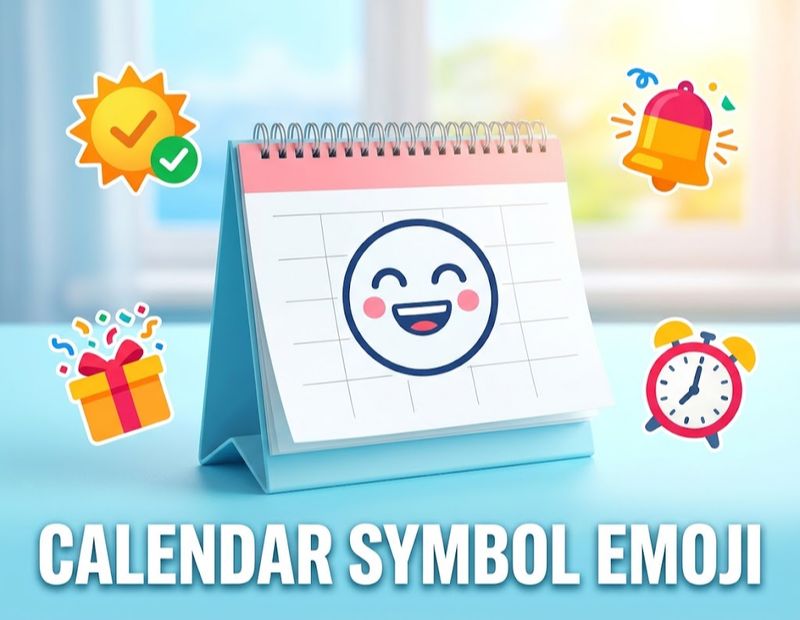
There are three main calendar emojis, and they look a little different. Each has its own use.
| Emoji | Name | Code Point | Best Use |
|---|---|---|---|
| 📅 | Calendar | U+1F4C5 | General dates and events |
| 📆 | Tear Off Calendar | U+1F4C6 | Daily plans and deadlines |
| 🗓️ | Spiral Calendar | U+1F5D3 | Planners and schedules |
Quick Facts
- 📅 and 📆 were added in Unicode 6.0 in 2010.
- 🗓️ was added in Unicode 7.0 in 2014.
- The date shown on the emoji changes by brand. It has no special meaning.
- Each platform, such as Apple, Google, Samsung and Windows, draws its own design.
How People Use the Calendar Emoji?
- “Save the date 📅 June 14”
- “Deadline moved to Friday 📆”
- “Weekly plan is ready 🗓️”
A small tip: use it where a date really matters. Using it for every time related message can feel repetitive. For general time, the alarm clock ⏰ or hourglass ⏳ may fit better.
Calendar Symbol Copy and Paste
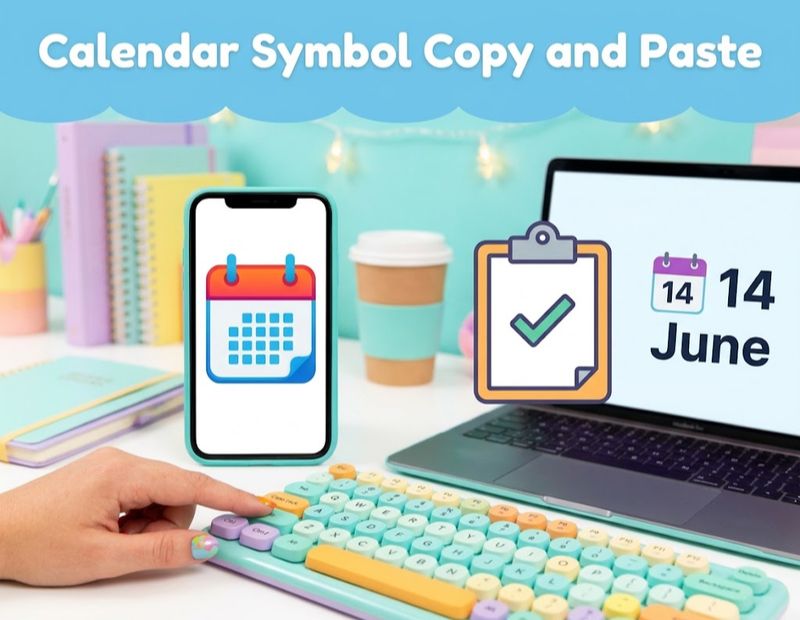
Need it right now? Copy any symbol below and paste it into your chat, document or post.
| Symbol | Name | Best Use |
|---|---|---|
| 📅 | Calendar | Events and dates |
| 📆 | Tear Off Calendar | Daily reminders |
| 🗓️ | Spiral Calendar | Planners |
| 🗒️ | Spiral Notepad | Notes and lists |
| ⏰ | Alarm Clock | Reminders and time |
| ⏳ | Hourglass | Time running out |
| ✅ | Check Mark | Completed tasks |
| 📌 | Pushpin | Pinned dates |
How to Copy and Paste?
- Highlight the symbol.
- Choose Copy, or long press on mobile.
- Paste it into your message, post or document.
If you see an empty box, update your system or try a different font.
Calendar Symbol Font
Calendar symbols can come from emoji fonts or icon fonts.
Emoji Fonts
These fonts show colored calendar emojis. Common examples are Apple Color Emoji, Noto Color Emoji and Segoe UI Emoji. They appear automatically when you paste the emoji.
Icon Fonts
Icon fonts turn small pictures into font characters. Web designers use them to add calendar icons that scale and change color with CSS. Popular icon libraries include Font Awesome, Material Icons and others.
Symbol Fonts Like Wingdings
Older symbol fonts, such as Wingdings, replace letters with small pictures. Some of them include date or document style icons. The exact characters vary, so open the Character Map or the Symbol window in your editor to see what each font offers.
| Font Type | Look | Best For |
|---|---|---|
| Emoji font | Colorful pictures | Chats and social posts |
| Icon font | Single color, scalable | Websites and apps |
| Symbol font (such as Wingdings) | Small black icons | Documents and print |
Calendar Symbol PNG
A calendar symbol PNG is a picture file with a transparent background. It works well in slides, blog posts, flyers and social media graphics.
Tips for Choosing a PNG
- Choose at least 512 by 512 pixels for sharp results.
- Make sure the background is transparent.
- Check the license before using it for business.
- Compress the image to keep your page fast.
- Keep the style consistent with your other icons.
PNG vs SVG
| Feature | PNG | SVG |
|---|---|---|
| Quality when enlarged | Can blur | Stays sharp |
| File size | Often larger | Often smaller |
| Easy color change | Harder | Easier |
| Best for | Slides and quick posts | Websites and apps |
How to Download a Calendar Symbol?
Downloading a calendar symbol is easy if you follow a few steps.
- Open a trusted icon site, such as an open icon library or a free stock icon platform.
- Search for “calendar icon” or “calendar symbol.”
- Choose a style you like (outline, filled or flat).
- Pick the file type. Use PNG for quick use and SVG for websites.
- Read the license. Some need credit, and some do not allow commercial use.
- Click Download and save the file in a clearly named folder.
Safe Download Checklist
- Download from sites you recognize.
- Avoid files that ask you to install extra software.
- Scan files if your system asks for it.
- Keep a note of where you got the icon and its license.
Calendar Symbol in Word
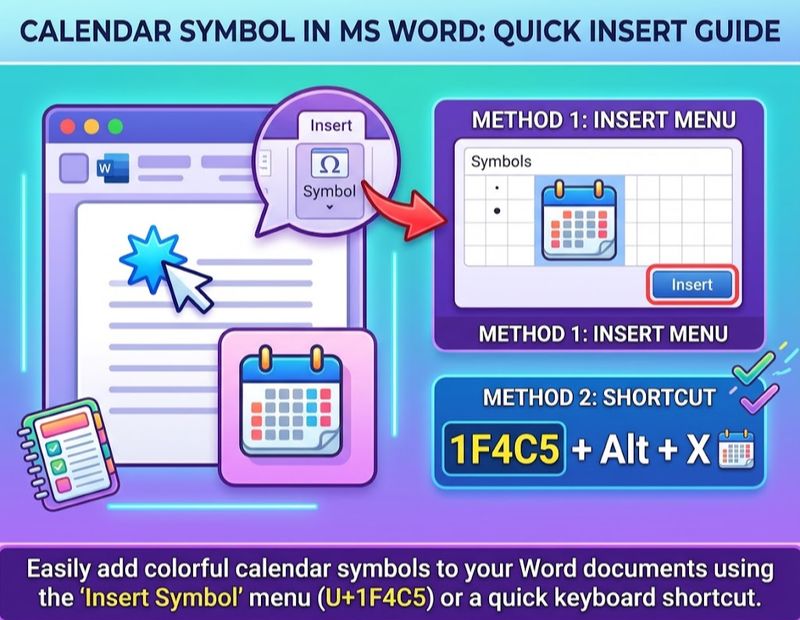
You can add a calendar symbol in Microsoft Word in a few ways.
Method 1: Insert Symbol Menu
- Place your cursor where you want the symbol.
- Go to Insert, then Symbol, then More Symbols.
- Choose a font such as Segoe UI Emoji.
- Look for the calendar character and click Insert.
Method 2: Unicode Shortcut
- Type 1F4C5 in your document.
- Press Alt and X together.
- Word converts the code into 📅.
Method 3: Emoji Panel
- On Windows, press the Windows key and the period key.
- On Mac, press Control, Command and Space.
Search for “calendar” and click the emoji.
Method 4: Icons Feature
Word also has an Icons option under Insert, where you can search for a calendar icon and insert it as a graphic. The available library may differ by version.
Calendar Symbol for Resume
Many job seekers wonder whether to use a calendar symbol on a resume. Here is a simple guide.
Should You Use It?
A small calendar icon can help show dates in a clean, modern design. But it is not needed, and it can cause problems if used badly.
| Pros | Cons |
|---|---|
| Adds a clean visual cue | Can confuse resume scanning software |
| Helps design look modern | May not display in every system |
| Guides the eye to dates | Takes up valuable space |
Best Practices
- Keep dates as plain text so any system can read them.
- If you use an icon, keep it small and simple.
- Never replace the date with an icon alone.
- Use one consistent format, such as “Jan 2022 to Mar 2024.”
- Save the final file as PDF or the format the employer asks for, and check how it looks.
- For conservative industries, skip icons altogether.
Remember that many employers use applicant tracking systems. Plain text is safer than decorative symbols.
Calendar Symbol HTML
Web developers can show a calendar symbol using HTML entities or Unicode characters.
| Symbol | HTML Hex Code | HTML Decimal Code | CSS Code |
|---|---|---|---|
| 📅 | 📅 | 📅 | \1F4C5 |
| 📆 | 📆 | 📆 | \1F4C6 |
| 🗓️ | 🗓 | 🗓 | \1F5D3 |
Example in HTML
You can write <span>📅 Event date</span> and the browser will show the calendar emoji next to your text.
Tips for Developers
- Add
aria-hidden="true"on decorative icons. - Use a text label for screen readers.
- Test on different devices, as emoji designs vary.
- For consistent design, use an SVG or icon font instead of an emoji.
- Add a language and a character set meta tag, such as UTF-8, to avoid broken symbols.
Google Calendar Symbol
The Google Calendar icon is a square with the current date inside it, with colored accents in blue, green, yellow and red. The date changes based on the day, so it works as both a logo and a quick visual cue.
Common Symbols Inside Google Calendar
- A plus sign to create an event
- A clock icon for time or reminders
- A video camera for meeting links
- A bell for notifications
- A location pin for a place
Google brand assets have usage rules, so use official sources if you need the logo in a design or app.
Calendar Symbol Logo
A calendar logo is used by scheduling apps, event companies, planners and booking services. It often uses a simple square, a top strip and two binder rings.
Tips for Designing a Calendar Logo
- Keep the shape simple. It must work at tiny sizes.
- Use one or two main colors.
- Add one unique detail, such as a check mark, a star or a letter.
- Test it on light and dark backgrounds.
- Avoid copying well known brand marks.
- Save it as SVG for flexibility.
Ancient Calendar Symbols
Calendars are much older than apps. Many cultures built their own systems and used symbols to track time.
Mayan Calendar Symbol
The Maya used several linked systems. The Tzolkin counted 260 days, the Haab counted 365 days and the Long Count tracked longer spans of time. Each day and month had a glyph, a small carved picture. Together, the Tzolkin and Haab form a cycle known as the Calendar Round, which repeats about every 52 years.
Aztec Calendar Symbol
The Aztecs used a 260 day ritual count and a 365 day solar count, similar to Mesoamerican neighbors. The famous Sun Stone is often called the Aztec calendar stone. It shows the sun god at the center, surrounded by rings of day signs. Many scholars debate its exact purpose, so it is best described as a sun and time symbol rather than a simple calendar.
Viking Calendar Symbol
Norse people in northern Europe used wooden calendar sticks, often called primstavs, and runic calendars. These sticks carry notches for days and small pictures for feast days and seasons. Runes could be used to mark numbers and cycles. There is no single “Viking calendar symbol,” but the notched stick with small marks is the best known form.
Greek Calendar Symbol
Ancient Greek city states had their own calendars, usually based on the moon, with local month names. So there is no single Greek calendar symbol. Common images linked with Greek time keeping include zodiac signs, the Antikythera mechanism (an ancient device used to track astronomical cycles) and Greek letters used as numbers.
Comparison of Ancient Calendar Symbols
| Culture | Famous Symbol or Tool | Main Cycles |
|---|---|---|
| Maya | Day and month glyphs | 260 day, 365 day and Long Count |
| Aztec | Sun Stone | 260 day and 365 day counts |
| Viking and Norse | Notched wooden stick | Seasons and feast days |
| Ancient Greek | Zodiac and astronomical devices | Lunar months, varied by city |
If you plan to use these symbols in a design or tattoo, respect their cultural roots and check their meaning first.
Calendar Symbol vs Similar Symbols
| Symbol | Meaning | Difference |
|---|---|---|
| 📅 Calendar | Dates and events | Focus on a date |
| ⏰ Alarm clock | Time and wake up | Focus on the hour |
| ⏳ Hourglass | Time passing | Focus on waiting |
| 📋 Clipboard | Checklists | Focus on tasks |
| 🗒️ Notepad | Notes | Focus on writing |
| 🔔 Bell | Notification | Focus on alerts |
Calendar Symbols in Apps and Websites
| Icon | Typical Meaning |
|---|---|
| Calendar with plus | Add an event |
| Calendar with check | Event confirmed |
| Calendar with clock | Scheduled time |
| Calendar with arrow | Reschedule or export |
| Calendar with cross | Cancelled date |
| Calendar grid | Date picker field |
When you see a calendar icon inside a form field, tap it. It usually opens a date picker so you do not have to type the date by hand.
Design Tips for Using Calendar Symbols
- Keep icons simple and recognizable.
- Use consistent size and style across the page.
- Make sure the icon has enough contrast.
- Add alt text such as “calendar icon.”
- Use a text label next to the icon for clarity.
- Avoid using too many different calendar styles on one page.
- Test on mobile, because tiny icons can be hard to tap.
Common Mistakes to Avoid
- Using a calendar icon instead of the actual date
- Using blurry, low resolution PNG files
- Ignoring licenses on free icons
- Assuming the date inside the emoji has meaning
- Mixing emoji and icon styles in one design
- Forgetting accessibility labels on web pages
- Treating an ancient symbol as decoration without checking its meaning
Frequently Asked Questions
What is the calendar symbol?
It is an icon, most often the 📅 emoji, that stands for dates, schedules and events.
How do I copy and paste the calendar symbol?
Highlight 📅, choose Copy, then paste it into your message or document.
What is the Unicode for the calendar emoji?
The code point is U+1F4C5, and it was added in Unicode 6.0 in 2010.
What is the difference between 📅, 📆 and 🗓️?
All three mean calendar. 📅 is general, 📆 is tear off, and 🗓️ is a spiral calendar pad.
What is the calendar symbol text?
There is no special text letter, so use an emoji or a label such as “Date:”.
Is there a calendar symbol font?
Yes, emoji fonts and icon fonts include calendar icons, and some symbol fonts have similar pictures.
How do I download a calendar symbol?
Search a trusted icon site, choose PNG or SVG, check the license and click Download.
How do I insert a calendar symbol in Word?
Use Insert, then Symbol, or type 1F4C5 and press Alt and X.
Should I put a calendar symbol on my resume?
You can use a small one, but keep dates as plain text so scanners can read them.
What is the HTML code for the calendar symbol?
Use 📅 or 📅 to show 📅 on a web page.
What does the Google Calendar symbol look like?
It is a square icon that shows today’s date with blue, green, yellow and red accents.
What is the Mayan calendar symbol?
The Maya used day and month glyphs across a 260 day and a 365 day cycle.
What is the Aztec calendar symbol?
It is commonly the Sun Stone, which shows day signs around a central sun face.
Is there a Viking calendar symbol?
There is no single one, but notched calendar sticks with small marks are the best known form.
Is there a Greek calendar symbol?
No single symbol exists, because Greek cities used different calendars.
What is a Wingdings calendar symbol?
Wingdings has small picture characters, so check Character Map for the date style icons it includes.
Conclusion
The calendar symbol is small, but it does a lot. It helps us plan, remember and share dates in a quick, visual way. From the 📅 emoji to HTML codes, Word shortcuts, Google Calendar and ancient Mayan glyphs, the idea is always the same: keep track of time.
Now you know how to copy it, insert it, download it and use it correctly. Choose the version that fits your purpose, check licenses for any artwork and keep your dates clear.
Next time you add that little square to your message or design, you will know exactly what it is saying.
