

A clock symbol looks simple, but it does a lot of work. It tells people a message is waiting to send, a post is scheduled, a deadline is close, or it is time to wake up. You see it in chat apps, car dashboards, Word documents, websites and almost every phone keyboard.
This guide covers what each clock symbol means, how to copy and paste it, how to type it on iPhone, Windows and Mac, and what the Unicode codes are. You will also find answers about the clock icon on Facebook, the clockwise arrow symbols, and the white clock light some drivers see on a dashboard.
Clock Symbol Meaning
At its core, a clock symbol stands for time. Beyond that, the meaning depends on where it appears.
- Time of day: A clock face pointing to a specific hour, such as 🕒, marks a time or schedule.
- Waiting or pending: In apps, a clock often means something has not finished yet, like a message still sending.
- Deadline or urgency: The alarm clock ⏰ pushes people to act now.
- Duration: The stopwatch ⏱️ and timer ⏲️ show how long something takes.
- History: A clock with a counterclockwise arrow usually means “recent” or “history” in search and browser menus.
- Scheduled actions: Social tools use a clock to show that a post will go live later.
- Nostalgia or tradition: The mantelpiece clock 🕰️ points to the past, family homes and the passing of time.
So the symbol is a shortcut for “not yet”, “soon” or “how long”. Once you know the context, the meaning is usually obvious.
Read Also This Blog: Thought Balloon Symbol
Clock Symbol Copy and Paste
You can copy any of these and paste them into a message, bio, caption, email or document. Select the symbol, copy it, then paste it where you need it.
Clock faces: 🕐 🕑 🕒 🕓 🕔 🕕 🕖 🕗 🕘 🕙 🕚 🕛
Half-hour faces: 🕜 🕝 🕞 🕟 🕠 🕡 🕢 🕣 🕤 🕥 🕦 🕧
Other time symbols: ⏰ ⏱️ ⏲️ 🕰️ ⌚ ⌛ ⏳
Clockwise and anticlockwise arrows: ↻ ↺ ⟳ ⟲ 🔃 🔄
Appearance changes slightly between devices. Apple, Google, Samsung, Microsoft and Meta each draw their own version of the same character, so the clock on your phone may look a little different on someone else’s screen.
Clock Symbol Emoji
The clock emoji family is bigger than most people expect. There are 24 clock faces, one for every hour and half hour, plus several related time symbols.
| Emoji | Name | What it usually means |
|---|---|---|
| 🕐 to 🕛 | Clock faces, 1:00 to 12:00 | A specific hour, appointment or schedule |
| 🕜 to 🕧 | Clock faces, 1:30 to 12:30 | A half-hour time |
| ⏰ | Alarm clock | Waking up, deadlines, reminders |
| ⏱️ | Stopwatch | Speed, timing, races, performance |
| ⏲️ | Timer clock | Countdowns, cooking, short tasks |
| 🕰️ | Mantelpiece clock | Tradition, nostalgia, vintage style |
| ⌚ | Watch | Wearables, being on time |
| ⌛ | Hourglass done | Time running out or finished |
| ⏳ | Hourglass not done | Waiting, loading, patience |
The individual clock faces were approved as part of Unicode 6.0 in 2010 and became part of the original emoji set in 2015. That is why they appear on nearly every modern device.
Alarm Clock Symbol
The alarm clock ⏰ has a round face with two bells on top. People use it for morning routines, event reminders, flash sales and “don’t forget” messages. Marketers love it because it creates a sense of urgency without any extra words.
Stopwatch and Timer Symbols
The stopwatch ⏱️ is about measuring time that is already passing. The timer ⏲️ is about counting down. In practice, people use them interchangeably for workouts, productivity tips, cooking and quick tutorials.
Mantelpiece Clock Symbol
The mantelpiece clock 🕰️ shows an old-style shelf clock. It fits posts about memories, antiques, home decor, history and the feeling that time moves quickly.
Clock Symbol Text
Sometimes you need a symbol that behaves like plain text rather than a colorful emoji. Text-style clock symbols are useful in bios, usernames, headings, code comments and anywhere that blocks images.
Some options that work as simple text characters:
- ⌚ for a watch
- ⌛ and ⏳ for hourglasses
- ⏰ for an alarm
- ↻ and ↺ for circular arrows that suggest time moving forward or back
- ◴ ◵ ◶ ◷ for small quarter-circle shapes that can hint at a clock being filled in
Keep in mind that some of these characters switch between a plain text look and a colorful emoji look depending on the app. If you want the emoji style, many systems add an invisible variation selector after the character. You do not need to worry about that when you copy and paste, since it comes along automatically.
Clock Unicode Symbol
Every clock symbol has a Unicode code point, which is a unique number that tells devices which character to show. Developers and web designers use these codes in HTML, CSS and programming languages.
| Symbol | Unicode | HTML decimal | HTML hex |
|---|---|---|---|
| 🕐 One o’clock | U+1F550 | 🕐 | 🕐 |
| 🕛 Twelve o’clock | U+1F55B | 🕛 | 🕛 |
| 🕧 Twelve thirty | U+1F567 | 🕧 | 🕧 |
| 🕰️ Mantelpiece clock | U+1F570 | 🕰 | 🕰 |
| ⏰ Alarm clock | U+23F0 | ⏰ | ⏰ |
| ⏱️ Stopwatch | U+23F1 | ⏱ | ⏱ |
| ⏲️ Timer clock | U+23F2 | ⏲ | ⏲ |
| ⌚ Watch | U+231A | ⌚ | ⌚ |
| ⌛ Hourglass done | U+231B | ⌛ | ⌛ |
| ⏳ Hourglass not done | U+23F3 | ⏳ | ⏳ |
To use one in CSS, write a backslash followed by the hex code, for example \23F0 for the alarm clock. In JavaScript, a code point above U+FFFF such as the mantelpiece clock is written as \u{1F570}.
Digital Clock Symbol
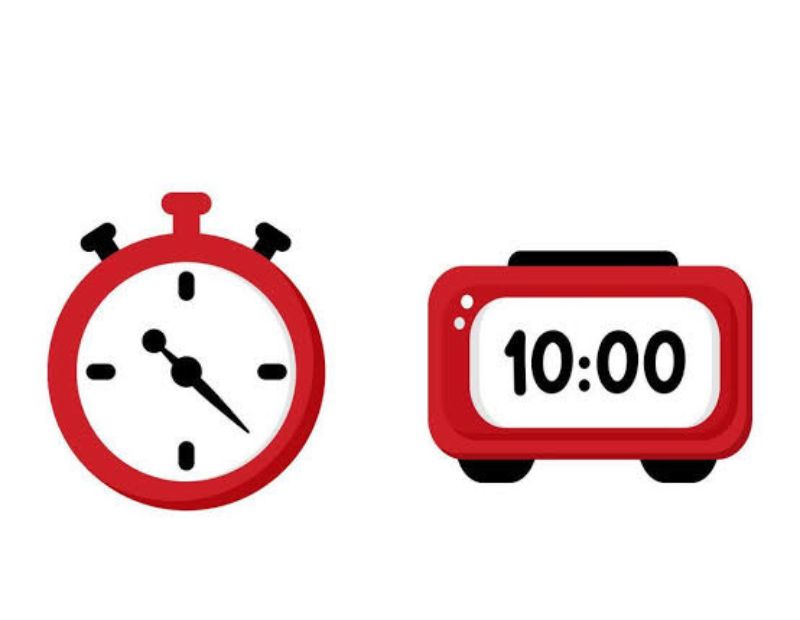
A digital clock symbol shows time as numbers, such as 10:45, rather than with hands. There is no dedicated Unicode character for a digital clock, so people use a few workarounds.
- Type the time directly, like 7:30 AM, and put an emoji beside it.
- Use ⏰ or ⌚ to suggest a digital display.
- Use a seven-segment style font if you are designing a graphic.
- Use an icon from a free icon set when you need a true digital clock image.
Digital clock icons are common on microwaves, car radios, alarm radios and phone lock screens. On a phone or car, a digital clock icon next to a time often means the clock setting itself, while an icon with a small arrow can mean a timer or a schedule.
Clock Symbol on iPhone
The iPhone has all the standard clock emojis built into its keyboard, so there is nothing to download.
- Open any app where you can type, such as Messages or Notes.
- Tap the smiley or globe icon on the keyboard.
- Tap the Travel & Places tab, or search for “clock” in the emoji search bar.
- Tap the clock you want.
Two shortcuts save time:
- Text replacement: Go to Settings, General, Keyboard, then Text Replacement. Add a phrase like “clk” that expands to 🕒.
- Keyboard suggestions: Type the word “clock” or “alarm” and look at the predictive bar above the keyboard. The matching emoji usually appears there.
On the iPhone itself, the Clock app icon is a black circle with a white clock face. Inside the app you will see an alarm bell, a world clock, a stopwatch and a timer, the same ideas covered by the emojis above.
Clock Symbol in Word
You have several ways to insert a clock symbol in Microsoft Word on Windows.
Method 1: Insert Symbol menu
Go to Insert, then Symbol, then More Symbols. Set the font to Segoe UI Symbol, search for a clock or hourglass, and click Insert.
Method 2: Alt plus X
Type the hex code of the character, such as 23F0, directly in the document. Then press Alt and X together. Word converts the code into the symbol. This also works for codes like 1F550.
Method 3: Windows emoji panel
Press the Windows key plus the period key. Pick the clock from the emoji panel.
Method 4: Mac shortcut
On a Mac, press Control, Command and Space to open the emoji and symbols viewer, then search for “clock”.
If the symbol shows as an empty box, change the font to Segoe UI Symbol or Segoe UI Emoji. That solves the problem most of the time.
Clock Symbol PNG
A clock symbol PNG is an image file with a transparent background. People use PNG clock icons in presentations, websites, infographics, logos and apps.
When you pick or create one, keep these points in mind:
- Transparent background: Lets you place the icon on any color.
- Size: Start from a larger image, such as 512 by 512 pixels, and scale it down. Enlarging a small PNG makes it blurry.
- Format choice: PNG is great for fixed sizes. SVG is better when you need a sharp icon at every size.
- License: Check whether an image is free for commercial use before you publish it.
- Alt text: Add a short description like “alarm clock icon” so the image is accessible and helps your page SEO.
If you only need a quick graphic, you can also take a screenshot of an emoji at a large size, though a proper icon file will always look cleaner.
Clock Symbol on Social Media
Clock symbols appear on every major platform, but each one uses them a little differently.
| Platform | Where you see a clock | What it generally means |
|---|---|---|
| Next to a message or on a post | Sending, pending or scheduled | |
| Messenger | Beside a sent message | Message is still sending |
| In scheduling tools and Stories | Scheduled or timed content | |
| Beside a message | Message is waiting to send | |
| X (Twitter) | In scheduling tools | A post queued for later |
| Next to scheduled posts | Post set to publish later | |
| Browsers | History menu | Recently visited pages |
In captions and bios, creators use 🕒 or ⏰ to show posting times, business hours, limited offers and countdown posts.
Black Clock Symbol on a Facebook Profile
A black or dark clock icon on Facebook is usually part of the interface rather than a status about a person. It most often shows up beside a message or a post. On a message, a clock generally means the message has not been sent yet, often because of a weak connection. On a post or in a creator tool, it points to a scheduled or recently viewed item.
If the clock stays in place for a long time, check your internet connection, close and reopen the app, and try again.
Grey Clock Symbol on a Facebook Profile
A grey clock tends to be a lighter, muted version of the same icon. It normally means something is waiting, such as a message that is still sending or a post waiting to be published. Grey also fits the idea of “inactive” or “not complete yet” in many interface designs.
Facebook changes its icons often, and exact meanings can shift with updates. If you are unsure, tap or hover over the icon, or look in Facebook’s Help Center for the latest wording.
Clockwise Arrow Symbol
A clockwise arrow is a circular arrow that follows the direction of a clock’s hands, moving from the top to the right and down. In everyday design it often means refresh, reload, redo, forward or repeat.
Some commonly used clockwise arrow symbols:
- ↻ clockwise open circle arrow (U+21BB)
- ⟳ clockwise gapped circle arrow (U+27F3)
- 🔃 clockwise downwards and upwards open circle arrows (U+1F503)
You can copy them from the lists above, or type the Unicode value with Alt plus X in Word.
Clockwise Direction Symbol
A clockwise direction symbol appears on tools, machine parts, bottle caps, knobs and electronics. It tells you which way to turn something. “Righty tight” is the classic rule: turning clockwise usually tightens a screw or closes a lid, and turning counterclockwise loosens or opens it.
In technical drawings, a curved arrow with the arrowhead pointing right on top indicates clockwise rotation. You will find it on screwdrivers, valves, taps and drill settings.
Clockwise and Anticlockwise Symbol
Both directions are used constantly, and the two names are interchangeable with “counterclockwise”. Anticlockwise is the common spelling in British English, while counterclockwise is more common in American English.
| Direction | Symbol | Common meaning |
|---|---|---|
| Clockwise | ↻ | Refresh, redo, tighten, forward |
| Anticlockwise | ↺ | Undo, rewind, loosen, back |
| Clockwise (gapped) | ⟳ | Reload |
| Anticlockwise (gapped) | ⟲ | Revert |
| Counterclockwise arrows button | 🔄 | Sync, update, repeat |
Clockwise and Counterclockwise Symbol in Design
Designers pair these arrows with a clock to show history. A clock face with a counterclockwise arrow around it means “go back in time”, so you often see it as the Recent or History icon. Photo and document apps use the same idea for “version history” or “restore”. If you want a clear “undo” feeling, use the anticlockwise arrow. If you want to show progress or a refresh, use the clockwise arrow.
Clock It Hand Symbol
“Clock it” is slang for noticing something, as in “Did you clock that?” There is no official “clock it” hand emoji. People express the idea with other symbols:
- 👀 for “look at that”
- ☝️ or 👆 for pointing to something
- ⏱️ for timing something
- 🫵 for “I’m talking to you”
If you are thinking of a hand on a clock, the clock hands themselves are shown in each clock face emoji. A hand pointing at a wristwatch ⌚ also works well for a “check the time” message.
Alarm Clock Symbol
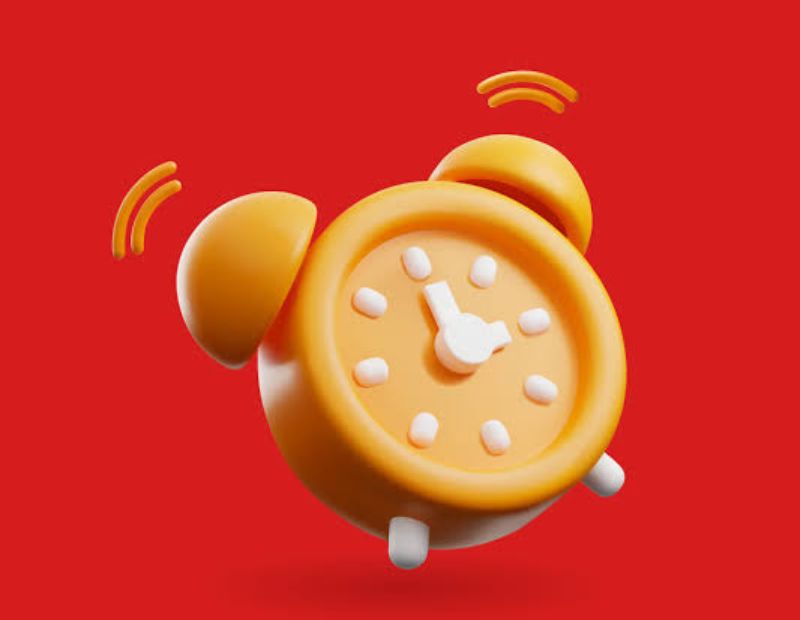
The alarm clock deserves its own spot because it is one of the most used time symbols. It suggests waking up, upcoming events and time-sensitive tasks. It is also a popular choice for promotional posts: “Sale ends tonight ⏰” is quick and instantly understood.
On a phone, the alarm symbol also appears in the status bar when an alarm is set. If you see a small alarm clock at the top of your screen, you have at least one active alarm.
Clock Outlet Symbol
A clock outlet is a small recessed wall receptacle built to hold the plug of a wall clock so that the cord stays hidden. There is no standard Unicode character for it. If you want to show the idea, combine symbols, for example 🔌🕐. Electricians and designers may also use a standard electrical outlet icon next to a clock graphic in plans and diagrams.
White Clock Symbol on a Dashboard
A white clock symbol on a car dashboard is not a standard warning light, and it is usually not a sign of a problem. Most warning lights are red, amber or yellow, while white or green lights are normally informational.
Depending on the car, a white clock could mean:
- the trip or elapsed time display
- a scheduled setting, such as timed charging or a departure timer in an electric or hybrid car
- a reminder tied to the infotainment clock
- a maintenance or service countdown on some models
Because this varies by manufacturer, the owner’s manual is the most reliable place to confirm. If the light is white and the car drives normally, it is rarely urgent, but if you see other warning lights beside it, get the car checked.
Fun Facts About the Clock Symbol
- There are 24 separate clock face emojis, one for every hour and half hour.
- Every clock face emoji points to an exact hour or half hour. None show minutes like 12:17.
- The clock faces were approved in Unicode 6.0 in 2010 and became part of the standard emoji set in 2015.
- The mantelpiece clock came later and was added in Unicode 7.0.
- Apple and several other platforms draw the alarm clock with two bells, while older designs used different shapes.
- The same code point can look different on iPhone, Android, Windows and social platforms because each company designs its own artwork.
- Hourglass symbols have been used for centuries as a symbol of time passing, long before digital clocks existed.
How to Use Clock Symbols Effectively?
Clock symbols are powerful, but only when used with purpose. A few simple tips:
- Match the symbol to the message. Use ⏰ for urgency and 🕰️ for nostalgia.
- Do not overload. One or two symbols in a caption is enough.
- Choose a clock that matches the actual time when you mention a specific hour.
- Test on different devices. The artwork changes across platforms.
- Add real text. Screen readers read emojis aloud, so rely on words for key information.
- Use them in titles carefully. A symbol in an SEO title or meta description can help attract clicks, but too many can look spammy.
Conclusion
The clock symbol may be small, but it communicates a great deal in a single character. It can show a time, a wait, a deadline, a schedule or a trip back through history. Once you know the right emoji, Unicode code or typing shortcut, you can use it on iPhone, Android, Windows, Mac, Word and social media with no trouble. Pair it with clear text, choose the version that fits your message, and check the platform’s help page whenever an app uses the icon in a way you do not recognize.
Frequently Asked Questions
What does the clock symbol mean?
A clock symbol stands for time. In apps it often means pending, scheduled, recent or waiting, depending on where it appears.
How do I copy and paste a clock symbol?
Select the symbol from the lists above, copy it with Ctrl+C or Cmd+C, then paste it with Ctrl+V or Cmd+V into your message or document.
How do I type a clock symbol on iPhone?
Open the emoji keyboard, go to Travel & Places or search “clock”, and tap the one you want.
How do I insert a clock symbol in Word?
Use Insert, Symbol, More Symbols, or type the Unicode code like 23F0 and press Alt+X. The Windows emoji panel (Windows key plus period) also works.
What is the Unicode for the clock symbol?
The alarm clock is U+23F0, the stopwatch is U+23F1, the timer clock is U+23F2, and the clock faces run from U+1F550 to U+1F567.
What does the clock symbol on Facebook mean?
It usually means a message is still sending or something is pending or scheduled. Check your connection if it stays visible.
What does a grey clock mean on a Facebook profile?
A grey clock generally shows a pending or waiting state, such as a message that has not finished sending.
What does a black clock mean on a Facebook profile?
It is normally an interface icon for a pending, scheduled or recently viewed item rather than a personal status.
What is the difference between the clockwise and anticlockwise symbols?
Clockwise arrows (↻) usually mean refresh or forward, while anticlockwise arrows (↺) usually mean undo or go back.
What does the white clock symbol on a dashboard mean?
It is usually informational, such as a timer or schedule setting, and not a warning light. Your owner’s manual gives the exact meaning for your car.
Is there a digital clock emoji?
There is no dedicated digital clock emoji. People use ⏰, ⌚ or a typed time such as 10:45 instead.
Is there a “clock it” hand emoji?
No official one exists. Most people use 👀, ☝️ or ⏱️ to get the same idea across.
Where can I get a clock symbol PNG?
Use a free icon library or emoji site that offers transparent PNG files, and check that the license allows your intended use.
