

A tiny battery icon sits on almost every screen, dashboard and circuit diagram you will ever see. Most people glance at it without thinking. But the battery symbol can mean very different things depending on where you find it.
On your phone, it shows how much charge is left. On a car dash, it can warn of a charging fault. In a physics textbook, it is two parallel lines that tell you where the positive terminal is.
This guide covers all of it. You will learn what the battery symbol is, how to read it on phones, cars, inverters and watches, how to draw it in a circuit, and where to copy and paste it.
What Is the Battery Symbol?
The battery symbol is a visual sign that represents a battery or a power source. It takes two main forms. The first is a small rectangle icon with a bump on one end, used on screens and dashboards. The second is a pair of parallel lines, one long and one short, used in circuit diagrams.
Quick Answer (Featured Snippet Style)
The battery symbol is an icon of a battery that shows charge level or marks a power source. On devices, it shows how much power remains. In circuit diagrams, a long line and a short line represent the positive and negative terminals.
Read Also This Blog: Low Battery Symbol
The Two Main Types of Battery Symbols
| Type | Where You See It | What It Shows |
|---|---|---|
| Status icon | Phones, laptops, watches, dashboards | Charge level or battery health |
| Schematic symbol | Circuit diagrams, textbooks, PCB layouts | A power source with polarity |
| Emoji | Chats and social media | Energy, charge or fatigue |
| Warning symbol | Car dash, inverters, alarms | A fault or low power alert |
Battery Symbol Text
You may need the battery symbol in plain text for bios, captions, comments or notes. Text versions are easy to type and work almost anywhere.
Here are some simple options:
- [██████] for a full battery
- [███░░░] for a half battery
- [█░░░░░] for a low battery
- Battery: 80%
- BATT or BAT as short labels
- (+) and (−) for terminal polarity
Small displays often use words like “Lo”, “Bat” or “Full” instead of a picture. This saves space and still gets the message across.
Battery Symbol Copy and Paste Options
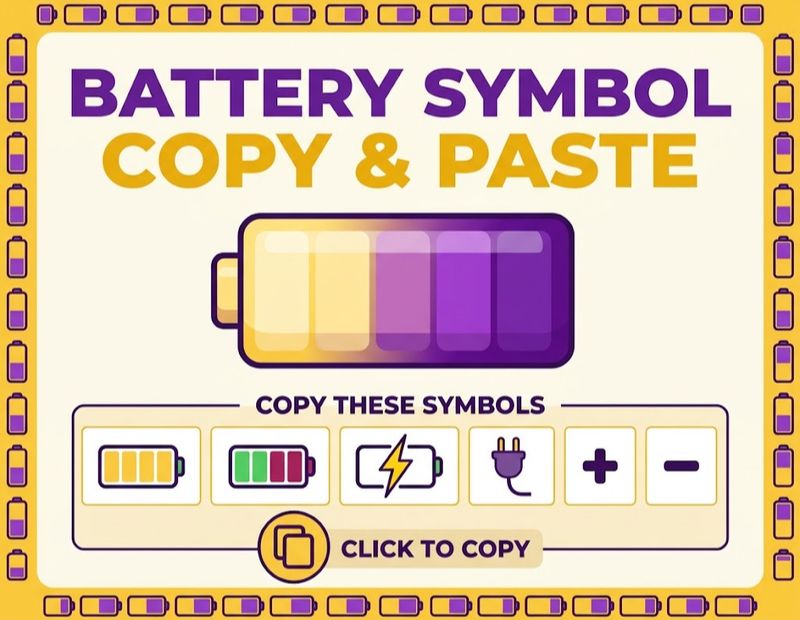
Need a quick symbol for a post, document or message? Copy any of these and paste them directly.
| Symbol | Name | Best Use |
|---|---|---|
| 🔋 | Battery emoji | General battery and energy topics |
| 🪫 | Low Battery emoji | Low power or feeling drained |
| ⚡ | High Voltage | Charging, power or speed |
| 🔌 | Electric Plug | Plug in reminders |
| ⚠️ | Warning | Alerts and caution notes |
| ⎓ | Direct current symbol | DC labels and electrical notes |
| ➕ | Plus | Positive terminal |
| ➖ | Minus | Negative terminal |
To copy, highlight the symbol and choose Copy, or long press on mobile. If you see an empty box after pasting, your device may not support that character. A system update usually solves it.
Battery Emoji: Meaning and Use
The battery emoji 🔋 shows a green, full battery. People use it to talk about energy, motivation or a charged phone. A common use is “recharged and ready,” for example after a good night of sleep.
Its cousin, the low battery emoji 🪫, shows a nearly empty red battery. It was added in 2021 under Unicode 14.0 and is often used to say “I am tired” or “my phone is about to die.”
Examples of Use
- “Weekend reset done 🔋”
- “Phone at 4% 🪫”
- “Charging my energy 🔋⚡”
Battery Symbol PNG
Bloggers, designers and app makers often search for a battery symbol PNG. PNG files have transparent backgrounds, so you can place them on any color without a white box.
Keep these tips in mind:
- Pick a file of at least 512 by 512 pixels for crisp results.
- Choose SVG if you plan to resize the icon a lot.
- Check the license, especially for commercial projects.
- Match the icon color to its meaning, such as green for full and red for low.
- Compress the file so your page loads faster.
Fast pages help SEO, so do not upload huge images when a small one works.
Battery Symbol Colors Explained
Colors carry meaning. Learning them takes seconds and saves you from surprises.
| Color | Usual Meaning |
|---|---|
| Green | Healthy charge or charging in progress |
| Yellow | Low Power Mode or Battery Saver is on |
| Orange | Caution, charge is getting low |
| Red | Critical low charge or a fault |
| White or black | Normal status, no warning |
| Gray | Battery not available or feature off |
Remember that brands can vary a little. When in doubt, check your device manual or settings.
Battery Symbol on Phones
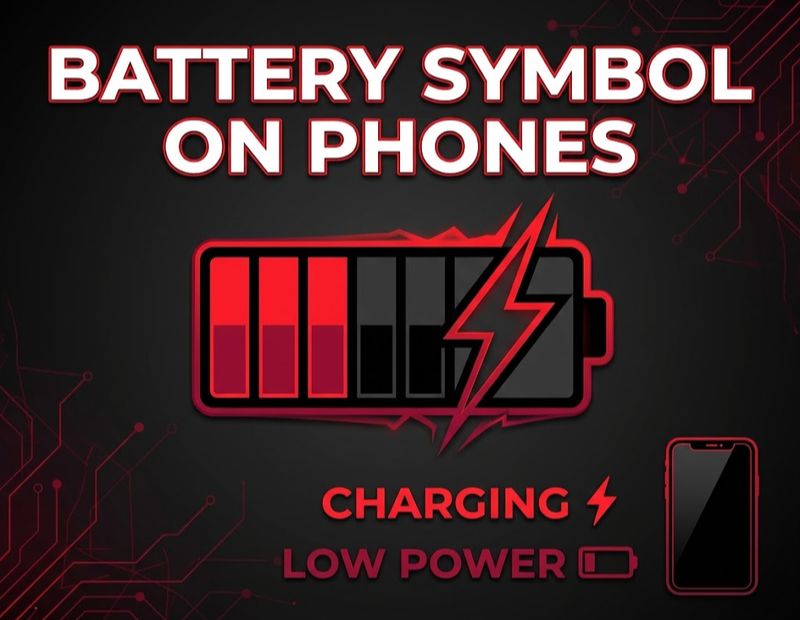
Battery Symbol in Phone (General)
Most phones show the battery icon in the top corner of the screen. It fills or empties as charge changes. A lightning bolt inside it means the phone is charging.
Many phones also let you show the percentage next to the icon. This is far more accurate than guessing from the bar alone.
Battery Symbol on iPhone: Why Is It Yellow?
A yellow battery symbol on an iPhone means Low Power Mode is turned on. This mode reduces background activity, dims the display faster and pauses some automatic downloads to save power.
You can switch it off from Settings under Battery, or from Control Center if you added the shortcut. The icon turns white or black again, and green when charging.
If the icon is red, the charge is at 20% or less. If you see a red battery with a charging cable on a black screen, the phone is fully drained.
Battery Symbol on Android
Android phones show a battery icon in the status bar, usually white. It turns red when charge is low, often near 15%. Orange or yellow shades usually show Battery Saver mode.
Because Android is used by many brands, the look and the warning level change from one phone to another.
Battery Symbol on Samsung
Samsung Galaxy phones show a battery icon with a bolt when charging, and a text note such as “Fast charging” on the lock screen. A red icon with a pop up appears when the charge is low.
You can open Settings, then Battery and Device Care, to turn on Power Saving, check usage and see which apps drain the most power.
Battery Symbol on Apple Watch
The Apple Watch shows a red battery symbol when charge is low. A yellow battery shows Low Power Mode, and a green one shows charging.
At very low levels, the watch offers Power Reserve, which only shows the time. Place it on the charger to wake it again.
Battery Warning Symbol, Low Symbol and Dead Symbol
These three are easy to mix up, so here is a simple comparison.
| Symbol | What It Means | What to Do |
|---|---|---|
| Battery low symbol | Charge is running out | Charge soon or switch on power saving |
| Battery warning symbol | A fault with the battery or charging | Check the charger, cable or battery health |
| Battery dead symbol | Battery is fully empty | Plug in and wait a few minutes |
Battery Low Symbol
The battery low symbol is a red or orange icon with only a thin sliver of charge. It often comes with a pop up message. Act early to avoid sudden shutdowns.
Battery Warning Symbol
A warning symbol often includes an exclamation mark or a red cross. It suggests more than a low charge. The battery might be too hot, damaged, or not charging properly. Unplug the charger if the device feels unusually warm.
Battery Dead Symbol
A dead battery symbol is usually a fully empty outline, sometimes with a cable or an exclamation mark. Leave the device plugged in for a few minutes before trying to turn it on.
Battery Symbol in a Car
In a car, the battery symbol is usually a red rectangle with a plus sign on one side and a minus sign on the other. It sits on the dashboard and lights up when something is wrong.
This light does not always mean the battery is flat. It most often points to a problem in the charging system.
Battery Symbol on Dash: Common Causes
- A failing alternator that is not charging the battery
- A loose or corroded battery terminal
- A worn or broken drive belt
- A weak or old battery
- Damaged wiring
What to Do When the Light Comes On?
- Turn off extra loads like the air conditioner, heated seats and stereo.
- Drive to a safe place or a nearby garage right away.
- Avoid long trips, as the car may stall once the battery drains.
- Have the alternator, battery and belt tested.
BMW Battery Symbol
BMW cars show a battery warning on the instrument cluster, often along with a message on the iDrive screen. It can mean low voltage, a charging fault or a problem with the battery monitoring system.
BMW batteries are often registered to the car’s electronics. After a replacement, the new battery may need to be coded in. If not, the car can charge it wrongly or keep showing warnings. A trained technician can do this.
Battery Symbol on an Inverter
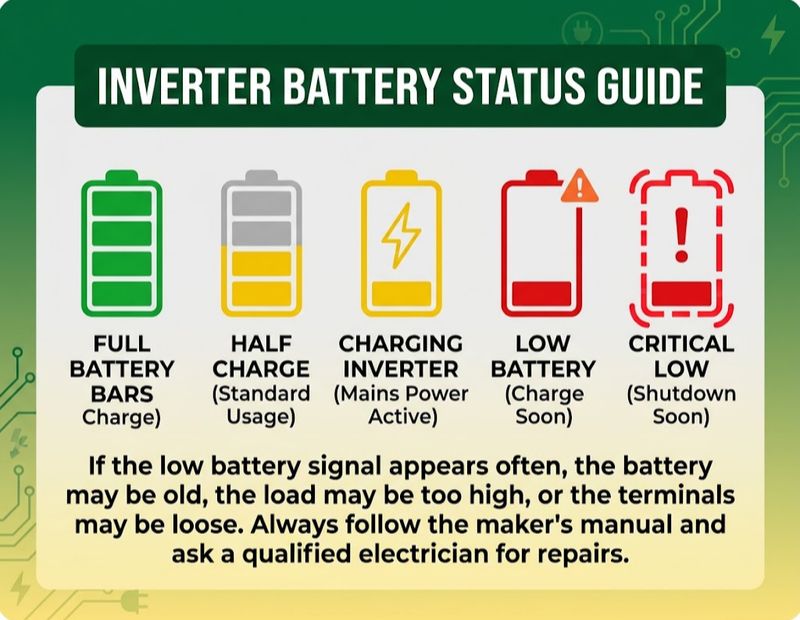
An inverter uses a battery to give power during outages. Its display shows battery information using icons, bars or LEDs.
| Indicator | Common Meaning |
|---|---|
| Full battery bars | Battery is charged |
| One bar or a red LED | Battery is low |
| Flashing icon with beeps | Critical low battery, shutdown soon |
| Charging icon | Battery is being charged by mains power |
| Warning light or fault code | Overload, battery fault or wiring issue |
If the low battery signal appears often, the battery may be old, the load may be too high, or the terminals may be loose. Always follow the maker’s manual and ask a qualified electrician for repairs.
Battery Symbol in Circuits and Physics
Now let us move from screens to science. In circuit diagrams, the battery symbol is drawn as simple parallel lines.
Battery Schematic Symbol
The standard battery schematic symbol has one long line and one short line. The long line is the positive terminal. The short line is the negative terminal. The short line is often drawn thicker.
Battery Cell Symbol
A single cell uses one pair of lines, long and short. This symbol is used for one cell, like a small coin cell or one AA cell.
Battery Diagram Symbol (Multiple Cells)
A battery is a group of cells joined together. In a diagram, it is drawn as repeated pairs of long and short lines. More pairs usually mean more cells in series and a higher total voltage.
| Symbol Pattern | What It Represents | Example |
|---|---|---|
| One long line and one short line | Single cell | Watch cell, small sensor |
| Two or more pairs of lines | Multi cell battery | Flashlight, remote |
| Many pairs, often with a dotted gap | Large battery pack | Power tools, vehicles |
Battery Symbol Positive and Negative
Always remember the rule: long line is positive, short line is negative. Plus and minus signs are often added next to the lines to remove any doubt. When wiring a real circuit, match the long line to the positive terminal of your component.
If the lines are drawn equal in length, the diagram can confuse readers, so avoid doing that.
Battery Symbol in Physics
In physics, a battery is shown with the same long and short lines. The quantity linked with it is voltage or electromotive force, and the unit is the volt, shown by V. Physics problems often ask students to read the symbol to find where current starts and ends.
By convention, current is drawn flowing from the positive terminal through the circuit and back to the negative terminal.
Battery Symbol in Circuit
A simple circuit might have a battery, a switch, a resistor and a bulb. The battery supplies energy, the switch opens or closes the path, the resistor limits current, and the bulb lights up. Drawing this correctly starts with placing the battery symbol the right way round.
Battery Symbol DC
Batteries produce direct current, so you will often see the DC symbol near them. The DC symbol is a solid line above a dashed line. It appears on labels, adapters and device plates to show the type of current. A battery symbol with plus and minus signs is also a clear DC indicator.
Battery Ka Symbol (Hindi and Urdu Searches)
Many people search “battery ka symbol” to find out what the battery symbol looks like or means. In simple words, battery ka symbol is the same global icon. It can be the rectangle with a small bump on screens, or the long and short lines in circuit diagrams.
There is no separate version in Hindi or Urdu. The symbol is universal, so the same icons work worldwide.
How to Read Battery Symbols Quickly?
Use this simple checklist when you see a battery icon:
- Look at the color first. Red needs attention, green is fine.
- Check for a lightning bolt, which means charging.
- Look for an exclamation mark, which means a fault.
- Check the fill level to judge remaining charge.
- If it is on a car dash or inverter, treat red as a service signal.
Common Battery Symbol Mistakes
- Mixing up a low battery sign with a fault sign
- Ignoring a red car battery light and driving far
- Reversing the long and short lines in a diagram
- Assuming yellow means a problem when it often means power saving
- Using unlicensed PNG icons on a commercial site
- Replacing only one battery in a multi battery device
Tips to Care for Your Battery
- Avoid letting your phone drain to zero often.
- Keep devices away from heat, which wears batteries faster.
- Use certified chargers and cables.
- Turn on optimized charging if your phone has it.
- Clean corroded car terminals gently and check them each year.
- Test inverter batteries on a regular schedule.
- Replace all batteries together in remotes and monitors.
Frequently Asked Questions
What is the battery symbol?
It is an icon or drawing that represents a battery, either as a charge level indicator or as long and short lines in a circuit.
What does the battery symbol look like in a circuit?
It shows one long line for the positive terminal and one short line for the negative terminal.
Which line is positive in a battery symbol?
The longer line is positive, and the shorter line is negative.
How do I copy and paste a battery symbol?
Highlight the emoji, such as 🔋, choose Copy, and then paste it where you need it.
Why is my iPhone battery symbol yellow?
Low Power Mode is on. You can turn it off in Settings under Battery.
What does the red battery symbol on a car dash mean?
It usually points to a charging system problem, such as a bad alternator or loose terminal.
What does the BMW battery symbol mean?
It can signal low voltage, a charging fault, or a battery monitoring issue that needs checking.
What does the battery symbol on an inverter mean?
It shows the battery level, and a flashing or red icon means low charge or a fault.
What is the battery symbol in physics?
It is the same long and short line symbol, and voltage is measured in volts, shown by V.
What does the DC symbol mean?
It shows direct current and appears as a solid line over a dashed line.
What is the difference between a low battery symbol and a dead battery symbol?
Low means charge is almost gone, and dead means it is fully empty.
What does the battery warning symbol mean?
It signals a fault such as overheating, damage or a charging problem.
What does a green battery symbol mean?
It usually means the battery is healthy or charging.
Can I use a battery symbol PNG on my website?
Yes, but check the license first and choose a compressed, transparent file.
Conclusion
The battery symbol may be small, but it works hard. On your phone, it tells you when to plug in. On your dashboard, it warns you before a breakdown. In a circuit, it shows where the energy starts and which way it flows.
Now you know how to read the colors, spot warning signs, draw the schematic correctly and copy the right symbol for any post or project. The next time you see that little icon, you will know exactly what it is telling you.
