


Sometimes a regular bullet point (•) just doesn’t have enough presence. Maybe you’re designing a slide, formatting an Instagram bio, or building a list that needs a little more visual weight and that’s exactly when the big dot symbol comes in handy.
This guide walks through everything you need to know about the big dot symbol: what it means, where it came from, how to type it on any device, and how to use it correctly in Word, Excel, HTML, and LaTeX. You’ll also find copy and paste ready versions in black, white, and centered styles, so you never have to go hunting for the right character again.
What Is the Big Dot Symbol?
The big dot symbol is a large, solid circular character used to draw attention, separate content, or replace a standard bullet point with something bolder. Unlike the small bullet (•) most people are used to, the big dot symbol is a fuller, heavier shape that stands out clearly in both digital and printed text.
There isn’t just one “big dot” there’s actually a small family of related circle characters, each with its own Unicode code point and slightly different size or style:
| Symbol | Name | Unicode | Best Used For |
|---|---|---|---|
| ● | Black Circle | U+25CF | Standard big dot, lists, emphasis |
| ⬤ | Black Large Circle | U+2B24 | Extra-large dot, headers, dividers |
| ⚫ | Medium Black Circle (emoji) | U+26AB | Chat apps, social bios |
| ○ | White Circle | U+25CB | Outline/hollow big dot |
| ⚪ | Medium White Circle (emoji) | U+26AA | Light-mode design, checklists |
| · | Middle Dot | U+00B7 | Small centered separator (not a “big” dot, but often confused with it) |
Whenever someone searches “big dot symbol,” they usually mean the black circle (●) or the black large circle (⬤) both are covered in detail below.
Read Also This Blog: Powerful Male Symbol
Big Dot Symbol Meaning
On its own, the big dot symbol doesn’t carry a fixed linguistic meaning the way a letter or punctuation mark does. Instead, its meaning shifts depending on where it’s placed:
- As a list marker: It signals a new item, just like a bullet point, but with stronger visual emphasis.
- As a separator: Placed between words or phrases (for example, in a bio:
Writer ● Traveler ● Coffee Lover) it acts as a clean divider. - As a status indicator: In apps and dashboards, a solid dot often represents “active,” “online,” or “selected,” while a hollow circle can mean “inactive” or “unselected”.
- As a design accent: Designers use big dots purely for visual balance, drawing the eye or adding rhythm to a layout.
In short, the big dot symbol is less about literal meaning and more about visual function. It adds weight, structure, and clarity wherever a plain bullet feels too small.
Big Dot Symbol History
The big dot’s roots go back much further than modern computing. Solid circular marks have been used as emphasis and separator symbols for centuries, appearing in early manuscripts, printed typography, and mathematical notation long before Unicode existed.
Here’s a simplified timeline of how the modern big dot symbol came to be:
- Early typography: Printers used solid dots and circular ornaments (sometimes called “printer’s dots”) to separate sections of text or mark emphasis in manuscripts and early printed books.
- Mathematical notation: The dot operator has long been used in mathematics to represent multiplication or a dot product, distinct from decorative bullets.
- Unicode standardization (1990s): When Unicode 1.1 was released in 1993, it formalized a wide range of circular symbols, including the black circle (●) under the Geometric Shapes block, giving digital text a consistent, cross-platform way to render a “big dot.”
- Emoji expansion: Later Unicode updates added colorized, emoji-style circles like ⚫ and ⚪, giving the big dot a friendlier, more casual appearance on phones and social platforms.
- Modern design use: Today, the big dot symbol appears everywhere from UI status indicators to Instagram bios to presentation slides, proving that this ancient typographic tool never really went out of style.
Big Dot Symbol Text
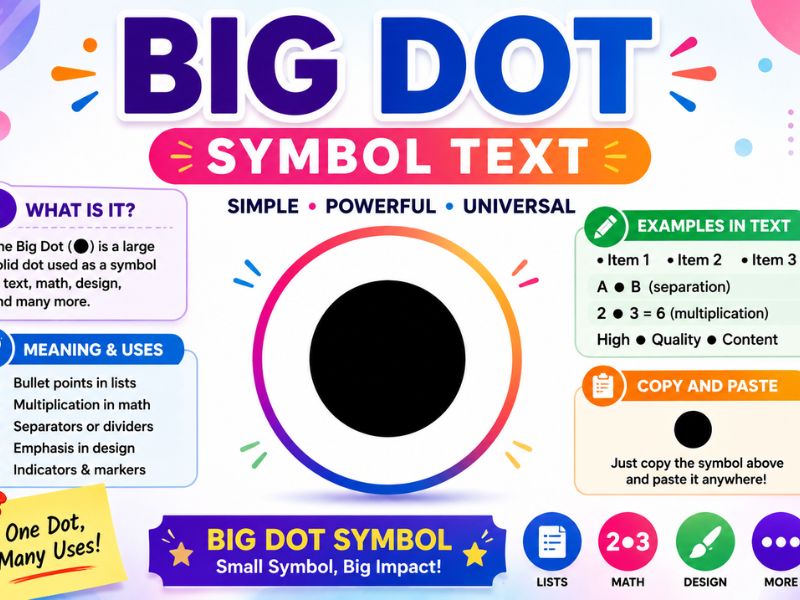
Below are the most popular big dot symbol variations, ready to copy directly:
● — Black Circle (most common big dot)
⬤ — Black Large Circle (bigger and bolder)
⚫ — Medium Black Circle (emoji style)
○ — White Circle (hollow big dot)
⚪ — Medium White Circle (emoji style)
Just click, copy, and paste any of these directly into your document, caption, or design file. No special font or app required, since they’re all standard Unicode characters.
Big Dot Symbol Copy And Paste: Full Code Reference
If you’re working with code, need an HTML entity, or want the exact Unicode reference, here’s the complete table:
| Symbol | Unicode | HTML Entity | HTML Hex Code |
|---|---|---|---|
| ● | U+25CF | ● | ● |
| ⬤ | U+2B24 | ⬤ | ⬤ |
| ⚫ | U+26AB | ⚫ | ⚫ |
| ○ | U+25CB | ○ | ○ |
| ⚪ | U+26AA | ⚪ | ⚪ |
| · | U+00B7 | · | · |
These codes work reliably across browsers, so you can drop them straight into your HTML source without worrying about font compatibility.
Big Dot Symbol On Keyboard
There’s no single dedicated key for the big dot symbol on standard keyboards, but there are a few dependable methods depending on your device and operating system.
How To Type Big Dot Symbol on Windows
- Make sure Num Lock is turned on.
- Click into the text field where you want the symbol.
- Hold the Alt key.
- Type 7 on the numeric keypad using the standard bullet Alt code, or use the Unicode input method below for the black circle specifically.
- For the black circle (●), type 25CF, then press Alt + X immediately afterward in Word — this converts the code into the symbol.
Big Dot Symbol Mac
On macOS, there’s no single Alt-code equivalent, but you have two reliable options:
- Character Viewer: Press Control + Command + Spacebar to open the emoji and symbol picker, then search “black circle” to find and insert ●.
- Copy and paste: Simply copy the symbol from this page and paste it directly, which works in every Mac app without any extra steps.
Mobile Devices (iOS and Android)
On phones, the fastest method is copying the symbol from a text source (like this article) and pasting it into your keyboard’s clipboard, since most mobile keyboards don’t include dedicated geometric symbol keys.
Big Dot Symbol In Word
Microsoft Word offers several built-in ways to insert a big dot symbol without needing to copy and paste from an outside source.
Method 1: Unicode shortcut
- Type 25CF (for ●) directly into your document.
- Immediately press Alt + X.
- Word will automatically convert the code into the black circle symbol.
Method 2: Insert Symbol menu
- Go to the Insert tab.
- Click Symbol > More Symbols.
- In the Character code box, type 25CF and set the “from” dropdown to Unicode (hex).
- Select the symbol and click Insert.
Method 3: Bullet list formatting
If you want the big dot as an actual list bullet rather than inline text:
- Select your list.
- Go to Home > Bullets > Define New Bullet.
- Click Symbol, search for the black circle, and select it.
- Click OK to apply it as your bullet style.
Big Dot Symbol In Excel
Excel doesn’t have a dedicated big dot button, but inserting one is quick using any of these methods:
| Method | Steps |
|---|---|
| Unicode shortcut | Type 25CF, then press Alt + X while the cell is in edit mode |
| CHAR/UNICHAR formula | Use =UNICHAR(9679) in a cell to generate ● automatically |
| Insert Symbol | Go to Insert > Symbols > Symbol, search “black circle,” and insert |
| Copy and paste | Copy ● from any source and paste directly into a cell |
The UNICHAR() formula method is especially useful if you’re building dashboards or status trackers, since it lets you generate the symbol dynamically based on other cell values (for example, showing ● for “complete” and ○ for “pending”).
Middle Big Dot Symbol
The term “middle big dot” usually refers to one of two things, so it’s worth clarifying the difference:
- Middle Dot (·): U+00B7, a small, centered punctuation dot traditionally used in typography for interpunction, syllable separation, and multiplication in some notations
- Center Big Dot: A large circular symbol (typically ● or ⬤) that has simply been horizontally or vertically centered within a design, text box, or list
If you’re looking for a small, centered separator dot, the middle dot (·) is the correct character. If you want a large, prominent circle positioned in the center of your layout, you’re really working with standard alignment settings applied to ● or ⬤ — not a unique symbol of its own.
Center Big Dot Symbol in Design
To center a big dot symbol in most design or word processing tools:
- Insert the symbol (● or ⬤) as usual.
- Select the line or text box containing it.
- Apply center alignment (Ctrl+E in Word, or the center-align button in most design tools).
This is commonly used for dividers between menu items, navigation bars, or decorative section breaks on websites.
Latex Big Dot Symbol
For anyone typesetting documents in LaTeX, there are several ways to render a big dot depending on the exact size and style you need:
| LaTeX Command | Output | Package Required |
|---|---|---|
\bullet | Small bullet dot | None (base LaTeX) |
\textbullet | Bullet in text mode | None |
\cdot | Small centered dot (multiplication) | None |
\CIRCLE | Large filled circle | wasysym |
\newcommand{\bigdot}{\scalebox{2}{$\bullet$}} | Custom scaled big dot | None (custom macro) |
If you specifically need a bold, large filled circle in a LaTeX document, the wasysym package’s \CIRCLE command is the most reliable built-in option. For finer control over size, scaling \bullet with the graphicx package’s \scalebox command lets you customize exactly how big the dot appears.
Black Big Dot Symbol vs White Big Dot Symbol
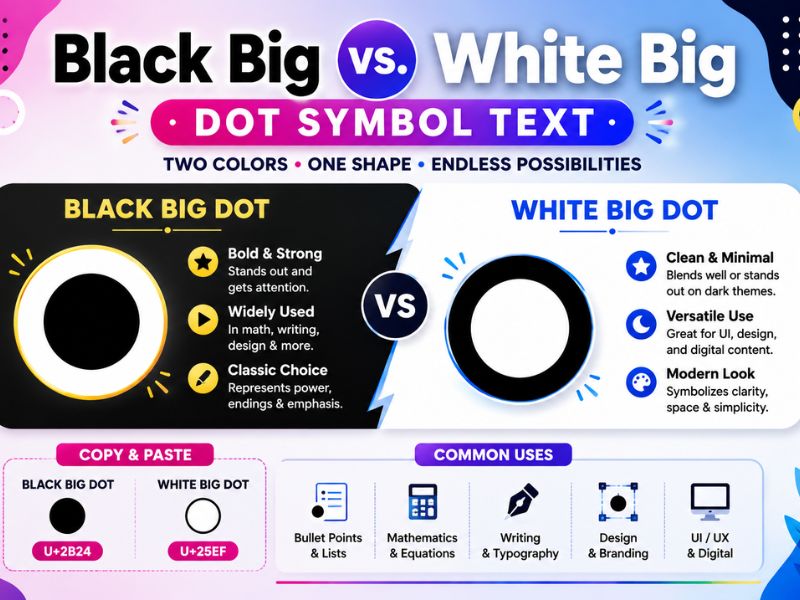
Since black and white circles serve different visual purposes, it helps to know exactly when to use each:
| Feature | Black Big Dot (●) | White Big Dot (○) |
|---|---|---|
| Visual weight | Bold, solid, high contrast | Light, outlined, subtle |
| Common use | Emphasis, active status, filled bullets | Placeholder, inactive status, hollow bullets |
| Best background | Light backgrounds | Dark backgrounds |
| Unicode | U+25CF | U+25CB |
| Typical context | “Selected,” “online,” “done” | “Unselected,” “offline,” “pending” |
Designers frequently pair the two together. For example, showing a filled ● next to a completed step and a hollow ○ next to an upcoming one in a progress tracker or checklist.
Html Big Dot Symbol Usage
When adding a big dot symbol to a website, you have three reliable approaches:
- Direct Unicode character: Simply paste ● or ⬤ into your HTML source; modern browsers render Unicode characters natively.
- HTML entity: Use
●for a black circle, which is useful if you’re worried about encoding issues in older systems. - CSS content property : For decorative bullets in lists, use:
li::before { content: "\25CF"; margin-right: 8px;}This approach keeps your bullet style consistent across an entire site without manually inserting the symbol into every line of content.
Big Dot Symbol Generator
If you want more creative control different sizes, colors, or combinations; A big dot symbol generator can help. These are typically simple web tools where you:
- Choose your preferred dot style (filled, outlined, emoji, or geometric).
- Adjust size or color if the tool supports customization.
- Click to copy the generated symbol or its corresponding HTML/CSS code.
- Paste it directly into your document, website, or social media bio.
Most generator tools pull from the same core Unicode set covered in this guide (●, ⬤, ⚫, ○, ⚪), so you’re not getting a “new” symbol just a more convenient way to preview and customize how it looks before copying it.
Frequently Asked Questions
What is the big dot symbol called?
Its official Unicode name is “Black Circle” (●, U+25CF), though people also call it a big dot, filled circle, or heavy dot symbol.
How do I type a big dot symbol in Word?
Type 25CF and press Alt + X immediately after, or insert it manually through Insert > Symbol > More Symbols.
What’s the difference between ● and ⬤?
● (U+25CF) is the standard black circle, while ⬤ (U+2B24) is the black large circle. A bigger, bolder version of the same shape.
Can I use the big dot symbol in Excel formulas?
Yes, use the formula =UNICHAR(9679) to generate a black circle dynamically in any cell.
Is there a LaTeX command for a large dot?
Use \CIRCLE from the wasysym package for a large filled circle, or scale \bullet manually using the graphicx package.
What does a big dot mean in a status indicator?
A solid black or colored dot typically means “active” or “online,” while a hollow circle usually signals “inactive” or “pending.”
Does the big dot symbol work on all devices?
Yes, since it’s part of the standard Unicode character set, it displays correctly across Windows, Mac, iOS, Android, and virtually all modern browsers.
Final Thoughts
The big dot symbol might look simple, but it’s a genuinely useful piece of typography bold enough to grab attention, flexible enough to work as a bullet, separator, or status marker, and universally supported across every major platform. Whether you need it in a Word document, an Excel dashboard, a LaTeX paper, or just your Instagram bio, the black circle (●) and its related variants (⬤, ⚫, ○, ⚪) have you covered.
Bookmark this guide any time you need a quick copy and paste big dot, a keyboard shortcut, or the exact Unicode code for your next project.
