

You see ovals every day. They show up in diagrams, logos, road signs, race tracks, and even on your keyboard if you know where to look. But what does the oval symbol actually mean, and how do you type it?
This guide answers both questions. You can copy the symbol right now, then keep reading to learn how it works in flowcharts, databases, Word, math, design, and pop culture.
Quick copy: ⬭ ⬬ ⬯ ⬮ ⭖
Oval Symbol Meaning
An oval is a rounded shape that looks like a stretched circle or an egg. The dictionary describes it as egg shaped or broadly elliptical, and it also covers a racetrack shaped like an oval. The word has been in English since the 1500s. merriam-webster
As a symbol, the oval carries different meanings depending on where you see it:
- Wholeness and unity. Like a circle, an oval has no corners or breaks.
- Birth and renewal. The egg shape connects ovals to new life.
- Protection. Ovals often frame or enclose something, like a portrait or a seal.
- Process boundaries. In technical diagrams, an oval marks a start, an end, or a single property.
- Trust and polish. Brands use ovals to look smooth, friendly, and approachable.
These are symbolic readings, not fixed rules. Context always decides the real meaning, so check where you found the oval before you interpret it.
Read Also This Blog: Iceland Symbol
Oval Symbol Copy and Paste
Click and drag to select the symbol you want, then press Ctrl+C (or Cmd+C on Mac) and paste it anywhere.
| Symbol | Name | Unicode | Decimal | HTML Hex |
|---|---|---|---|---|
| ⬭ | White horizontal oval | U+2B2D | 11053 | ⬭ |
| ⬬ | Black horizontal oval | U+2B2C | 11052 | ⬬ |
| ⬯ | White vertical oval | U+2B2F | 11055 | ⬯ |
| ⬮ | Black vertical oval | U+2B2E | 11054 | ⬮ |
| ⭖ | Heavy oval with oval inside | U+2B56 | 11094 | ⭖ |
Which oval should you copy?
- Pick the white version when you want an outline.
- Pick the black version when you want a solid shape.
- Pick horizontal for a wide oval and vertical for a tall one.
- Pick the double version when you need an oval inside an oval.
One handy detail: a black oval is a solid symbol, so applying a color fills the whole shape, while a white oval only changes its outline. That matters if you style text in a website or document. webnots
Oval Symbol Text
People often want an oval in plain text, such as a bio, a caption, or a chat. Here are the best options you can paste:
- ⬭ (white horizontal oval)
- ⬬ (black horizontal oval)
- ⬯ (white vertical oval)
- ○ (small circle, often used as a stand-in)
- ◯ (large circle)
- 0 or O (the letter or number, used in simple text art)
Not every font displays every oval. If you see an empty box, the font lacks that character. Try another font or switch to a circle.
Oval Symbol Vs. Circle Symbol
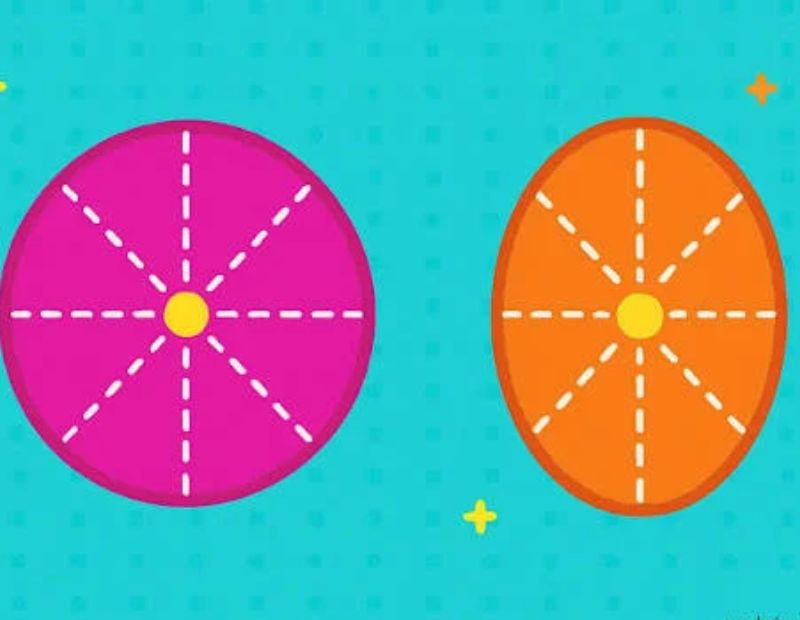
Both shapes are round, but they behave very differently in design and diagrams.
| Feature | Oval Symbol | Circle Symbol |
|---|---|---|
| Shape | Stretched, with a long and short axis | Perfectly round |
| Width and height | Different | Equal |
| Common diagram use | Start/end, attributes, use cases | Connectors, nodes, junctions |
| Feel | Soft, dynamic, directional | Balanced, complete, static |
| Math term | Oval or ellipse | Circle |
| Unicode example | ⬭ | ○ ◯ |
The simplest way to remember it: a circle has one radius, while an oval has two different measurements. In flowcharts, the oval means “start or end,” while the circle usually means “connector.” Mixing them up is a very common beginner mistake.
Oval Symbol in Flowchart
In flowcharts, the oval is called the terminator. It marks where a process starts or ends, and it is commonly drawn as an oval or a rounded rectangle. creately
How to use the oval in a flowchart?
- Place your Start oval at the top or far left.
- Add the steps between them using rectangles, diamonds, and arrows.
- Place your End oval at the bottom or far right.
- Label each oval with a short, direct phrase such as “Start Order” or “End Process.”
Flowchart oval best practices
- Keep one start and one end where possible. Extra start or end points can confuse the reader. creately
- Use plain labels. “Begin” and “End” work fine, but a specific label like “Start Checkout” works better.
- Use the same oval style across the whole chart.
- Never put detailed steps inside a terminator. Save those for process boxes.
Here is how the oval sits next to other common flowchart shapes:
| Shape | Name | Meaning |
|---|---|---|
| Oval | Terminator | Start or end |
| Rectangle | Process | A step or action |
| Diamond | Decision | A yes or no choice |
| Parallelogram | Input/Output | Data in or out |
| Circle | Connector | Jump to another point |
Oval Symbol in ER Diagram Attributes
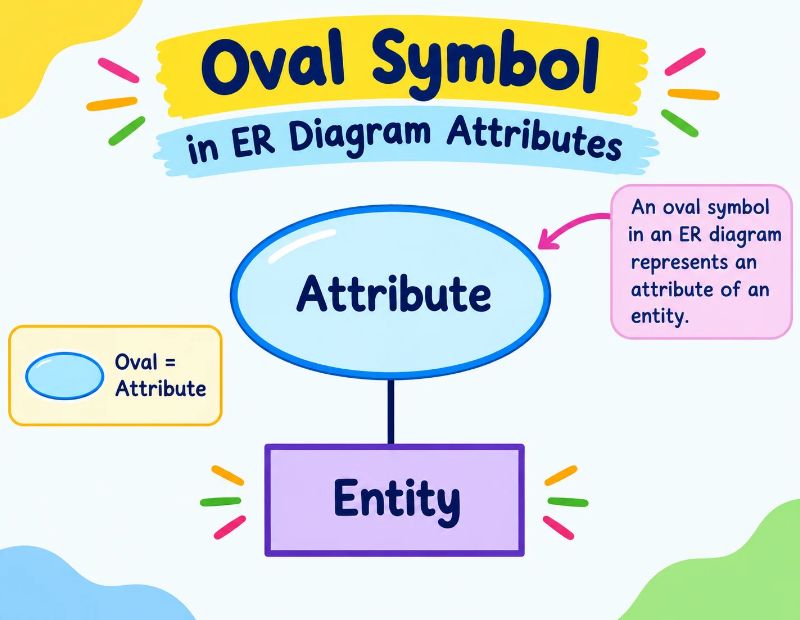
Database designers use ovals constantly. In a Chen style entity relationship (ER) diagram, the oval or ellipse represents an attribute connected to an entity. Entities are rectangles, and relationships are diamonds. slideshare
The oval changes style to show different attribute types:
| Attribute Type | Oval Style | Example |
|---|---|---|
| Simple attribute | Plain oval | Age |
| Key attribute | Oval with underlined text | Student ID |
| Composite attribute | Oval connected to smaller ovals | Full Name (First, Last) |
| Multivalued attribute | Double oval | Phone Numbers |
| Derived attribute | Dashed oval | Age (calculated from birth date) |
This is where the double oval symbol and the dashed oval symbol get their meaning in database design. A multivalued attribute uses a double oval, and a derived attribute uses a dashed oval. scribd
A quick memory trick: underline means unique, double means many, dashed means calculated.
Use of Oval Symbol in UML Use Case Diagrams
UML use case diagrams also rely on the oval. Here, each oval is one function the system provides, such as “Log In” or “Place Order.”
A use case is usually drawn as an ellipse with its name inside, and the ellipses sit within the system boundary rectangle. Stick figures outside the boundary are the actors, and lines connect actors to the ovals they use. conceptdraw
Tips for clean use case ovals
- Start each name with a verb (Search Product, Reset Password).
- Keep names short enough to fit inside.
- Place ovals inside the boundary box, never outside it.
- Use only the actors that truly interact with that function.
Oval Symbol in Math
Math has a precise word for the shape: the ellipse. An ellipse is a closed curve where the sum of the distances from two fixed points (the foci) stays constant.
The standard equation is:
x²/a² + y²/b² = 1
The area is π × a × b, where a and b are the semi-axes. When a equals b, you get a circle.
Oval vs ellipse
The two words overlap, but they are not identical:
- Every ellipse is an oval.
- Not every oval is an ellipse. Egg shapes and racetrack shapes are ovals but not true ellipses.
So in strict math, say “ellipse.” In everyday writing and design, “oval” is perfectly fine. There is no single official oval symbol in standard mathematics, so most people use ⬭ when they need the shape inside an equation or note.
Oval Symbol With a Line
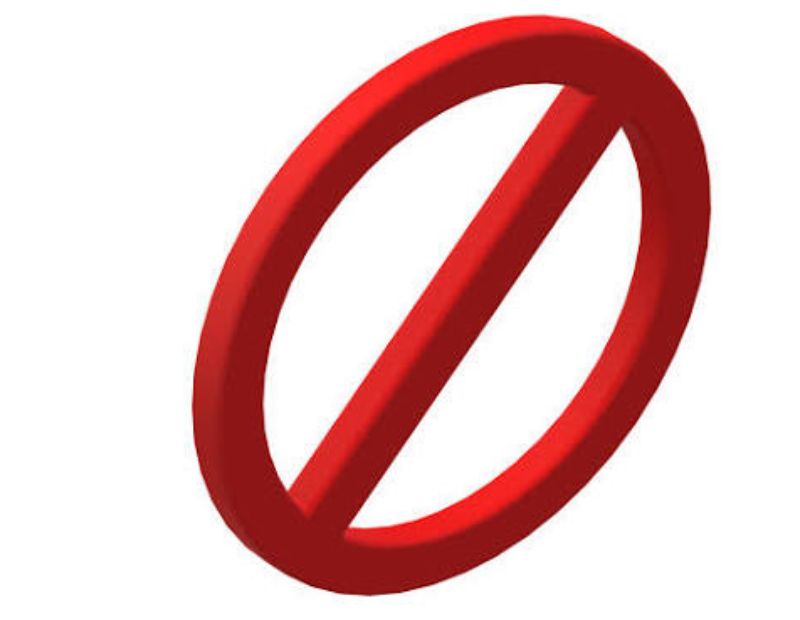
An oval crossed by a line has several possible meanings, and they depend on the field:
- Ø or ∅: a circle with a slash. It often means diameter, empty set, or “none.”
- ⌀ (U+2300): the diameter sign used in engineering drawings.
- Prohibition style: a shape with a diagonal line usually means “not allowed.”
There is no single built in character for a slashed oval. If you need one, type ⬭ and add the combining long solidus (U+0338) right after it. Support depends on the font, so test it before publishing. For print or logos, drawing the line in a design tool is the safest route.
Oval Symbol With Cross
A cross inside a shape usually means “cancel,” “sum,” or “wrong.” In flowcharts, a circle with an X is the summing junction symbol, while a circle with a plus is often used for “or.” Neither is a true oval.
For a cross inside an oval, no standard Unicode character exists. You can build one in Word, Canva, or any drawing tool by layering an oval and two crossing lines. It is also a common look for “close” or “reject” icons.
Oval Symbol in Word
Microsoft Word gives you three easy ways to add an oval.
Method 1: Insert a shape
- Open the Insert tab.
- Click Shapes and choose the oval from the Basic Shapes group.
- Click and drag on the page to draw it.
- Hold Shift while dragging if you want a perfect circle instead.
Method 2: Use the Symbol dialog
- Go to Insert, then Symbol, then More Symbols.
- Set the subset to Miscellaneous Symbols and Arrows or Geometric Shapes.
- Select the oval and click Insert.
Method 3: Alt+X shortcut
- Type 2B2D in your document.
- Press Alt + X right after it.
- Word converts the code into ⬭.
Use Method 1 when you want to add text inside the oval, resize it, or change colors. Use Methods 2 and 3 when you need the oval as a character in a line of text.
Oval Symbol on Keyboard
There is no dedicated oval key. You type it with a code instead.
| Platform | Method |
|---|---|
| Windows | Hold Alt and type 11053 on the number pad (works mainly in Word) |
| Windows (Word) | Type 2B2D, then press Alt + X |
| Mac | Enable Unicode Hex Input, hold Option, type 2B2D |
| Linux | Press Ctrl + Shift + U, type 2B2D, press Enter |
| HTML | Use ⬭ or ⬭ |
| CSS | Use content: “\2B2D”; |
On a Mac, you first switch the input method to Unicode Hex Input, then hold Option and type the hex code. The Windows Alt code route does not work in every app, so if it fails, use the copy and paste table above. webnots
On phones, the easiest path is to copy the symbol from this page and paste it. Most phone keyboards do not include the oval characters.
Variations of the Oval Symbol
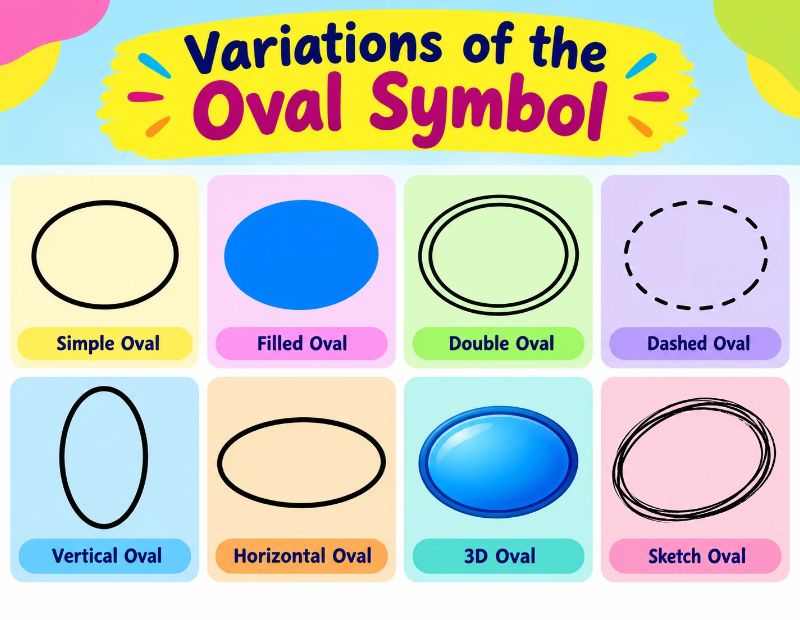
Horizontal Oval Symbol
The horizontal oval ⬭ (outline) and ⬬ (solid) are the most common forms. They suit labels, buttons, and badges.
Black Oval Symbol
The black oval ⬬ is a filled shape. It works well as a bullet, a divider, or a visual marker in lists.
Double Oval Symbol
The double oval ⭖ shows one oval inside another. In ER diagrams, a double oval means a multivalued attribute. In design, it can suggest depth, emphasis, or a target.
Dashed Oval Symbol
No Unicode character exists for a dashed oval, so you draw it. It means a derived attribute in ER diagrams. In general design, it often marks an optional, temporary, or selected area.
Half Oval Symbol
You can approximate a half oval with half circle characters like ◠ and ◡ (top and bottom halves) or ◖ and ◗ (left and right halves). For a true half ellipse, use a drawing tool.
Pointed Oval Symbol
A pointed oval, with sharp ends, is known as a vesica piscis or mandorla. It forms where two circles overlap. Artists have used it for centuries in sacred art to frame important figures. There is no single Unicode character for it, so draw it or use an SVG.
Oval Symbol in the Real World
Ovals appear far beyond screens and textbooks. Here are the most searched examples.
Batman Oval Symbol
The Batman emblem is a black bat placed inside a yellow oval. The oval was added to the bat logo with the 1964 “New Look” redesign in the comics. Over the years, some versions kept the oval and others dropped it. The yellow oval is a big part of why the logo reads so clearly on a chest or a poster.
Oval Office Symbol
The Oval Office is the formal workplace of the United States president, located in the White House’s West Wing. The oval shape of the room is why it carries that name. People also use “the Oval Office” as shorthand for the presidency itself, which turns the oval into a symbol of executive power.
Oval Duct Symbol
In HVAC drawings, a flat oval duct has two rounded ends joined by flat sides. There is no single standard oval duct symbol across all CAD systems. Many drafters simply use the round duct symbol next to the dimensions, since oval sizes are written as two numbers. Custom fonts and shape codes can add a dedicated oval duct mark, so check your CAD setup. xtracad
Oval K Kosher Symbol
You may spot a K inside an oval on a food package. Be careful here. In the United States, no law stops a company from printing a plain K on its label, so the letter alone is not proof of certification. Well known certifiers include OU, Star K, OK, and Kof K. I could not tie an oval K to one recognized agency, so treat it like any plain K and verify the certifier before relying on it. aish
Prada Oval Symbol Sunglasses
Prada’s Symbole sunglasses feature the brand’s triangle logo, and many frames in the range use oval or rounded shapes. Collections change often, so check Prada’s current catalog for exact models. In fashion, the oval frame has a reputation for looking soft and vintage, which is why it keeps returning each season.
More oval examples you already know
- Ford’s Blue Oval: the car maker’s badge is one of the best known oval logos in the world.
- The Oval: a famous cricket ground in London carries the shape in its name.
- Race tracks: oval circuits are standard in motorsport, matching the dictionary’s racetrack sense.
- Cameo and portrait frames: the oval has framed faces for generations.
Interesting Facts About the Oval Symbol
- The word “oval” entered English in the 1500s and comes from the Latin word for egg.
- Ovals are closed curves with no corners, which is why they feel smooth to the eye.
- Unicode added most of its oval characters in version 5.1 in 2008.
- In design software, an oval tool plus the Shift key gives you a perfect circle.
- In ER diagrams, a single shape can carry five meanings depending on its outline.
- The terminator oval has been a flowchart standard for decades and is still used in modern tools.
Tips for Using the Oval Symbol Correctly
- Match the context. An oval means “start” in a flowchart and “attribute” in an ER diagram. Do not mix the rules on one chart.
- Test your fonts. Some fonts display ⬭ as a blank box. Check on desktop and mobile before publishing.
- Add alt text. If you use the oval as an image, describe it clearly for screen readers.
- Do not overuse it. Too many ovals in a diagram make it hard to scan.
- Stay consistent. Keep size, outline, and label style the same across the whole document.
Conclusion
The oval symbol is simple to see but rich in meaning. It marks the start and end of a flowchart, describes attributes in a database, represents functions in a use case diagram, frames an iconic superhero logo, and even names the most famous room in American politics.
Copy the characters from the table above whenever you need one, and use Word shapes or a design tool when you need a custom version such as a dashed, pointed, or crossed oval. Pick the right form for your context, keep it consistent, and your content will look clean and read clearly.
Frequently Asked Questions
What is the oval symbol?
It is a rounded, stretched shape written as ⬭ in Unicode. It is used in diagrams, design, and text.
How do I copy and paste the oval symbol?
Select ⬭, ⬬, ⬯, or ⬮ from the table above, press Ctrl+C, then paste it where you need it with Ctrl+V.
What does the oval symbol mean in a flowchart?
It is the terminator and marks where a process starts or ends.
What does an oval mean in an ER diagram?
It represents an attribute of an entity. Underlined, double, or dashed ovals show key, multivalued, or derived attributes.
What is the Unicode for the oval symbol?
The white horizontal oval is U+2B2D. The black horizontal oval is U+2B2C.
How do I type an oval symbol on my keyboard?
In Word on Windows, type 2B2D and press Alt+X. On a Mac, use Unicode Hex Input and Option+2B2D.
How do I insert an oval in Microsoft Word?
Go to Insert, then Shapes, and choose the oval. Hold Shift to draw a perfect circle.
What is the difference between an oval and a circle?
A circle has equal width and height. An oval is longer in one direction.
What is the difference between an oval and an ellipse?
Every ellipse is an oval, but egg shapes and racetrack shapes are ovals that are not true ellipses.
What does the oval mean in a UML use case diagram?
Each oval is one function or goal the system offers to an actor.
What is the Batman oval symbol?
It is the yellow oval behind the black bat emblem, added in the 1964 comic redesign.
Is there a double oval symbol?
Yes. ⭖ (U+2B56) shows an oval inside an oval, and it means a multivalued attribute in ER diagrams.
Does a K inside an oval mean a product is kosher?
Not by itself. A plain K has no legal backing in the US, so look for a recognized certifier like OU or Star K.
