

If you type, code, write, or work in spreadsheets, you have used the square bracket symbol [ ] more times than you can count. It looks simple, just two straight lines with a small hook on each side, yet it carries a surprising number of meanings across English grammar, mathematics, coding, Excel, and even social media captions.
This guide breaks down everything you need to know about the square bracket symbol. You will learn what it means, how to copy and paste it, how it works in Word, Math, Excel, and LaTeX, how to type it on any keyboard, and how it differs from curly brackets. Every section is written to be easy to scan, so you can jump straight to the part you need.
What Is a Square Bracket Symbol?
A square bracket is a punctuation mark that comes in a pair, an opening bracket [ and a closing bracket ]. Writers, editors, mathematicians, and programmers use it to enclose extra information, clarify a quote, group values, or define a specific range or list.
Unlike parentheses, which soften a sentence with a side note, square brackets usually signal that something has been added, changed, or clarified by someone other than the original author. That is why you often see them in edited quotes, academic writing, and legal documents.
Here is a quick snapshot before we go deeper:
| Feature | Detail |
|---|---|
| Symbol | [ ] |
| Also called | Box brackets, closed brackets |
| Unicode | U+005B (open), U+005D (close) |
| Used in | Grammar, math, coding, Excel, citations, chat |
| Keyboard keys | [ and ] keys, next to P on QWERTY layout |
Read Also This Blog: Curly Bracket Symbol
Square Bracket Symbol Meanings
The square bracket symbol changes meaning depending on where you use it. Below are the most common and powerful meanings people search for.
- Editorial clarification 🖊️ Added inside a quote to explain who or what a pronoun refers to, such as “She [Maria] left early.”
- Correction of an error ✅ Used to show that a mistake in the original text has been fixed or noted, often paired with [sic].
- Omitted or missing text ✂️ Placed around an ellipsis to show that part of the original text has been removed.
- Mathematical grouping ➗ Groups numbers or expressions, especially when parentheses are already in use inside the same equation.
- Closed intervals in math 📏 Shows that the endpoints of a range are included, such as [2, 8].
- Array and list notation in coding 💻 Defines a list, array, or index position in programming languages like Python, JavaScript, and Java.
- Excel structured references 📊 Refers to a table column or row inside a formula.
- LaTeX optional arguments 🧮 Marks optional parameters in a LaTeX command.
- Footnotes and citations 📚 Used in academic and legal writing to reference a source, such as [3] or [Smith, 2020].
- Phonetic transcription 🔤 Encloses the phonetic spelling of a word in dictionaries.
- Chat and gaming tags 🎮 Used before a username or clan tag, such as [ADMIN] or [PRO].
- Placeholder text 📝 Marks a spot where specific information should be filled in later, like [Insert Name Here].
- Stage directions in scripts 🎭 Shows actions or context that are not part of the spoken dialogue.
- Emphasis or added tone 😄 Used casually in texting or social media to show a reaction, such as [laughing].
- Data structure boundaries 🔢 Marks the start and end of a data set in JSON and similar formats.
Square Bracket Symbol Copy And Paste
Sometimes you just need the symbol fast without hunting for a keyboard key. Copy any of these directly.
| Symbol | Name | Copy |
|---|---|---|
| [ | Left square bracket | [ |
| ] | Right square bracket | ] |
| [ ] | Empty square brackets | [ ] |
| ⟦ | Double square bracket (mathematical) | ⟦ |
| ⟧ | Double square bracket (closing) | ⟧ |
| ⌊ | Left floor bracket | ⌊ |
| ⌋ | Right floor bracket | ⌋ |
| ⌈ | Left ceiling bracket | ⌈ |
| ⌉ | Right ceiling bracket | ⌉ |
Just highlight the symbol you need and paste it wherever you are typing, in a document, a chat box, a spreadsheet cell, or a social media post.
Square Bracket Symbol In Word
Microsoft Word treats the square bracket as a standard punctuation key, but there are a few extra ways to insert it depending on your device.
- Direct typing 🖱️ Press the [ key for an opening bracket and the ] key for a closing bracket, found next to the P key on a standard keyboard.
- Insert Symbol menu 📋 Go to Insert, then Symbol, then More Symbols, and search for square bracket under the Basic Latin set.
- AutoCorrect trick ⚡ Type the shortcut character code 005B followed by Alt+X to instantly convert it into a left square bracket.
- Equation editor ➕ Inside Word’s Equation tool, square brackets automatically resize to fit long expressions when you use the bracket template.
Word also auto-formats brackets in some templates, so if you are inserting them inside a citation or footnote, check that AutoFormat has not converted them into a different symbol.
Square Bracket Symbol In Math
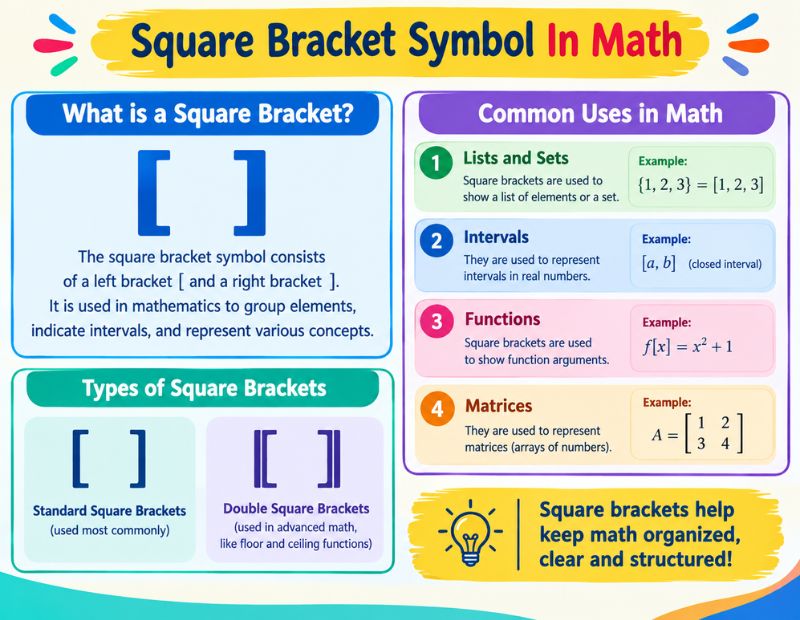
In mathematics, square brackets do more than just group numbers. They carry specific meaning depending on the branch of math you are working in.
- Interval notation 📐 [a, b] means the interval includes both endpoints a and b, known as a closed interval.
- Matrices 🔲 Square brackets enclose the rows and columns of a matrix, such as [1 2; 3 4].
- Floor function ⬇️ The floor of a number is often written using half brackets, showing the value rounded down.
- Greatest integer function 🔽 Some textbooks use plain square brackets to represent the greatest integer function.
- Nested grouping 🧩 When an equation already has parentheses, square brackets are used as the next outer layer, followed by curly braces if needed.
- Commutators in algebra 🔁 In abstract algebra, [a, b] can represent the commutator of two elements.
This layered use of brackets, parentheses first, then square brackets, then curly braces, helps readers follow complex equations without losing track of grouping.
Square Bracket Symbol In Excel
Excel uses square brackets mostly for structured references and formula clarity, not for basic arithmetic. Here is how they show up in real spreadsheets.
| Use Case | Example Formula | What It Does |
|---|---|---|
| Column reference in a table | =SUM(SalesData[Revenue]) | Adds all values in the Revenue column of the SalesData table |
| Same row reference | =[@Revenue]*0.08 | Calculates tax for the current row only |
| External workbook reference | ='[Budget.xlsx]Sheet1′!A1 | Pulls a value from another workbook file |
| Header with spaces | =Table1[Unit Price] | References a column whose name includes a space |
| Total row reference | =SUM(Table1[[#Totals],[Sales]]) | Points to the totals row of a specific column |
You rarely type these brackets manually. Excel inserts them automatically when you click a table column while building a formula, which keeps everything readable and reduces reference errors.
Square Bracket Symbol In Latex
LaTeX relies heavily on brackets for both formatting and functionality, so understanding their role saves a lot of debugging time.
- Optional command arguments ⚙️ Square brackets after a command, like \documentclass[12pt]{article}, define an optional setting.
- Displaying literal brackets 🔠 To show an actual [ ] symbol in your output, you simply type it directly since LaTeX does not reserve it as a special character.
- Matrix environments 📊 Combined with the amsmath package, square brackets can wrap a matrix using the bmatrix environment.
- Citations and references 🔗 Some citation styles display reference numbers inside square brackets automatically, like [1].
- Custom spacing commands 📏 Square brackets can define spacing values right after commands such as \[10pt].
Because LaTeX does not treat [ ] as a reserved character like { } or , it is one of the more beginner friendly symbols in the language.
Square Bracket Symbol On Keyboard
Typing a square bracket depends on your device and operating system. Here is a simple breakdown.
| Device | How To Type [ | How To Type ] |
|---|---|---|
| Windows keyboard | Press the [ key | Press the ] key |
| Mac keyboard | Press the [ key | Press the ] key |
| Windows Alt code | Alt+91 | Alt+93 |
| Mac Unicode input | Option+00005B | Option+00005D |
| iPhone or Android | Tap 123, then #+=, find [ | Tap 123, then #+=, find ] |
| Word character code | 005B then Alt+X | 005D then Alt+X |
On most keyboards, the [ and ] keys sit right next to the P key, making them easy to find once you know where to look.
Square Bracket Vs. Curly Bracket Symbols
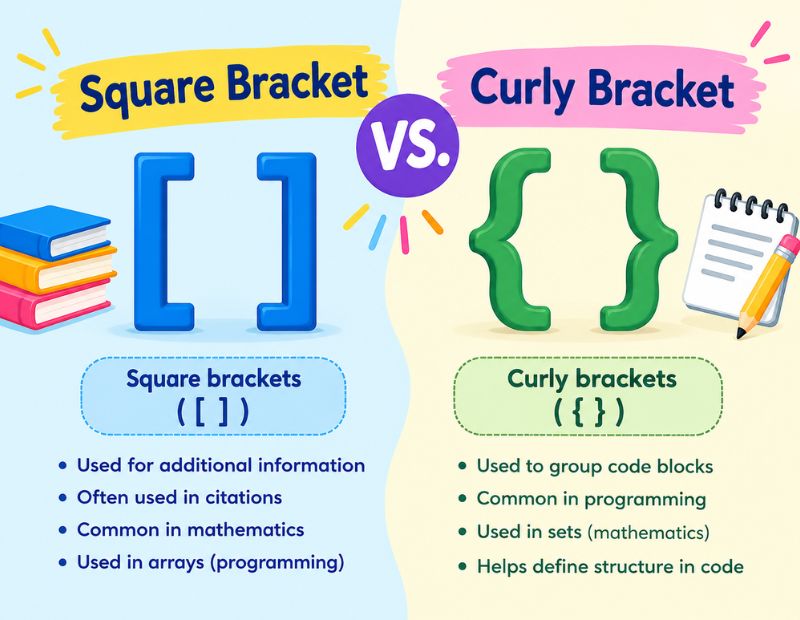
People often mix up square brackets [ ] and curly brackets { }, but they serve different purposes across writing and coding.
| Feature | Square Bracket [ ] | Curly Bracket { } |
|---|---|---|
| Common name | Box bracket | Brace |
| Main use in writing | Editorial clarification, added notes | Rarely used in standard grammar |
| Use in math | Grouping, intervals, matrices | Sets and set notation |
| Use in coding | Arrays, indexing, JSON lists | Code blocks, objects, functions |
| Use in Excel | Structured table references | Array formulas |
| Nesting order | Second layer after parentheses | Third layer after square brackets |
In short, square brackets organize and clarify, while curly brackets group code logic or mathematical sets. Knowing the difference prevents syntax errors in programming and confusion in formal writing.
Types Of Square Bracket Symbols
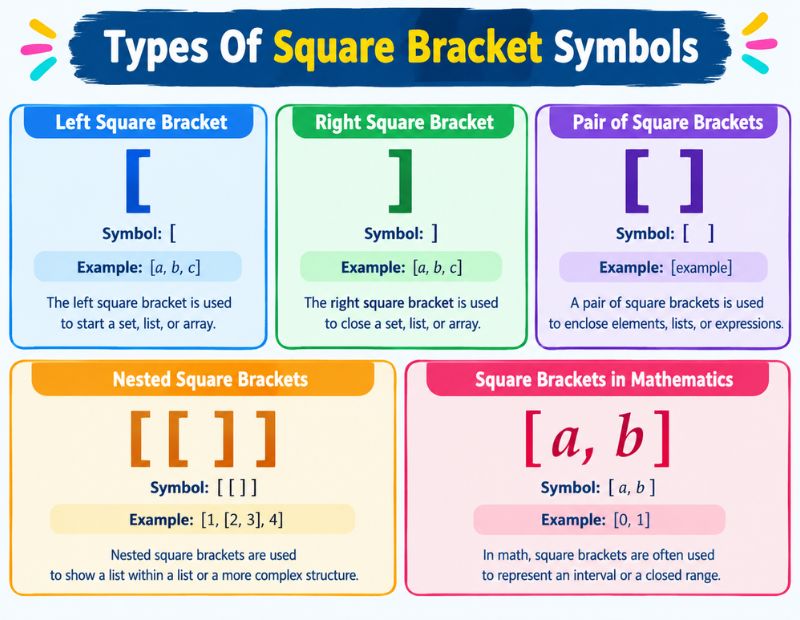
Square brackets are not always used as a matching pair. Depending on the context, you might need only one side, a resized version, or a stylistic variation.
Right Square Bracket Symbol
The right square bracket ] closes an expression, quote, or data set. It always pairs with a left bracket that came before it in the same line.
Left Square Bracket Symbol
The left square bracket [ opens an expression or clarification. It signals that the reader should expect a closing bracket shortly after.
Open Square Bracket Symbol
An open square bracket refers to the same character as the left bracket [ and is commonly used in programming discussions to describe the starting point of an array or list.
Closed Square Bracket Symbol
A closed square bracket refers to the right bracket ] and marks the end point of a data set, array, or clarified phrase.
Half Square Bracket Symbol
A half square bracket shows only the horizontal top or bottom line without the full vertical stroke. It appears in linguistics and phonetic transcription to mark partial quotations.
Bottom Square Bracket Symbol
The bottom square bracket, often written as ⌊ ⌋, is used in math for the floor function, showing that a value is rounded down to the nearest whole number.
Big Square Bracket Symbol
A big or stretched square bracket automatically resizes in equation editors and LaTeX to wrap around tall expressions like fractions or matrices without looking cramped.
Double Square Bracket Symbol
The double square bracket ⟦ ⟧ appears in advanced mathematics and computer science to denote semantic evaluation or denotational meaning of an expression.
Long Square Bracket Symbol
A long square bracket is a visually elongated version used in typesetting and design work, often for decorative headers or to wrap multi line content in a document.
Horizontal Square Bracket Symbol
The horizontal square bracket lies on its side and is common in diagrams, family trees, and timeline graphics to group related items under one label.
Why Square Brackets Matter For Clear Communication?
Square brackets might look like a small detail, but they carry real weight in how clearly your message comes across. Academic writers rely on them to insert honesty into quotes. Programmers depend on them to build accurate data structures. Excel users trust them to keep formulas readable. Even casual texters use them to add tone or emphasis a plain sentence cannot express.
Getting comfortable with every use case, from grammar to Excel to LaTeX, makes you faster and more precise across writing, coding, and data work. It is a small symbol with a genuinely large footprint.
Conclusion
The square bracket symbol [ ] is far more versatile than most people realize. It clarifies quotes, structures math equations, powers Excel formulas, organizes code, and even adds personality to casual chats. Whether you need to copy and paste it quickly, type it on your keyboard, or understand its role in LaTeX and Word, this guide covers every angle you are likely to need.
Once you know the difference between square brackets and curly brackets, and you understand the specialized types like floor brackets, double brackets, and horizontal brackets, you will never look at this simple symbol the same way again.
FAQs
What does a square bracket symbol mean in writing?
It usually means the enclosed text was added or clarified by someone other than the original speaker or author.
How do I type a square bracket on my keyboard?
Press the [ key for an opening bracket and the ] key for a closing bracket, located next to the P key.
What is the difference between square brackets and parentheses?
Parentheses add optional extra detail, while square brackets usually mark an editorial change or clarification.
Are square brackets used in Excel formulas?
Yes, they are used for structured references to table columns and external workbook links.
What does a double square bracket mean in math?
It typically represents the semantic or denotational evaluation of an expression in advanced math and computer science.
Can I copy and paste a square bracket symbol?
Yes, simply highlight the [ or ] symbol from any text source and paste it into your document or chat.
What is a floor bracket used for?
A floor bracket, written as ⌊ ⌋, shows that a number should be rounded down to the nearest whole number.
Why does Excel show double square brackets in a formula?
Double square brackets appear when a table column name has spaces or when the formula references a header or totals row.
