

The square sign symbol looks plain, but it does a lot of work. It marks a checkbox on a form, a stop button on a music player, a right angle in geometry, a colored tile in a word game and a “missing character” on a broken web page. It also appears in math, engineering, design and social media bios.
This guide explains what each square sign symbol means, where you will see it, and how to type it on any device. You can copy every symbol straight from the lists below. You will also find help with square roots, square feet, Minecraft signs and the strange empty box that sometimes replaces text.
Quick Copy and Paste: Square Sign Symbol List
Select a symbol, copy it with Ctrl+C (Cmd+C on Mac), and paste it anywhere.
Solid squares: ■ ▪ ◼ ◾ ⬛ █ 🔲
Hollow squares: □ ▫ ◻ ◽ ⬜ ▢ 🔳
Squares with something inside: ▣ ▤ ▥ ▦ ▧ ▨ ▩ ⊞ ⊟ ⊠ ⊡
Checkbox squares: ☐ ☑ ☒
Colored square emojis: 🟥 🟧 🟨 🟩 🟦 🟪 🟫 ⬛ ⬜
Math squares: ² ³ √ ∎ □ ㎡
Squared letters: 🄰 🄱 🅰 🅱 🅿 🆎
Read Also This Blog: Circle Sign Symbol
Square Sign Symbol Meaning
A square has four equal sides and four right angles. That perfect balance is why people link it with stability, order, honesty and strength. The symbol changes meaning with the setting, but a few ideas keep coming back.
- Stability and foundation: A square base does not tip over.
- Order and structure: Grids, blocks and frames are all built from squares.
- Fairness and honesty: The phrase “fair and square” means straight and honest.
- The earth and the material world: Many old traditions pair the square with the ground and the circle with the sky.
- Four of everything: Four corners, four seasons, four directions and four elements.
- Limits and containers: A square can box something in, so it also suggests rules and boundaries.
- Conformity: Calling someone “a square” means they follow the old rules.
In brand design, a square feels dependable and professional. In user interface design, it is the shape of the checkbox, the tile and the app icon.
20+ Square Sign Symbol Meanings at a Glance
| # | Symbol | Name | Common Meaning |
|---|---|---|---|
| 1 | ■ | Black Square | Filled, selected, stop, a solid bullet |
| 2 | □ | White Square | Empty, unchecked, missing character, QED |
| 3 | ▪ | Black Small Square | A tiny bullet or list marker |
| 4 | ▫ | White Small Square | A light sub point |
| 5 | ◼ | Black Medium Square | A stronger filled marker |
| 6 | ◻ | White Medium Square | A medium empty box |
| 7 | ⬛ | Black Large Square | A big block, dark tile, blank screen |
| 8 | ⬜ | White Large Square | An empty tile, blank space, wrong letter |
| 9 | ▢ | Rounded White Square | A soft button or checkbox |
| 10 | ▣ | Square Within a Square | A selected or marked box |
| 11 | ☐ | Ballot Box | An empty checkbox |
| 12 | ☑ | Ballot Box With Check | A completed task |
| 13 | ☒ | Ballot Box With X | A rejected or cancelled item |
| 14 | ⊞ | Squared Plus | Add, or the Windows logo look |
| 15 | ⊟ | Squared Minus | Remove or collapse |
| 16 | ⊠ | Squared Times | Multiplication in some fields |
| 17 | ² | Superscript Two | Squared, as in x² |
| 18 | √ | Radical Sign | Square root |
| 19 | ∎ | End of Proof | Q.E.D., the proof is finished |
| 20 | ㎡ | Square Meter | Area in square meters |
| 21 | 🟦 | Blue Square | Calm, trust, information |
| 22 | 🟩 | Green Square | Correct, go, safe |
| 23 | 🟥 | Red Square | Stop, danger, wrong |
| 24 | ⏹ | Stop Button | Stops media playback |
Square Sign Symbol Text: Unicode Details
Every square is a Unicode character. Unicode is the shared standard that lets phones, laptops and websites show the same symbol. Most basic squares live in the Geometric Shapes block, which runs from U+25A0 to U+25FF.
| Symbol | Unicode | HTML Entity | CSS Code |
|---|---|---|---|
| ■ | U+25A0 | ■ | \25A0 |
| □ | U+25A1 | □ or □ | \25A1 |
| ▪ | U+25AA | ▪ | \25AA |
| ▫ | U+25AB | ▫ | \25AB |
| ◻ | U+25FB | ◻ | \25FB |
| ◼ | U+25FC | ◼ | \25FC |
| ⬛ | U+2B1B | ⬛ | \2B1B |
| ⬜ | U+2B1C | ⬜ | \2B1C |
| ☐ | U+2610 | ☐ | \2610 |
| ² | U+00B2 | ² | \00B2 |
| √ | U+221A | √ | \221A |
Web designers use entities or CSS codes so the symbol still shows if a font is missing. Writers and social media users usually copy and paste the character itself.
Square Sign Symbol Copy and Paste: Solid and Hollow Types
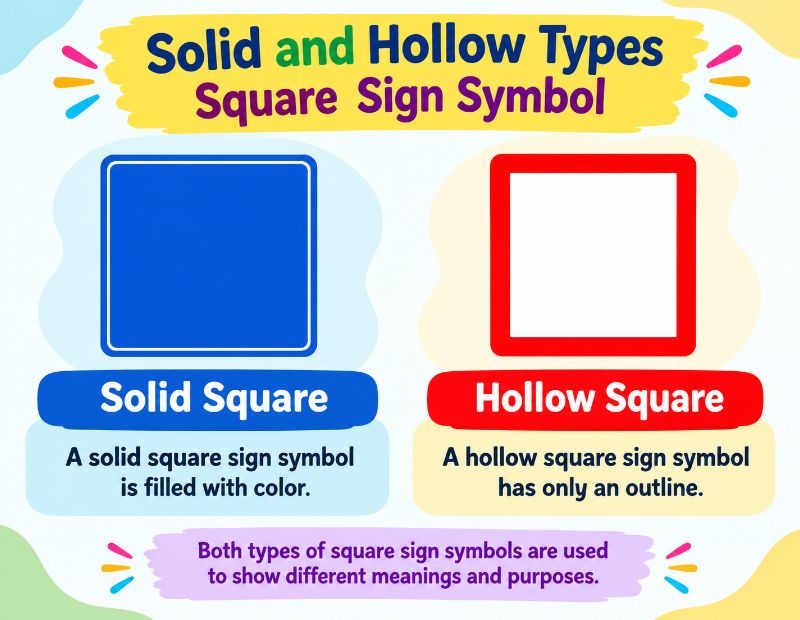
Hollow Square Sign Symbol?
A hollow square has an outline and an empty middle. Use these when you want to show something unchecked, unfinished or open.
- □ White Square
- ▫ White Small Square
- ◻ White Medium Square
- ⬜ White Large Square
- ▢ White Square With Rounded Corners
- ☐ Ballot Box
Hollow squares are the standard to do list marker. They say “not done yet.”
Solid Square Sign Symbol
A solid square is completely filled. It suggests something active, selected, finished or heavy.
- ■ Black Square
- ▪ Black Small Square
- ◼ Black Medium Square
- ⬛ Black Large Square
- █ Full Block
Solid squares work as bullet points, progress bar pieces and status markers. In a media player, a solid square usually means stop.
Short and Large Square Sign Symbol
Squares come in different sizes so you can match the visual weight to your text.
| Size | Solid | Hollow | Best Use |
|---|---|---|---|
| Small | ▪ | ▫ | Sub points, separators, inline bullets |
| Medium small | ◾ | ◽ | Light emphasis in text |
| Medium | ◼ | ◻ | Lists, status marks |
| Large | ⬛ | ⬜ | Headings, tiles, grids, emoji art |
The small ones sit neatly beside a line of text. The large ones are emoji size and make bold visual blocks in posts and messages.
Square Sign Symbol on Keyboard
No standard key gives you a square, but these shortcuts work well.
Windows
Turn on Num Lock, hold Alt and type the number on the numeric keypad.
| Symbol | Shortcut |
|---|---|
| ■ | Alt + 254 |
| ² | Alt + 0178 |
| ³ | Alt + 0179 |
| √ | Alt + 251 |
You can also press the Windows key and the period key together to open the emoji panel. Search “square” and click the one you like. Another option is the Character Map app, where you pick a font, find the symbol and press Copy.
Mac
- Press Option + V for the square root sign √.
- Press Control + Command + Space to open the Character Viewer, then search “square.”
- Use Edit, then Emoji and Symbols, from the menu bar in most apps.
iPhone
The iPhone keyboard has no plain ■ key, but you have options.
- Tap the emoji key and pick ⬛, ⬜, 🟥, 🟦 or 🟩.
- Copy □ or ■ from this page and paste it.
- Save it under Settings, General, Keyboard, Text Replacement, with a short trigger such as “sqr,” so it appears as you type.
Android
- Open the keyboard and tap the symbols key.
- Open the second symbols page.
- Look for ■ and □, which many keyboards include.
- Use the emoji tab for colored squares.
Gboard lets you search “square” from the emoji search bar.
Square Sign Symbol in Word
Microsoft Word offers four easy routes.
Insert Symbol
- Click Insert, then Symbol, then More Symbols.
- Set the subset to Geometric Shapes.
- Choose the square and click Insert.
Alt plus X
- Type 25A0 for ■ or 25A1 for □.
- Press Alt + X straight away. The code turns into the symbol.
Superscript for squared numbers
- Type the number, such as 5 or m.
- Type 2, select it and press Ctrl + Shift + Plus.
- Press the same keys again to return to normal text.
Checkbox
Open the Developer tab and insert a Check Box Content Control. Users can click it to tick and untick.
You can also draw a real square. Go to Insert, Shapes, Rectangle, then hold Shift while dragging to keep all sides equal.
Square Sign Symbol in Math
Squares appear in several ways in mathematics.
- Squaring a number: Multiply it by itself. Write it as x², so 6² equals 36.
- Square root: The radical sign √ asks which number times itself gives the result. √49 equals 7.
- Area of a square: Side times side, or s². Perimeter is 4s. The diagonal is s√2.
- Right angle mark: A small square drawn in the corner of an angle shows it measures 90 degrees.
- End of proof: A small filled or empty square (■ or □) tells the reader that the proof is done. It is also called the tombstone or Halmos symbol.
- Squared operators: ⊞, ⊟, ⊠ and ⊡ are used in algebra and set notation.
- Perfect squares: 1, 4, 9, 16, 25, 36 and so on.
In programming and plain text, people often type x^2 for x squared because the superscript is not available.
Square Root Sign Symbol
The square root sign is √ (U+221A). Copy it, or use Alt + 251 on Windows or Option + V on Mac. In HTML, write √. For cube and fourth roots, use ∛ and ∜. In LaTeX, type \sqrt{x}, or \sqrt[3]{x} for a cube root.
Square Feet Sign Symbol
Square feet are written as sq ft, sqft or ft². To get the small 2, type ft and then Alt + 0178 on Windows, or use the superscript shortcut in Word.
| Unit | Symbol | Conversion |
|---|---|---|
| Square foot | ft² | 1 ft² = 0.0929 m² |
| Square meter | m² or ㎡ | 1 m² = 10.764 ft² |
| Square inch | in² | 1 in² = 6.4516 cm² |
| Square yard | yd² | 1 yd² = 9 ft² |
Real estate ads, floor plans and building specs use these units every day.
Square Sign Symbol in LaTeX
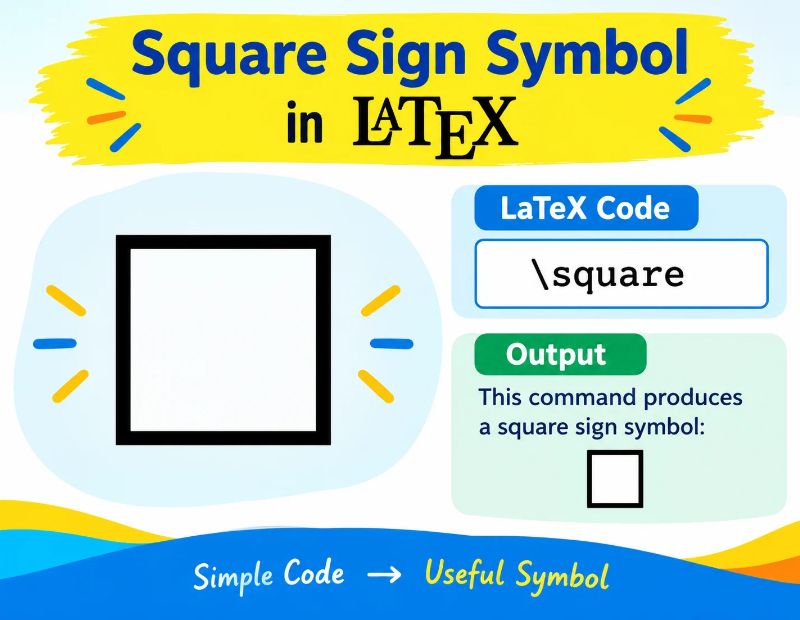
LaTeX has ready commands for most squares. Load the amssymb package for many of them.
| Symbol | Command | Notes |
|---|---|---|
| □ | \square or \Box | Empty square |
| ■ | \blacksquare | Filled square, common proof ender |
| ⊞ | \boxplus | Squared plus |
| ⊟ | \boxminus | Squared minus |
| ⊠ | \boxtimes | Squared times |
| ⊡ | \boxdot | Squared dot |
| x² | x^2 | Squared, in math mode |
| √x | \sqrt{x} | Square root |
For proofs, place \qed or \blacksquare at the end of the last line.
Square Sign Symbol Generator
A square sign symbol generator turns normal text into squared letters, like 🅃🄴🅇🅃. These tools are free and take seconds to use.
- Open a squared text or symbol generator in your browser.
- Type your words in the input box.
- Pick a style, such as outlined squares or filled squares.
- Copy the result and paste it into your bio, post or message.
The first squared characters were added to Unicode so Japanese television could use labels such as “news” and “wide.” Later, more were added for blood types and parking signs. Today people use them for stylish usernames and headings.
A few cautions apply. Screen readers may read squared letters badly, so avoid them for important information. Some apps also show them as empty boxes. Use them for decoration, not for links or key details.
Square Background Symbol
You may want a square pattern behind your text, or a block of squares for decoration. There are two simple ways.
- In plain text: Repeat symbols such as ■ □ ▪ ▫ or use the shading blocks ░ ▒ ▓ █ to build a pattern.
- On a web page: Use CSS for a real background. A repeating gradient or a small image tile makes clean checks and grids without adding symbols to the text.
Patterned squares such as ▤ ▥ ▦ ▧ ▨ ▩ give a textured look. They suit retro layouts, terminal art and social media dividers.
Minecraft Square Sign Symbol
Players often ask how to put a square on a Minecraft sign or in chat. The answer depends on your edition and font.
- Minecraft’s default font supports many common shapes, so ■ and □ can display on signs in many versions. Test one on a sign first.
- Symbols that the font cannot draw appear as a small empty box or a gap.
- On Java Edition, you can copy and paste from a web page into a sign if your system allows it.
- The section sign § is used for color and format codes on some servers, not as a square.
- On phones and consoles, use the on screen keyboard’s symbol page or copy the symbol from a note.
If a colored square is your goal, you can also build it in game with colored blocks or banners rather than text.
Colored Square Sign Symbols and Their Meanings
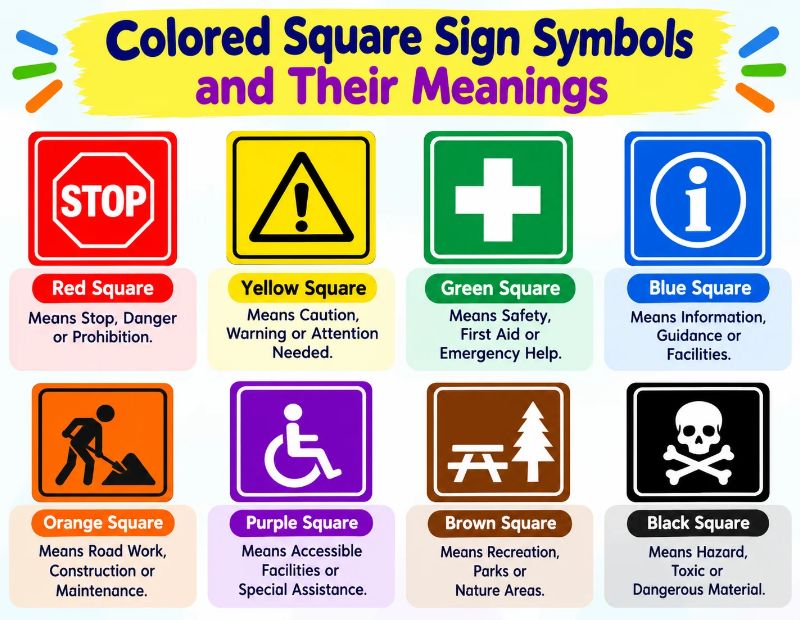
Colored squares are emojis, so they look a little different on every platform. Their meanings depend on culture and context.
Blue Square Sign Symbol Meaning
🟦 stands for calm, trust, water and information. In word games with a color blind mode, blue often marks a correct letter. On road signs in many countries, a blue square gives information, such as parking or a hospital.
White Square Sign Symbol Meaning
⬜ means blank, empty, clean or neutral. In games it often shows a wrong or absent letter. In a list it stands for an unfinished item. Designers use a white square to show empty space.
Green Square Sign Symbol Meaning
🟩 means correct, safe, go and success. In word games it marks a right letter in the right spot. On safety signs under ISO 7010, a green square shows a safe condition, such as an emergency exit. It also links with nature and the environment.
| Color | Emoji | Common Meaning |
|---|---|---|
| Red | 🟥 | Stop, danger, wrong |
| Orange | 🟧 | Caution, energy |
| Yellow | 🟨 | Warning, present but misplaced |
| Green | 🟩 | Correct, safe, go |
| Blue | 🟦 | Calm, trust, information |
| Purple | 🟪 | Creativity, luxury |
| Brown | 🟫 | Earth, warmth |
| Black | ⬛ | Absent, formal, dark |
| White | ⬜ | Blank, neutral, empty |
Why Do I See a Square Box Instead of Text?
Sometimes a small empty box shows up in place of a letter or emoji. People call it “tofu.” It means your font does not contain the character you are looking at.
Try these fixes:
- Change the font to one with wide Unicode support, such as Arial Unicode or Noto.
- Update your operating system, browser or app.
- Check the file encoding. Use UTF-8 for web pages and text files.
- On Android or iPhone, update the system and keyboard.
- If you are the sender, use a more common symbol that older devices can show.
Square Sign Symbol in Design and Culture
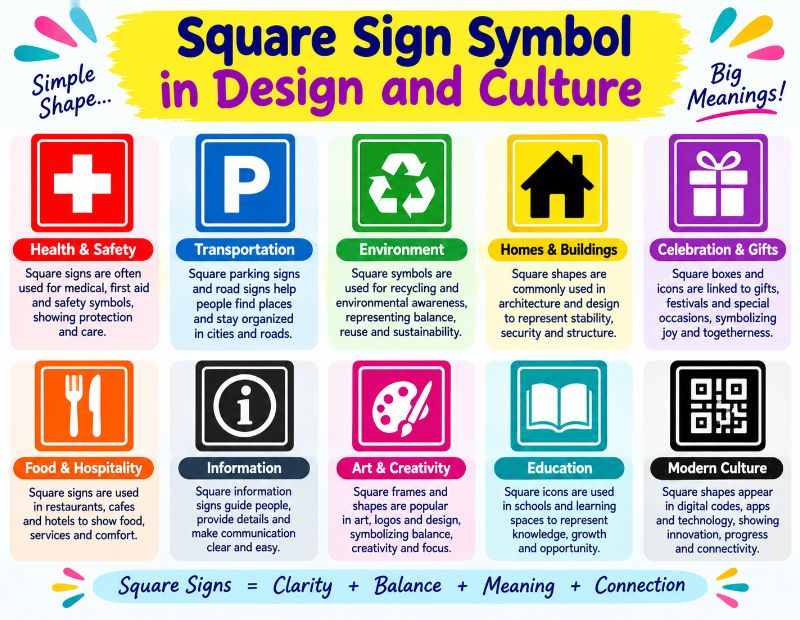
Beyond typing, the square is a strong design idea.
- Grids and layouts: Most page designs sit on a grid of squares and rectangles.
- Logos and icons: App icons, QR codes and pixel art all rely on squares.
- Architecture: Square rooms and blocks are efficient and stable.
- Freemasonry: The square and compasses stand for moral conduct.
- Old cosmology: In Chinese and other traditions, the square represents the earth and the circle represents heaven.
- Art: Movements such as Constructivism and Bauhaus used squares to express order and modern life.
Tips for Using Square Symbols Well
- Match the meaning. Use □ for unfinished tasks and ■ for done ones, and keep it consistent.
- Test on other devices. Emoji squares look different on iPhone, Android and Windows.
- Add text labels for accessibility. Screen readers may skip symbols, so name what they mean.
- Do not replace letters. A square symbol is not the letter O or a zero, and search engines treat them differently.
- Keep it light. A few squares improve a list. Too many make it messy.
Frequently Asked Questions
What is the square sign symbol?
It is a four sided shape such as ■ or □. It is used in text, math, design and signs to mean structure, selection or stop.
How do I type a square symbol on my keyboard?
On Windows, hold Alt and type 254 on the numpad for ■. On a Mac, use the Character Viewer with Control + Command + Space.
How do I copy and paste the square symbol?
Highlight the symbol above, press Ctrl+C or Cmd+C, then paste with Ctrl+V or Cmd+V.
What does the hollow square symbol mean?
A hollow square such as □ usually means empty, unchecked or not done. It can also show a missing character.
What does the solid square symbol mean?
A solid square such as ■ means filled, selected or active. On media players it means stop.
How do I insert a square sign symbol in Word?
Go to Insert, Symbol, More Symbols and pick Geometric Shapes. Or type 25A1 and press Alt + X.
How do I write the square root sign?
Copy √, or press Alt + 251 on Windows or Option + V on Mac.
How do I type the square feet symbol?
Type ft and then the superscript 2 using Alt + 0178 on Windows, giving ft².
How do I write a square sign symbol in LaTeX?
Use \square or \Box for an empty square and \blacksquare for a filled one.
What does the blue square mean?
🟦 means calm, trust or information. In some word games it marks a correct letter.
What does the green square sign symbol mean?
🟩 means correct, safe or go. Safety signs use a green square for safe conditions.
What does the white square sign symbol mean?
⬜ means blank, empty or neutral. In games it often means a wrong or missing letter.
Why do I see a square box instead of a letter?
Your font cannot display that character. Switch fonts, update your device or use UTF-8 encoding.
What is the square sign symbol at the end of a proof?
It is ∎ or ■, called the tombstone or Halmos symbol. It means Q.E.D., the proof is complete.
Conclusion
The square sign symbol is simple but very useful. It can mean a filled choice, an empty box, a right angle, a squared number, a game result or a finished proof. Once you know the Unicode name and the shortcut for each one, you can use the right square in Word, LaTeX, a text message or a web page.
Bookmark this page and use the copy and paste lists whenever you need a quick square. If a symbol shows up as an empty box on your device, try another font or choose the emoji version.
