


Want to make your bio, username, or captions stand out? Cool symbols are the easiest way to do it , no design skills, no apps, just click and paste.
From aesthetic stars and hearts to stylish name decorators used in Fortnight, PUBG, and Instagram bios, this guide brings together everything you need in one place. Below, you’ll find what cool symbols actually are, the most popular categories, where people use them, and step by step tricks for typing cool faces and the degree symbol straight from your keyboard.
What Are Cool Symbols?
Cool symbols are special text characters that go beyond the regular letters and numbers on your keyboard. They include decorative marks, stars, hearts, dividers, brackets, and stylized letters. All built from the Unicode Standard, a universal system that assigns a unique code to every character so it displays the same way across every device, browser, and app.
Because they’re plain text (not images), cool symbols can be typed into any text box: a bio, a caption, a chat message, or a document. That’s what makes them so versatile compared to emojis, which sometimes render differently depending on the platform.
Most Popular Types of Cool Symbols
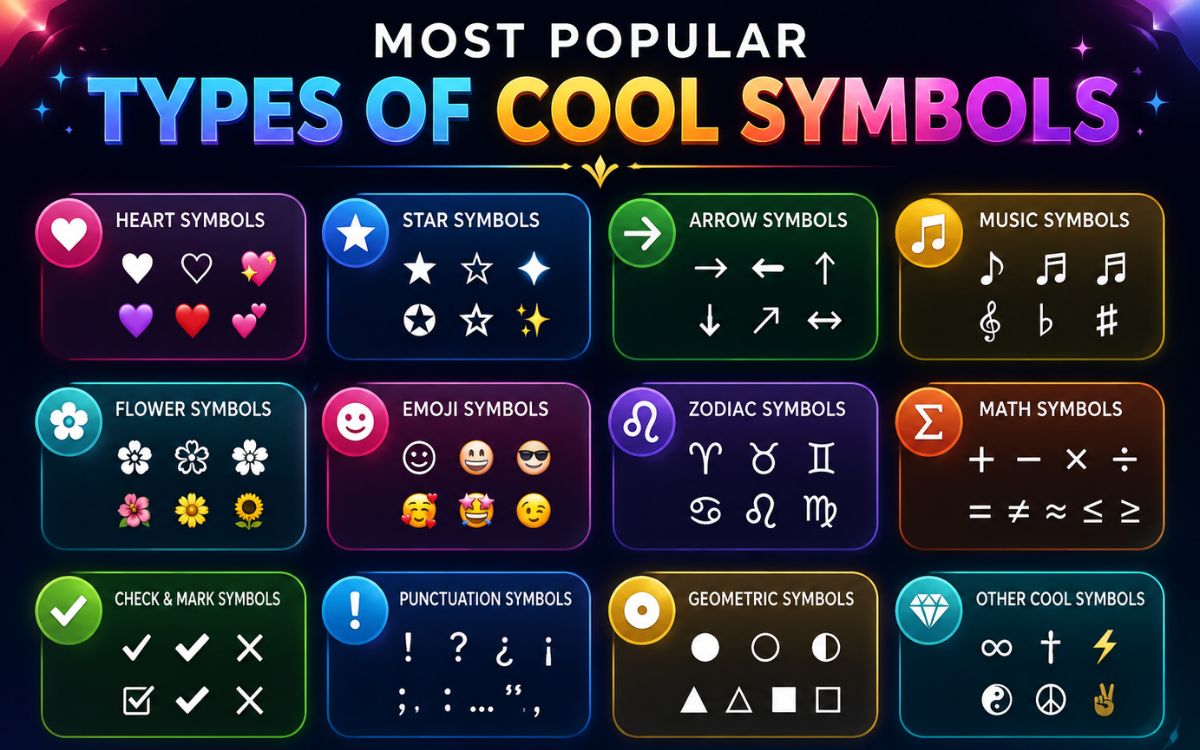
There’s a huge variety of cool symbols out there. Here are the categories people search for and use the most:
| Category | Examples | Common Use |
| Stars & Sparkles | ★ ☆ ✦ ✧ ⋆ ✩ | Aesthetic bios, dividers |
| Hearts | ❤ ♡ 💕 ❥ ღ | Love-themed posts, usernames |
| Arrows | → ➜ ➤ ➵ ⇢ | Highlighting text, direction |
| Brackets & Borders | 「」 ⌈⌉ ‹› 『』 | Framing names or text |
| Flowers & Nature | ❀ ✿ ⚘ ☘ | Cute or nature-themed content |
| Crowns & Royalty | ♛ ♚ 👑 | Gaming names, confident bios |
| Dividers & Lines | ┊ ⋆ ﹒ ⌇ ˚ | Separating sections in a bio |
| Math & Technical | ° ± × ÷ ≈ | Formulas, measurements, notes |
| Weapons & Gaming | ⚔ ︻╤── ☠ | Gaming usernames and clan tags |
| Kaomoji & Faces | (。♥‿♥。) ✿ (^_^) | Cute expressions in chats |
Fun Fact
Unicode currently includes tens of thousands of characters across dozens of blocks arrows, dingbats, geometric shapes, and more which is why “cool symbol” collections keep growing every year.
Uses of These Cool Symbols
Cool symbols aren’t just for decoration. Here’s where people actually use them:
- Social media bios: Instagram, TikTok, and Twitter/X profiles that need a stylish, scroll-stopping look.
- Gaming usernames: Free Fire, PUBG Mobile, Call of Duty, Roblox, and Fortnite display names.
- Messaging apps: WhatsApp, Telegram, and Discord chats or status updates
- Document formatting: dividers, bullet alternatives, and section breaks in Word or Google Docs.
- Branding: YouTube channel names and business handles that need to stand out.
- Design projects: Quick decorative elements without opening an editing tool.
Read Also This Blog : Amazing Up Arrow Symbols
Cool Symbol Text: How They Work
A cool symbol text is simply a string of Unicode characters strung together to form a decorative effect. For example:
- °˖✧◝(⁰▿⁰)◜✧˖° A kaomoji-style face built from symbols.
- ⋆。°✩ Aesthetic ✩°。⋆ Text framed with stars and dots.
- ▬▬ι═══════ﺤ A stylish divider line.
You don’t need to memorize Unicode codes to use them. Just copy the whole string and paste it wherever you want. The formatting carries over automatically since it’s still plain text.
Cool Symbols for Names
Adding cool symbols to a username or display name is one of the most popular uses. It helps a name stand out in leaderboards, friend lists, and search results.
Tips for Building a Cool Name
- Keep it readable. Too many symbols can make a name hard to read or search for.
- Frame, don’t flood. Use brackets or small decorators at the start and end rather than symbols throughout.
- Test on the platform first. Some games and apps block certain Unicode ranges always preview before saving.
- Match the vibe. Crowns and swords suit gaming names; hearts and stars suit aesthetic or lifestyle profiles.
Example Name Styles
| Style | Example |
| Gaming | ꧁☬Kɪɴɢ☬꧂ |
| Aesthetic | ‧₊˚✩彡 Luna |
| Minimal | ›› Alex ‹‹ |
| Cute | 🐰 Mochi ⋆。˚ |
| Bold | ★彡 SHADOW 彡★ |
Cool Symbols Copy and Paste
Below is a quick-reference set of ready to use cool symbols. Click, copy, and paste any of them directly into your app of choice.
Stars and Sparkles
★ ☆ ✦ ✧ ⋆ ✩ ✫ ✬ ✭ ✮ ✯ ✰ 🌟
Hearts
❤ ♡ 💕 💖 💗 ❣ ❥ ღ ♥ ❦ ❧
Arrows
→ ← ↑ ↓ ➜ ➤ ➵ ⇢ ⇠ ➛ ➨
Dividers and Lines
━ ─ ┈ ┊ ⋆⋅☆⋅⋆ ▬▬ι═══════ﺤ
Brackets and Frames
「 」 『 』 ⌈ ⌉ ‹ › « »
Miscellaneous Aesthetic
✿ ❀ ☘ ⚘ ☠ ⚔ ♛ ✞ ☯ ☮ ⚡
How to Make Cool Faces with a Keyboard?
Cool faces also called kaomoji or text faces are built entirely from keyboard available symbols and Unicode characters, no image required.
Steps to Build a Kaomoji
- Start with two matching “eyes,” like parentheses, carets, or Unicode characters: ( ), ^ ^, or ⊙ ⊙.
- Add a “mouth” between them: an underscore, a small letter, or a curve like ‿ or ▽.
- Frame it with extra symbols for hands or hair, like ✿, /, or ノ.
Popular Kaomoji Examples
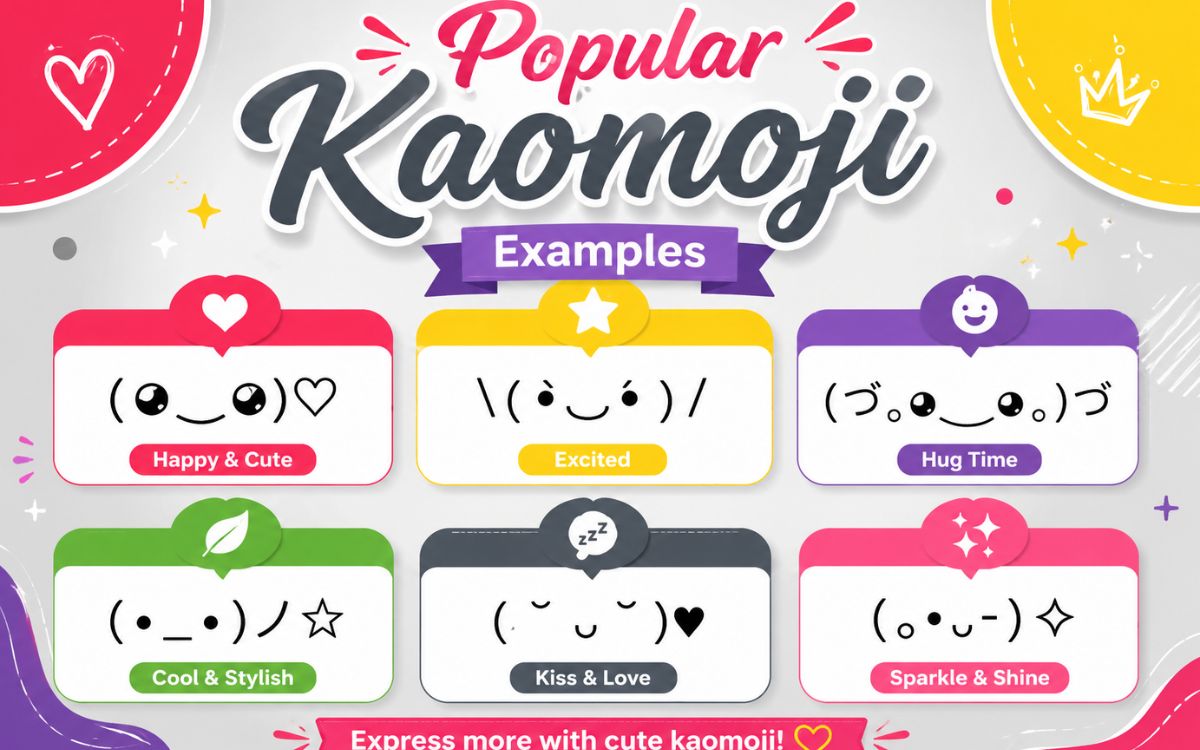
| Emotion | Kaomoji |
| Happy | (^_^) |
| Love | (。♥‿♥。) |
| Shrug | ¯\_(ツ)_/¯ |
| Crying | (╥﹏╥) |
| Flip Table | (╯°□°)╯︵ ┻━┻ |
| Excited | ヽ(°〇°)ノ |
These work anywhere plain text is accepted, which is why they’ve stayed popular in chats and forums for years.
How to Type the Degree Symbol?
The degree symbol (°) is one of the most searched “cool symbols” because it’s genuinely useful for temperatures, angles, and coordinates yet it’s missing from most keyboards.
On Windows
- Make sure Num Lock is turned on.
- Hold the Alt key.
- Type 0176 on the numeric keypad.
- Release Alt — the ° symbol appears.
On Mac
Press Option + Shift + 8 at the same time.
In Microsoft Word
Go to Insert > Symbol > More Symbols, choose the Latin-1 Supplement subset, and select the degree sign.
On Mobile (iPhone/Android)
Long-press the 0 key on the number keyboard , the ° symbol usually pops up as an option.
| Device/App | Shortcut |
| Windows | Alt + 0176 |
| Mac | Option + Shift + 8 |
| Word | Insert > Symbol > Latin-1 Supplement |
| Mobile keyboard | Long-press the 0 key |
| Any device | Copy and paste ° directly |
Conclusion
Cool symbols turn plain text into something memorable whether it’s a sparkly Instagram bio, a bold gaming username, or a properly formatted temperature reading in a report. Since they’re all standard Unicode text, they paste cleanly into nearly any app without extra formatting or downloads.
Save this page, browse the categories above, and copy whatever fits your style. A great bio or username is often just one well-placed symbol away.
FAQs
What are cool symbols used for?
They’re used to decorate bios, usernames, captions, and messages on platforms like Instagram, TikTok, Discord, and gaming apps.
Are cool symbols the same as emojis?
No. Cool symbols are Unicode text characters that display consistently everywhere, while emojis are often platform-specific and can look different across devices.
Can I use cool symbols in my gaming username?
Yes, most games like PUBG, Free Fire, and Fortnite accept Unicode symbols, but it’s best to test the specific symbol before saving your name.
How do I make a cool face using my keyboard?
Combine symbols for eyes, a mouth, and optional decorations, like (。♥‿♥。) or (^_^), using parentheses and Unicode characters.
What is the shortcut to type the degree symbol on Windows?
Hold Alt and type 0176 on the numeric keypad with Num Lock turned on.
Do cool symbols work on all devices?
Yes, since they’re based on the Unicode Standard, they display the same way across phones, tablets, and computers.
Where can I copy cool symbols from?
You can copy them directly from lists like the ones above just click a symbol and paste it into your app or document.
